Set up SOAP Notes Questionnaires
Who does this: hospital administrator or medical superintendent Where: Doctor Work Bench › Masters › SOAP Notes Questionnaires
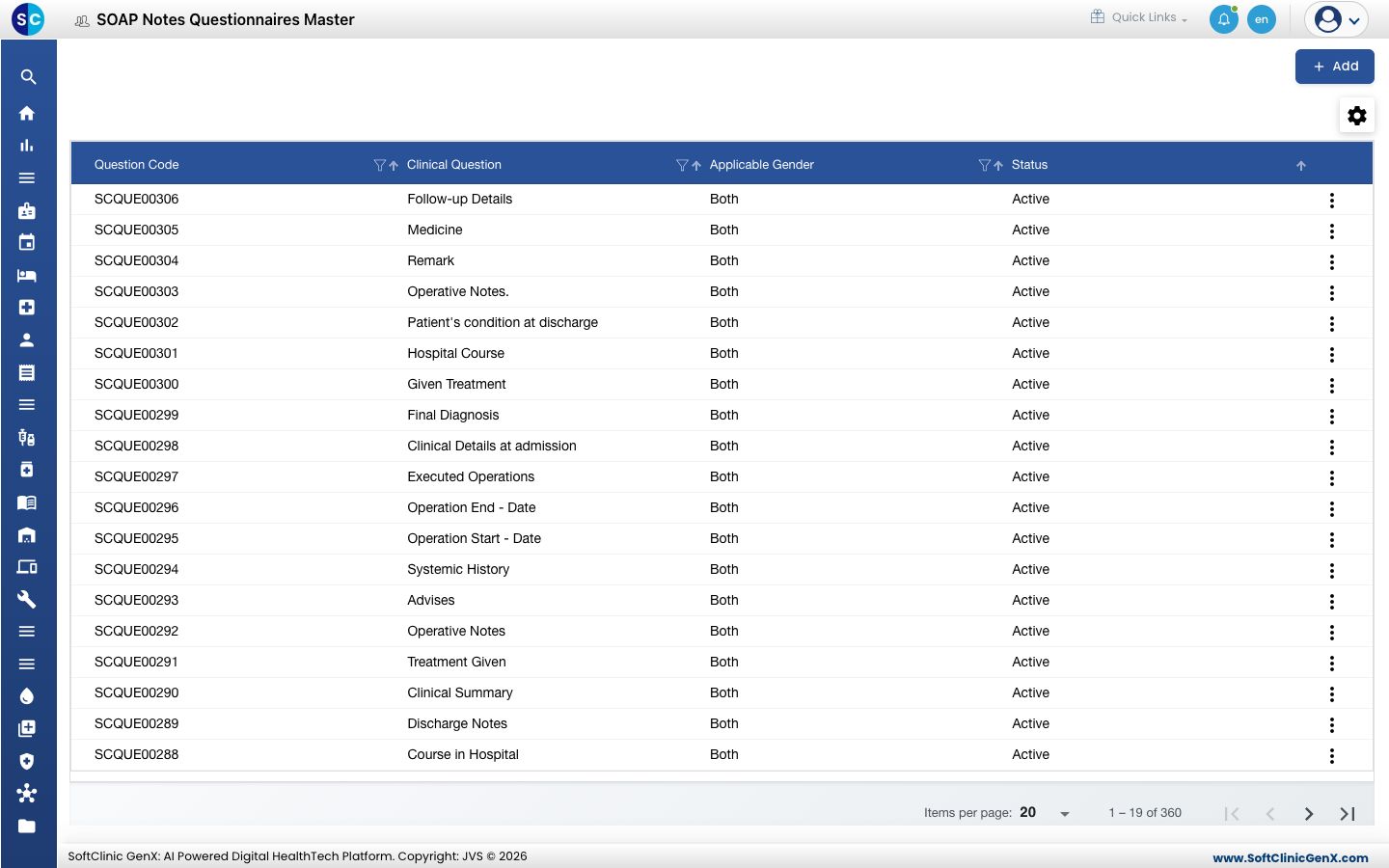
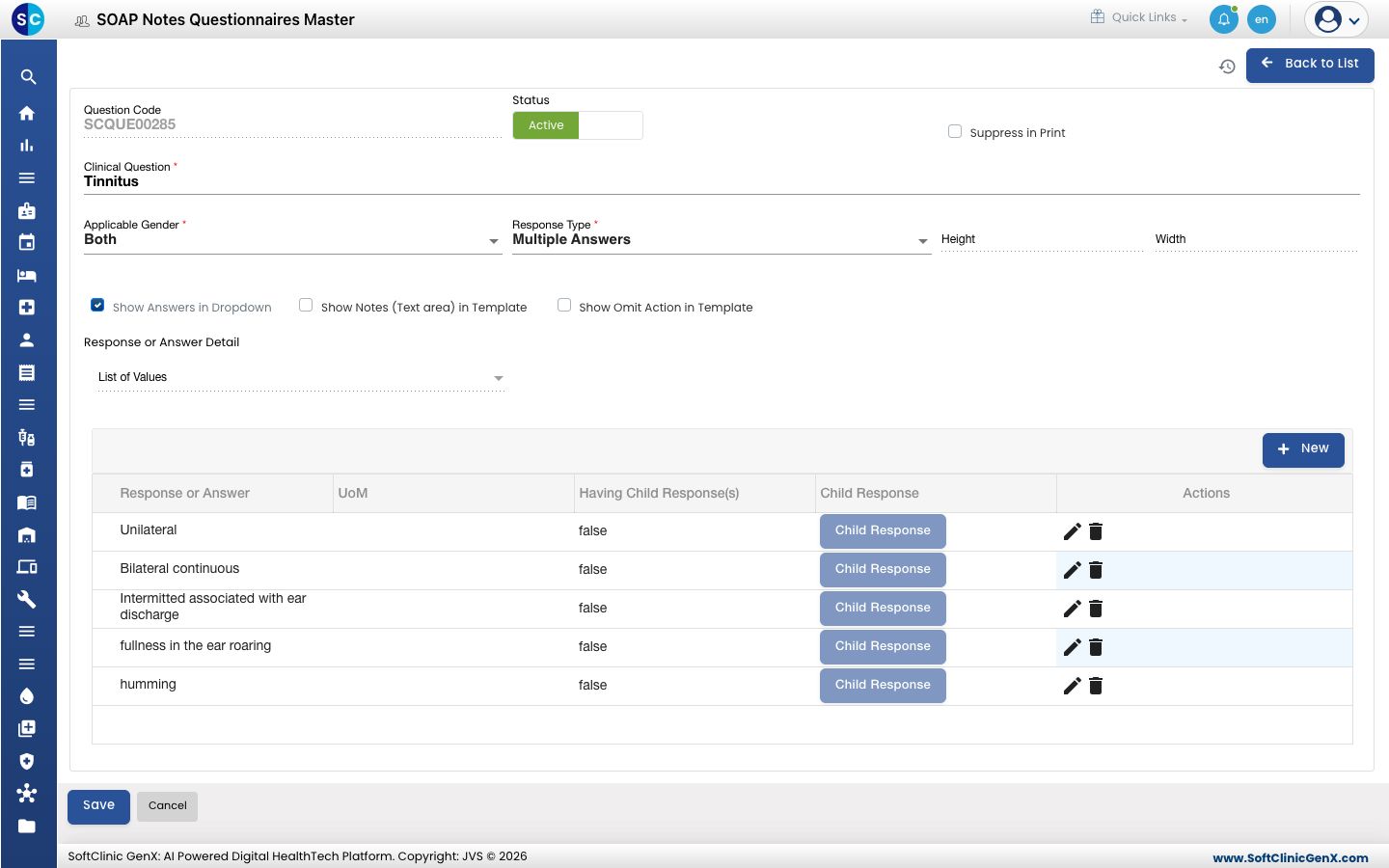
A questionnaire entry is one clinical question the doctor answers while writing a note — for example Tinnitus, with the answers Unilateral, Bilateral continuous and so on. Questions appear in the question-and-answer sections of your SOAP note templates, and Sentence Builder turns the chosen answers into sentences. Many questions are already in place.
Add a question
-
Go to Doctor Work Bench › Masters › SOAP Notes Questionnaires.
-
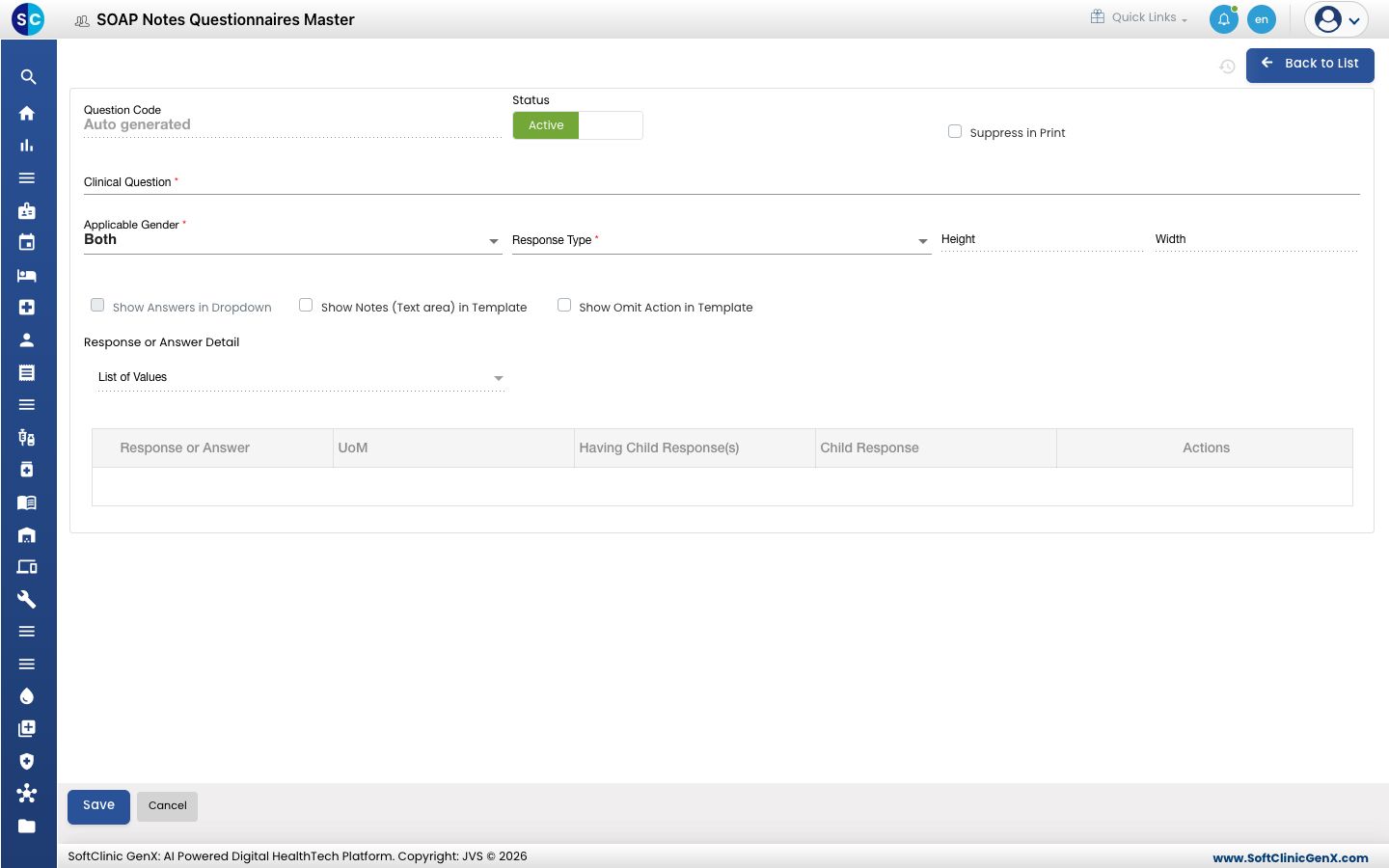
Click Add. The question form opens.
-
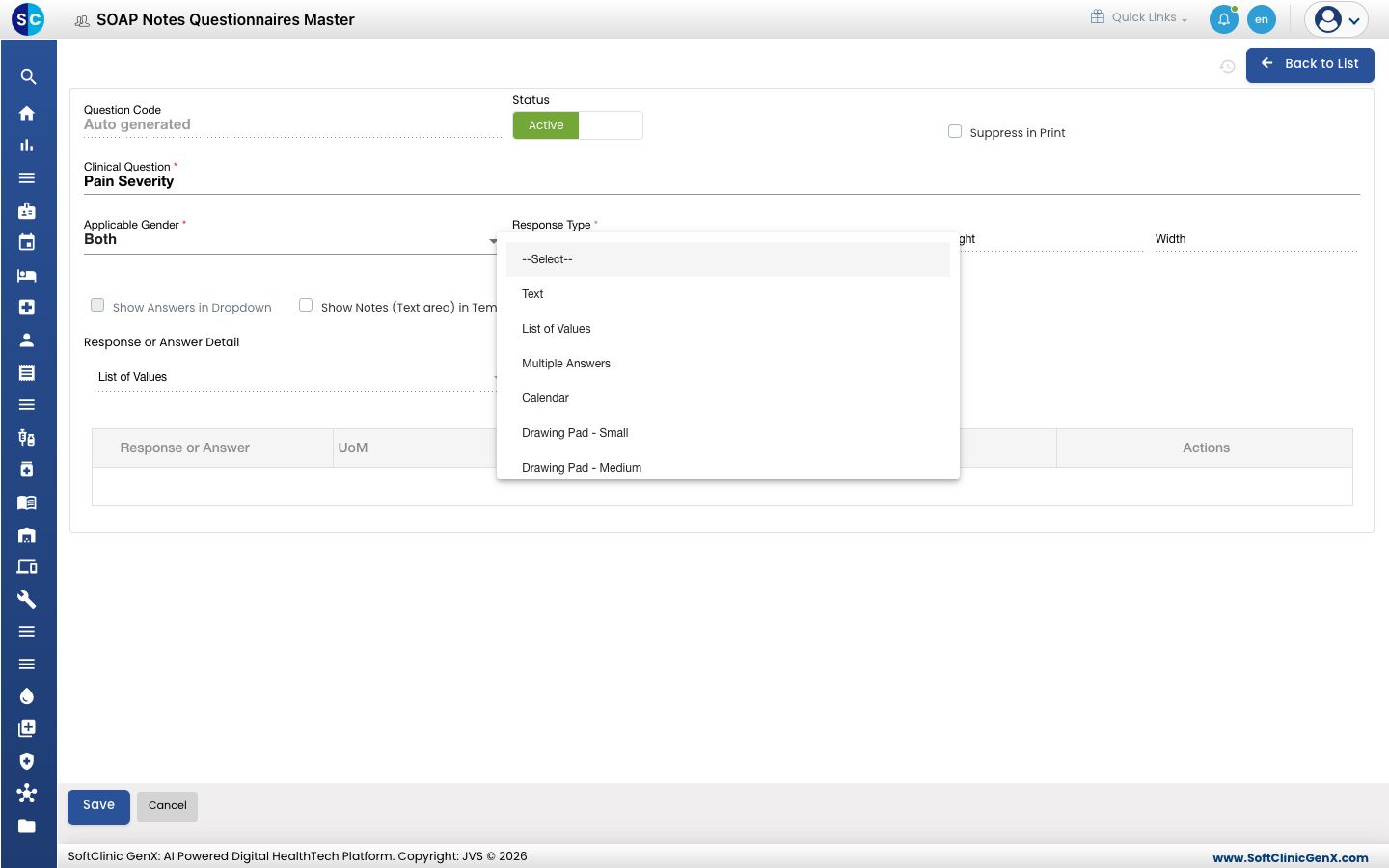
Type the Clinical Question and pick the Response Type — how the doctor answers.
-
Fill in the fields:
Field What to enter Required Question Code Filled in automatically when you save. — Status Leave on Active. — Suppress in Print Tick to keep the question off the printed note. No Clinical Question The question, for example Pain Severity. Yes Applicable Gender Both, Male or Female. Yes Response Type Text, List of Values (pick one), Multiple Answers (pick several), Calendar, Date and Time, Table, or a Drawing Pad (Small, Medium or Large). Yes Height / Width The size of the drawing area, for the Drawing Pad types. For Drawing Pad Show Answers in Dropdown Tick to show the answers as a drop-down list. For List of Values and Multiple Answers. No Show Notes (Text area) in Template Tick to give the doctor a notes box with the question. No Show Omit Action in Template Tick to let the doctor skip the question. No 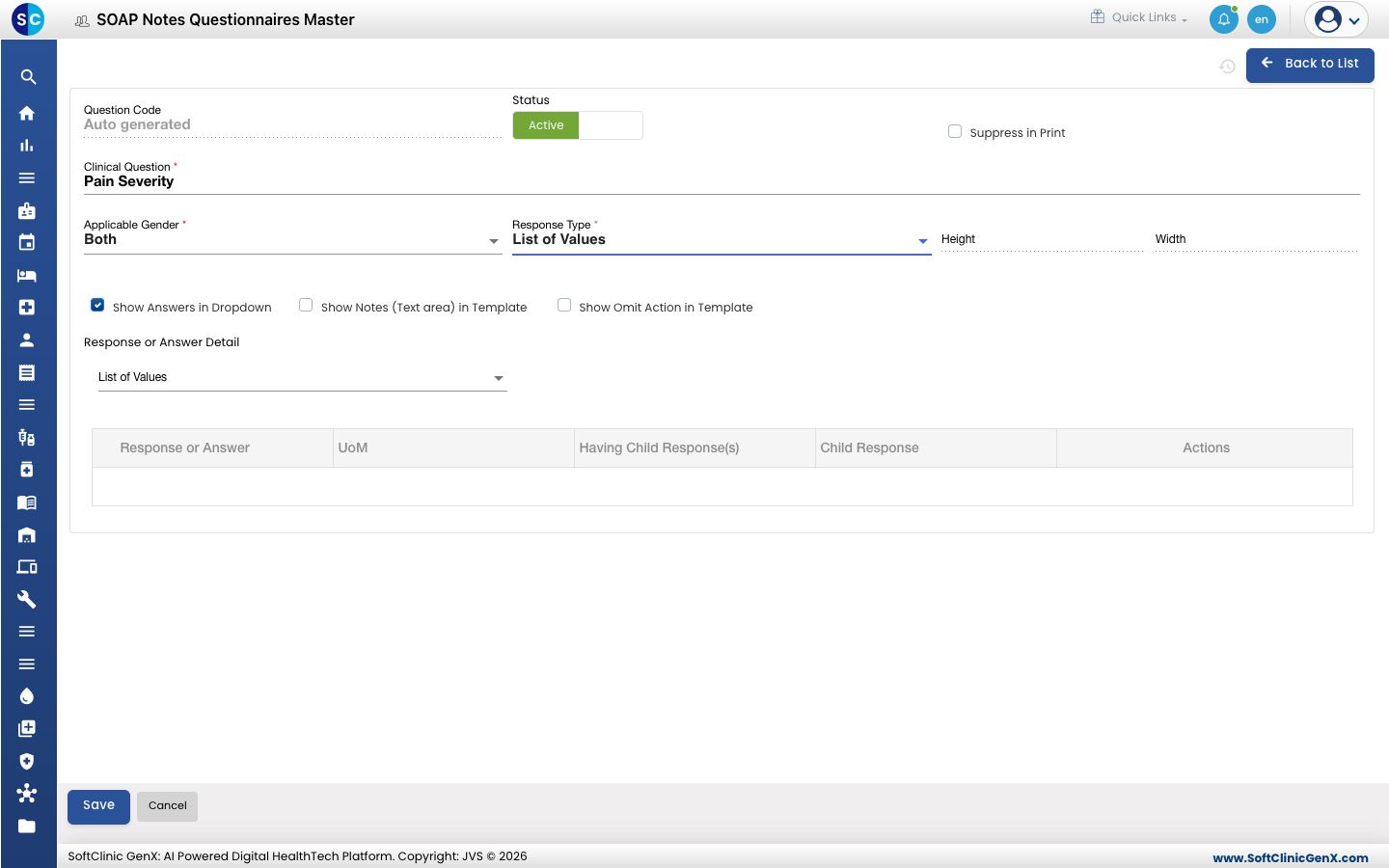
-
For a Table response, click the table configuration button and set up the table before saving.
-
Click Save. You return to the list and the new question appears in it.
Add the answers
For List of Values and Multiple Answers, add the answers the doctor can pick:
- Open the question with Edit (see below).
- Under Response or Answer Detail, keep List of Values to type your own answers, or pick a list the answers come from. Click New and type each Response or Answer, with its UoM if it has one.
- To ask a follow-up when an answer is picked, set Having Child Response(s) on that answer and click Child Response to add the follow-up answers.
- Click Save.
Change or deactivate a question
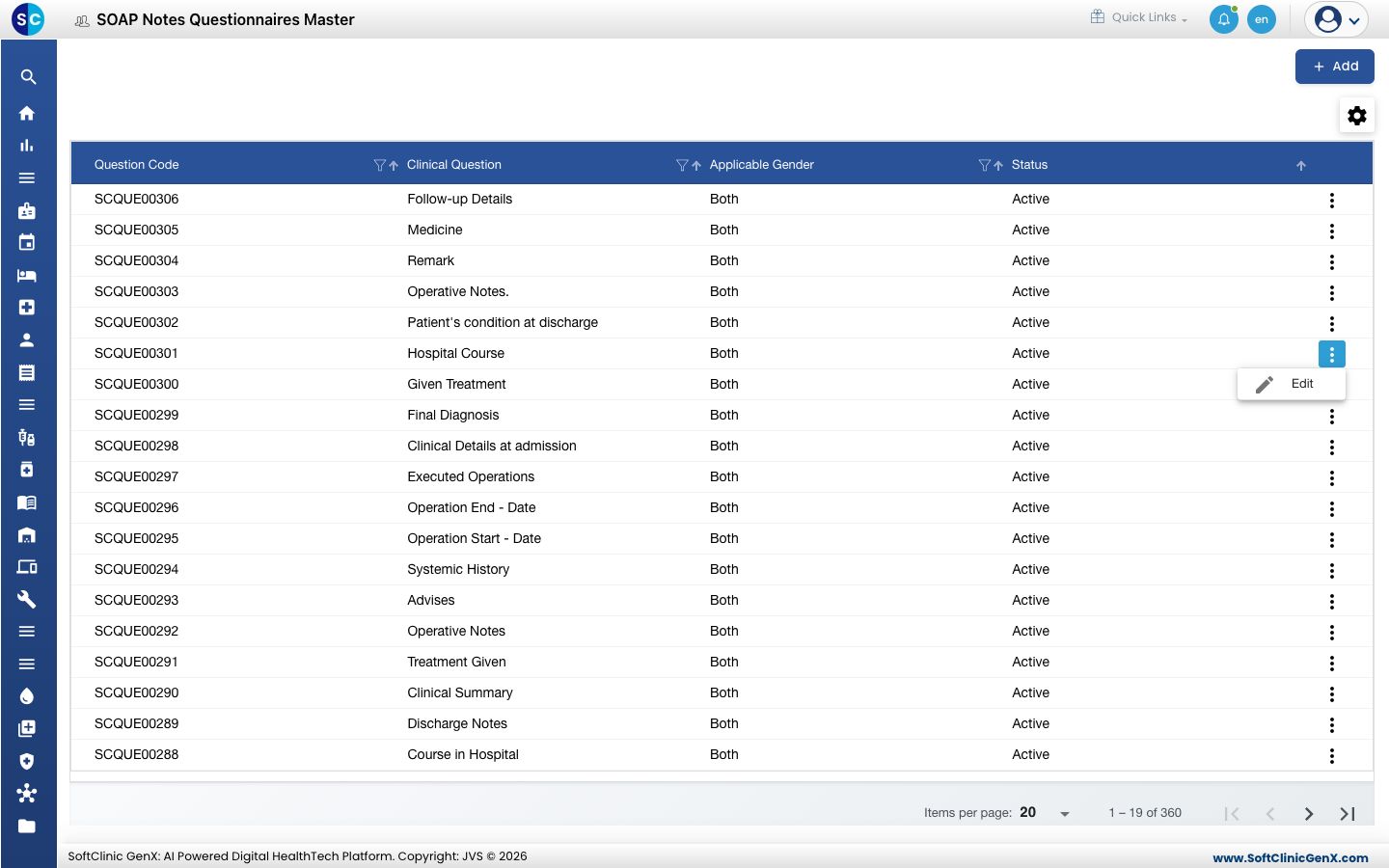
- In the list, click the ⋮ button at the end of the row and choose Edit.
- Change the fields or answers you need. To stop offering the question, switch Status to Inactive.
- Click Save.
Questions cannot be deleted from this screen. Make a question Inactive instead.
Good to know
- The same answer cannot be added twice to one question.
- You place a question in a template's question-and-answer section in Sentence Builder.
- Save a new question first; the New button for answers is available when you open it again with Edit.
- Click Back to List or Cancel to leave the form without saving.
Related
- Previous: Set up Template Section
- Next: Set up SOAP Note Template
- Doctor Work Bench FAQs