Set up Sentence Builder
Who does this: hospital administrator or medical superintendent Where: Doctor Work Bench › Masters › Sentence Builder Set up before: SOAP Notes Questionnaires, SOAP Note Template
Sentence Builder puts a question into a section of a SOAP note template and decides how the doctor's answer reads in the note. For example, with Complains of before the answer, picking humming for Tinnitus reads Complains of humming. Each entry is one question in one section of one template.
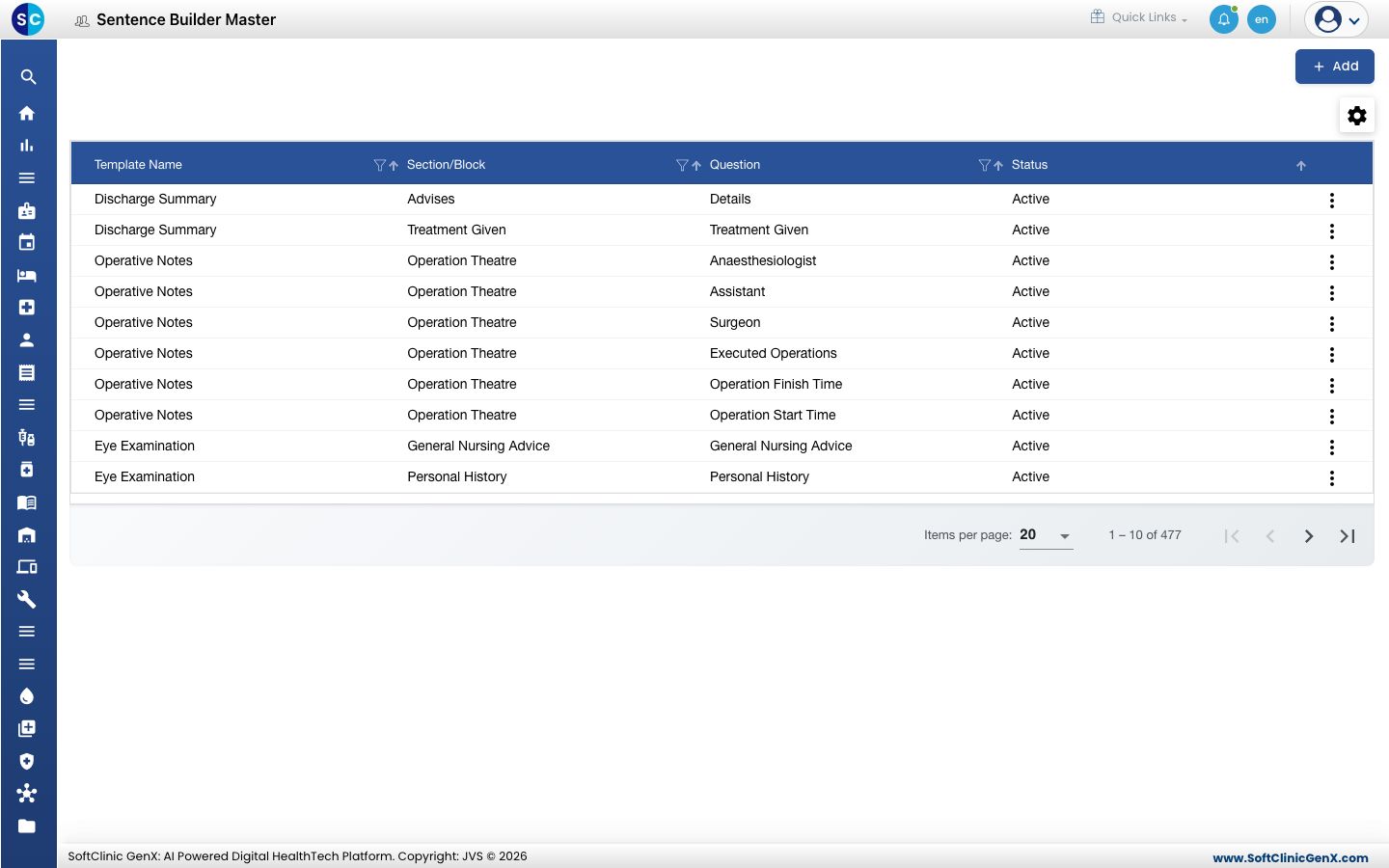
Add a question to a template
-
Go to Doctor Work Bench › Masters › Sentence Builder.
-
Click Add. The form opens.
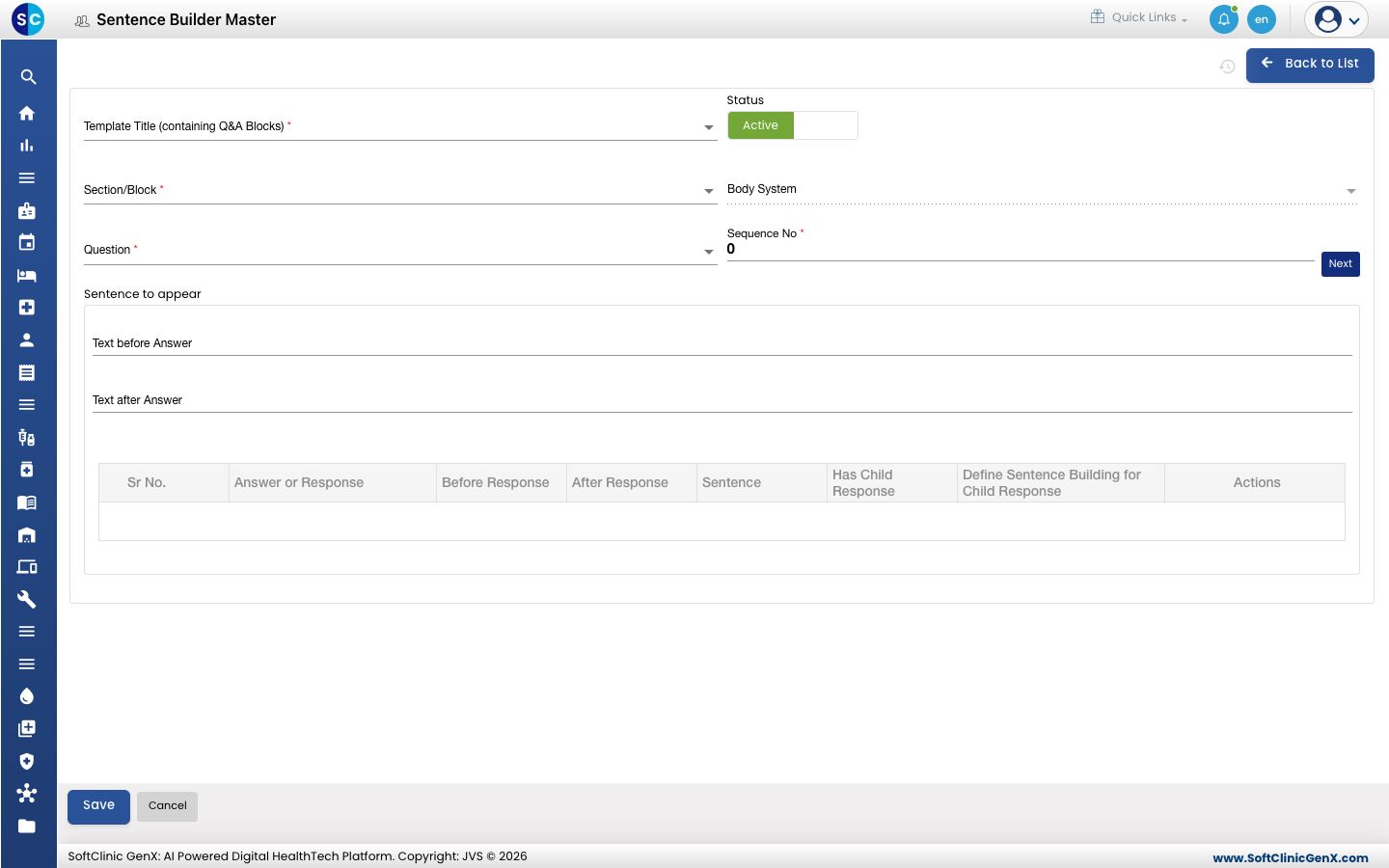
-
Fill in the fields:
Field What to enter Required Template Title (containing Q&A Blocks) The SOAP note template, for example Ent Examination. Yes Status Leave on Active. Yes Section/Block The question-and-answer section of that template, for example EAR. Yes Body System Filled in from the section. No Question The question to ask, for example Tinnitus. Its answers appear in the table below. Yes Sequence No The question's position in the section. Click Next to fill in the next free number. Yes Text before Answer Words printed before every answer, for example Complains of. Up to 50 characters. No Text after Answer Words printed after every answer. Up to 50 characters. No -
To word one answer differently, click the pencil icon on its row and type the Before Response and After Response text. The Sentence column shows how it will read. Click the save icon on the row.
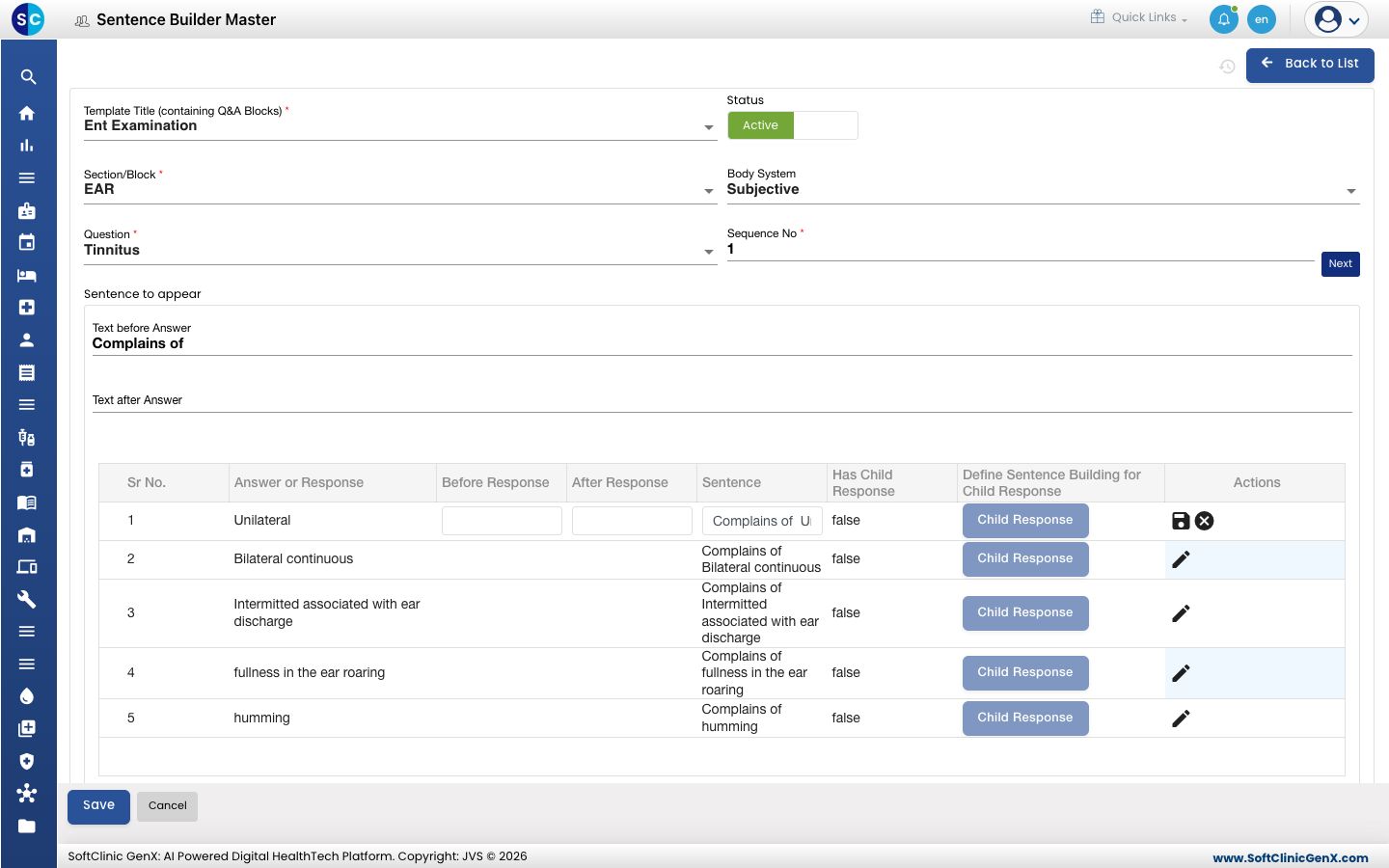
-
For answers with follow-ups, click Child Response to word the follow-up answers the same way.
-
Click Save. You return to the list and the new entry appears in it.
Change or deactivate an entry
- In the list, click the ⋮ button at the end of the row and choose Edit.
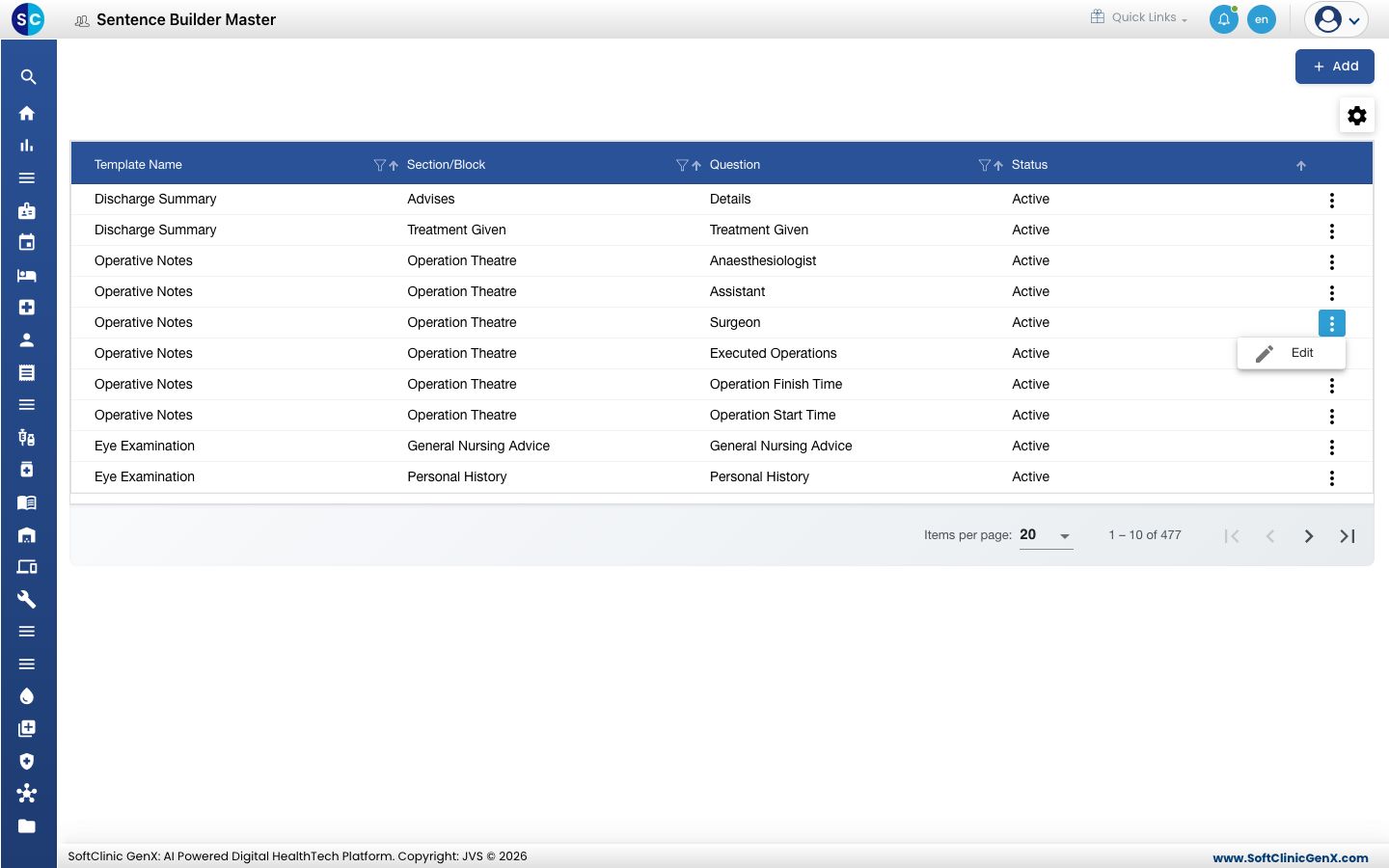
- Change the fields or wording you need. To stop asking the question in that section, switch Status to Inactive.
- Click Save.
Entries cannot be deleted from this screen. Make an entry Inactive instead.
Good to know
- Each question in a section needs its own sequence number. If the number is taken you see Sequence number already exists — click Next for a free one.
- Only question-and-answer sections are offered in Section/Block.
- Click Back to List or Cancel to leave the form without saving.