Set up City
Who does this: hospital administrator Where: General Masters › Location Masters › City Set up before: Country, State and, for a town, District
This screen holds three kinds of place: a City, a Town (which sits in a district) and an Area or Locality of City (which sits in a city). They are the last level of an address. The list comes pre-loaded, so you only need this screen to add a missing place or correct a detail.
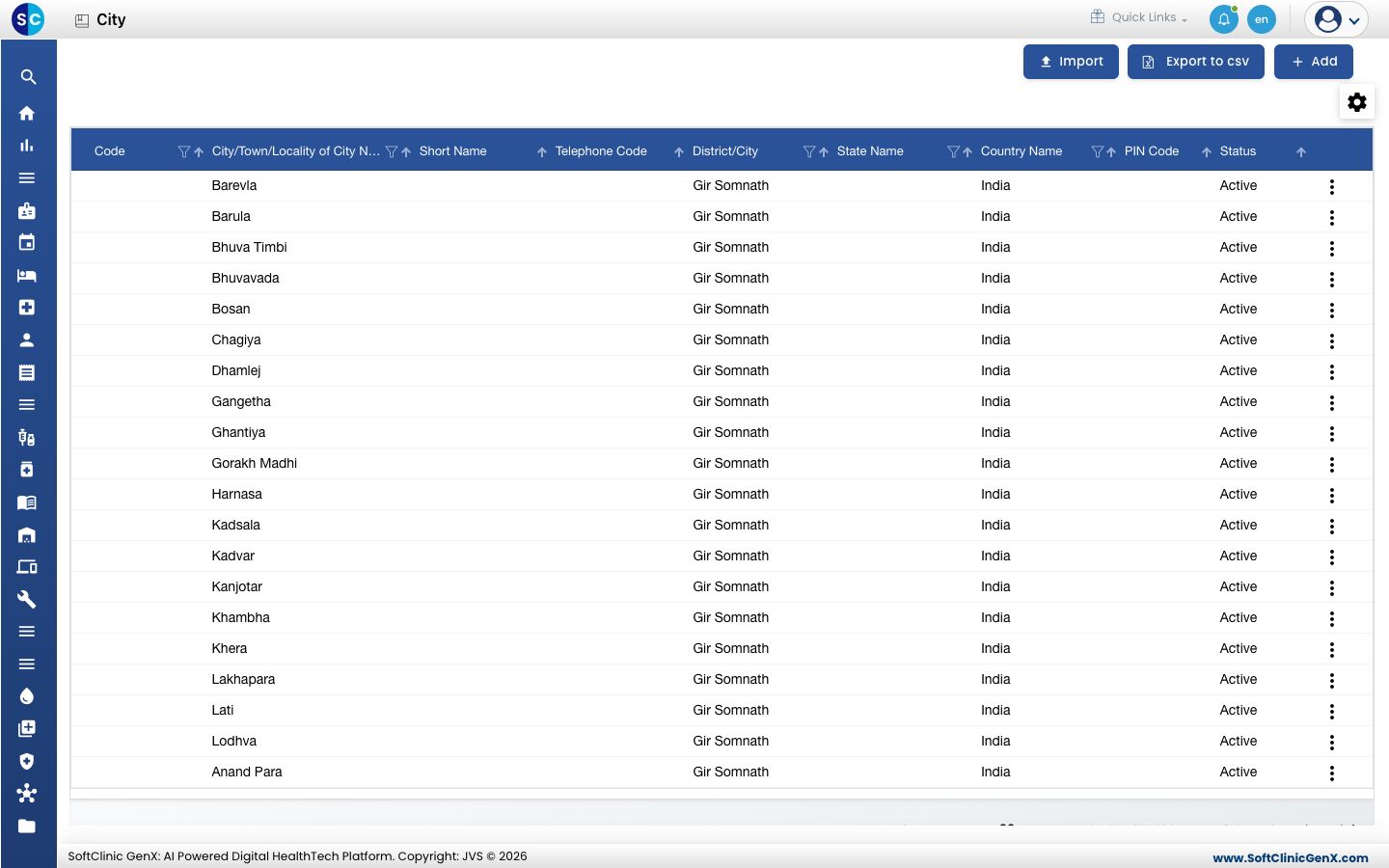
Add a city, town or locality
-
Go to General Masters › Location Masters › City.
-
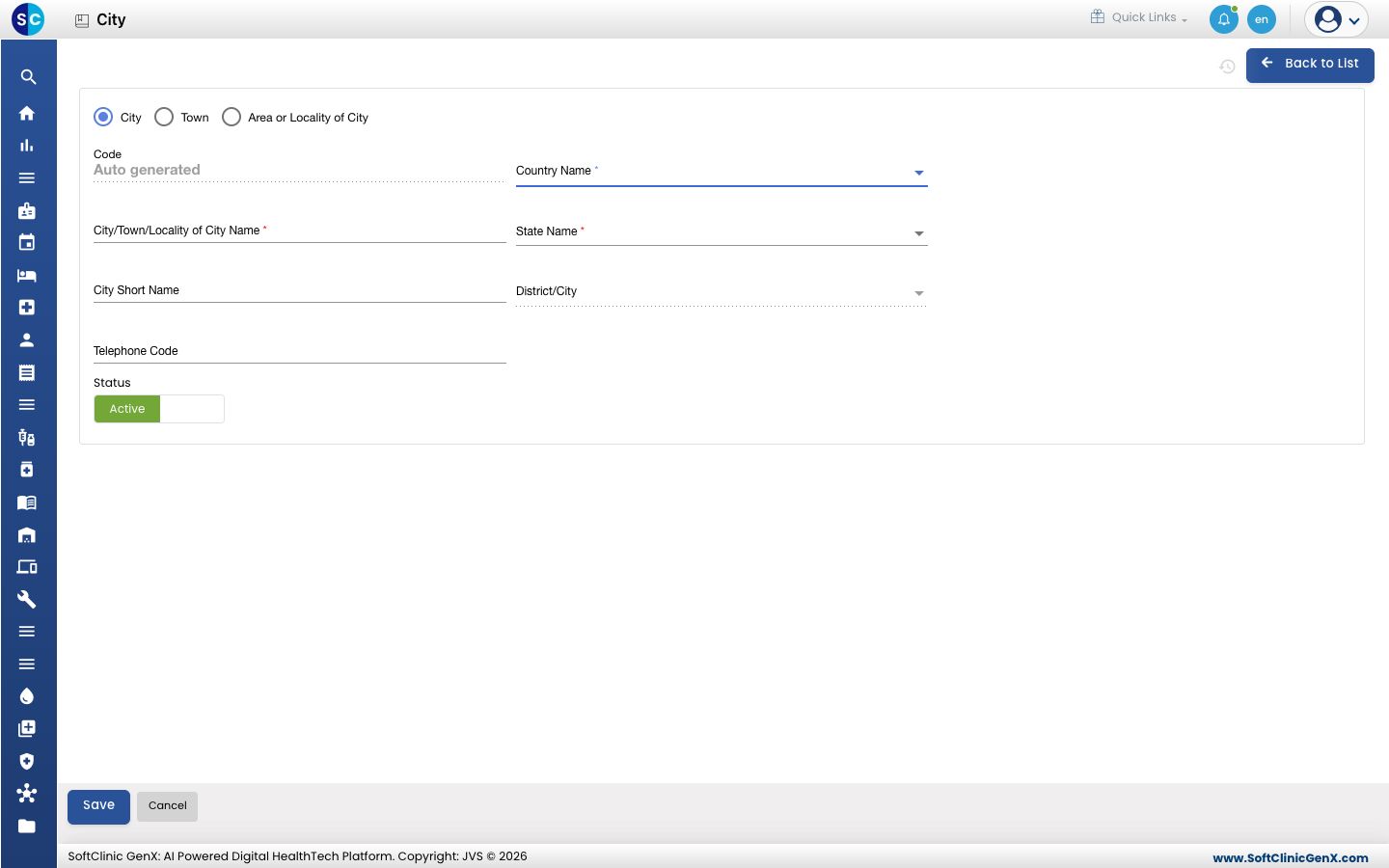
Click Add. The form opens with City selected.
-
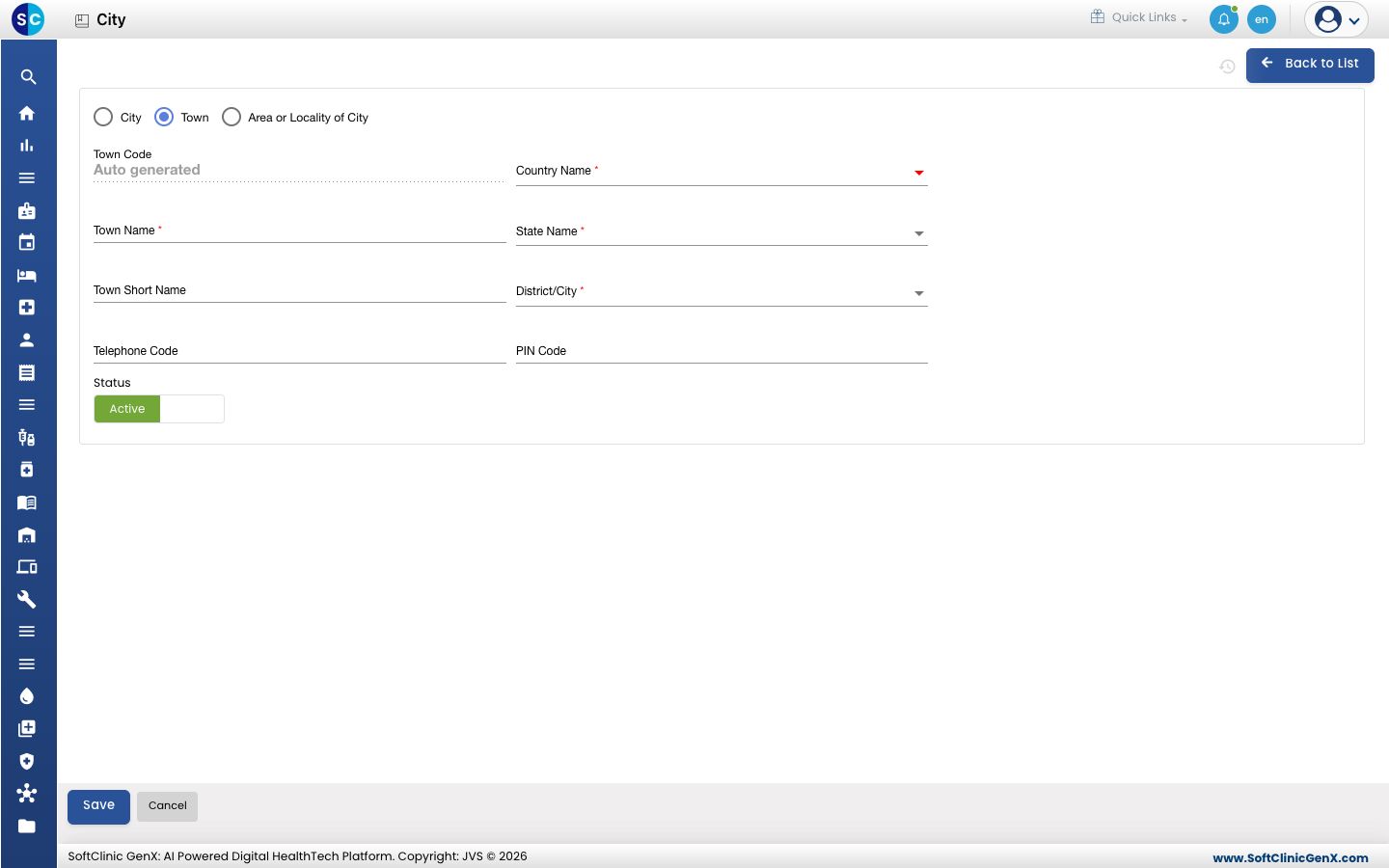
Choose what you are adding: City, Town or Area or Locality of City. The fields change to match.
 For a Town, the form also asks for its District/City and PIN Code.
-
Fill in the fields:
Field What to enter Required Code Filled in automatically when you save. — City/Town/Locality of City Name The place's name. Up to 50 characters. The label changes to Town Name or Area Name for those choices. Yes City Short Name A short code in letters only. Up to 15 characters. Shown as Town Short Name or Area Short Name for those choices. No Telephone Code The local dialling (STD) code. Up to 15 characters. No Country Name The country. Type in the list's search box to find it quickly. Yes State Name The state, from the country you picked. Yes District/City For a Town: the district it is in. Yes, for a town City For an Area or Locality of City: the city it is part of. Yes, for a locality PIN Code For a town or locality: its postal code, up to 6 characters. No Status Leave on Active. — -
Click Save. You return to the list.
Change or deactivate a city
- In the list, click the ⋮ button at the end of the row and choose Edit.
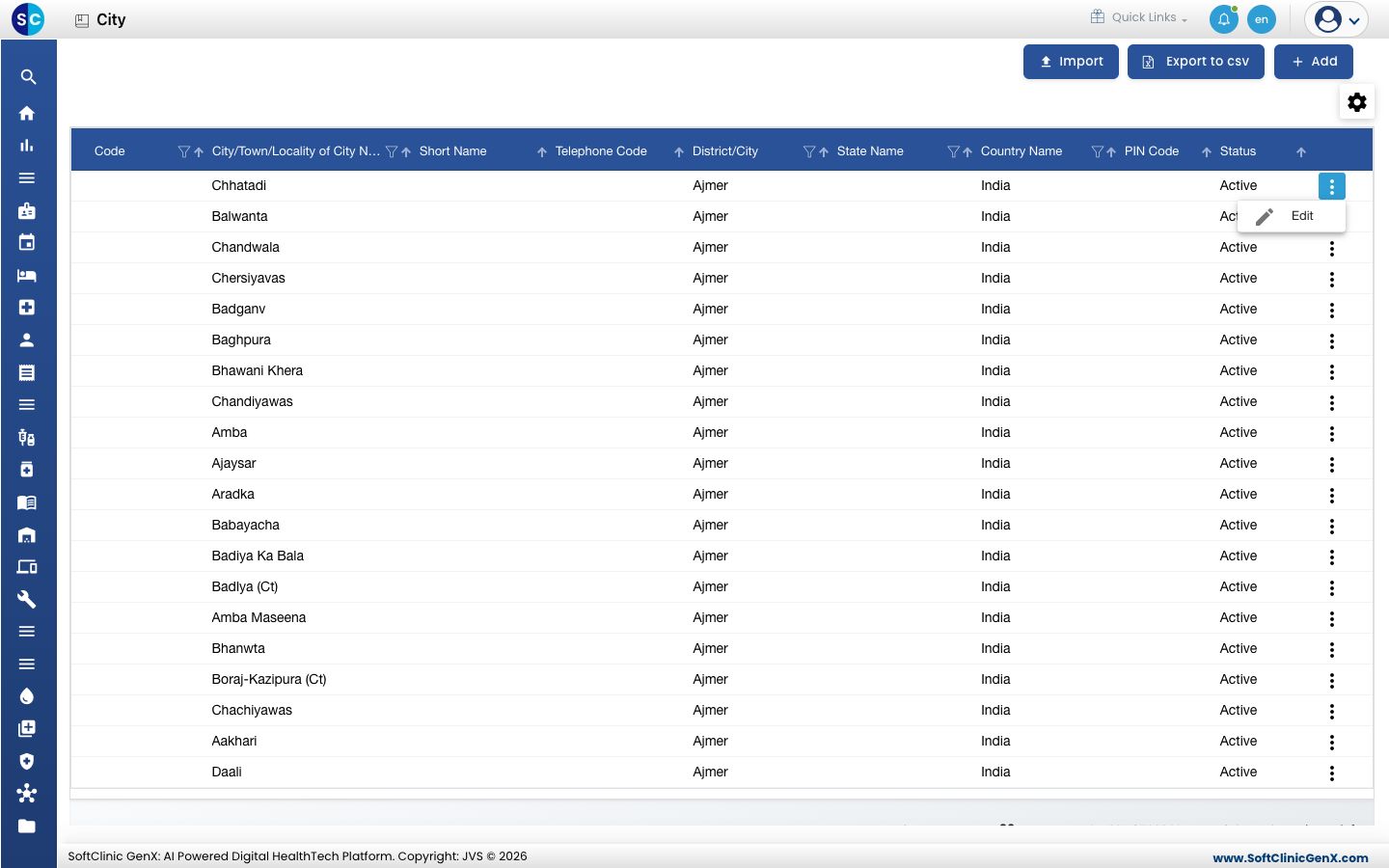
- Change the fields you need. To hide the place from address lists, switch Status to Inactive.
- Click Save.
Cities cannot be deleted. Make a city Inactive instead.
Good to know
- A name must be unique within its state. Two states can each have a place with the same name.
- Pick the country before the state. If a state or district is missing, add it in State or District.
- Export to csv downloads the list. Import loads places from a file.
- Click Back to List to leave the form without saving.
Related
- Previous: Set up District
- Next: Set up Nationality
- General Masters FAQs