Set up Facility
Who does this: hospital administrator Where: General Masters › Location Masters › Facility Set up before: a location of type Facility in Location
A facility is one hospital or branch. Its details — licence and tax numbers, address, phone numbers, logo, letter head and base currency — are used wherever the branch is named or printed. Every department belongs to a facility.
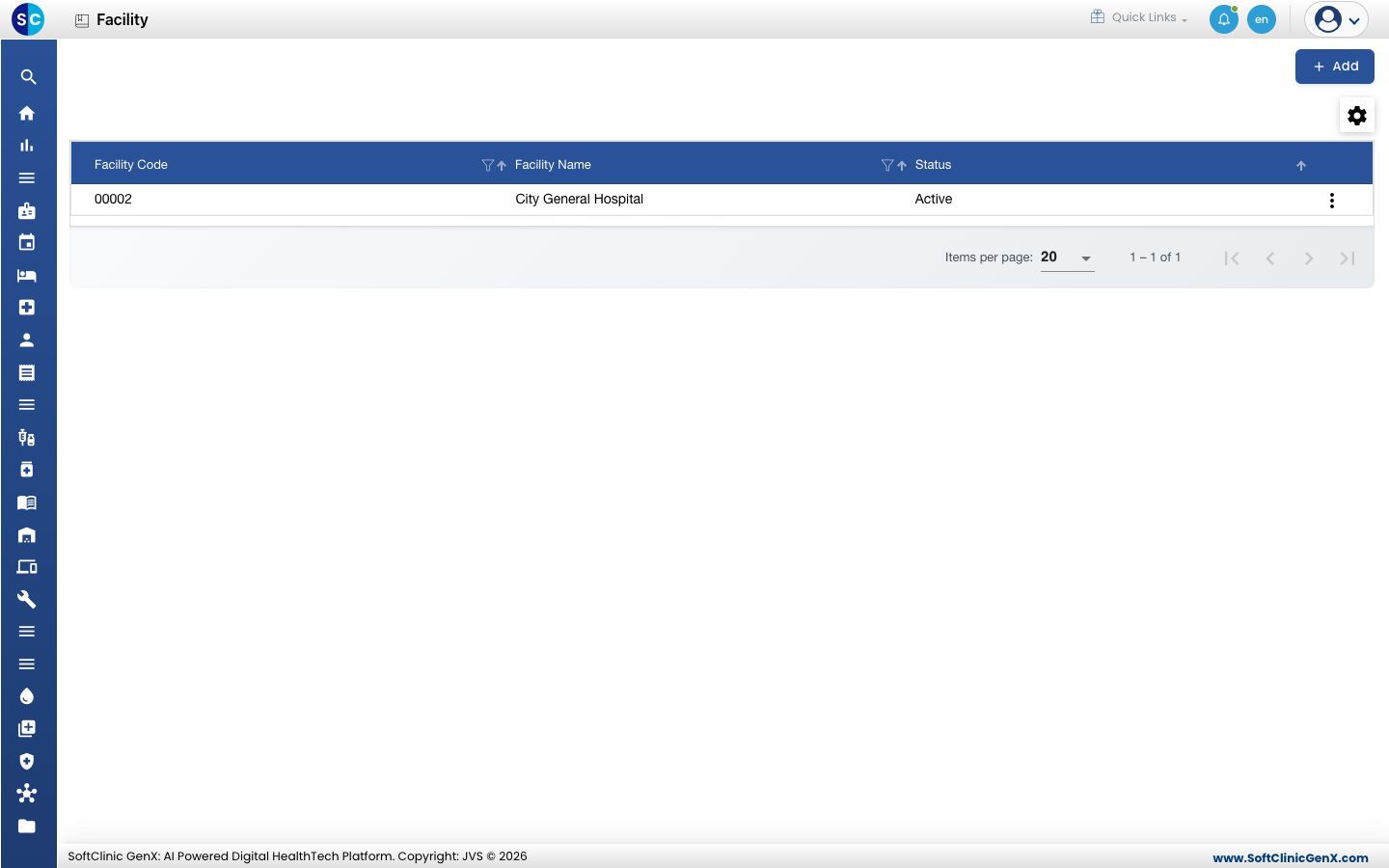
Add a facility
-
First create the branch in General Masters › Location Masters › Location with Location Type set to Facility.
-
Go to General Masters › Location Masters › Facility.
-
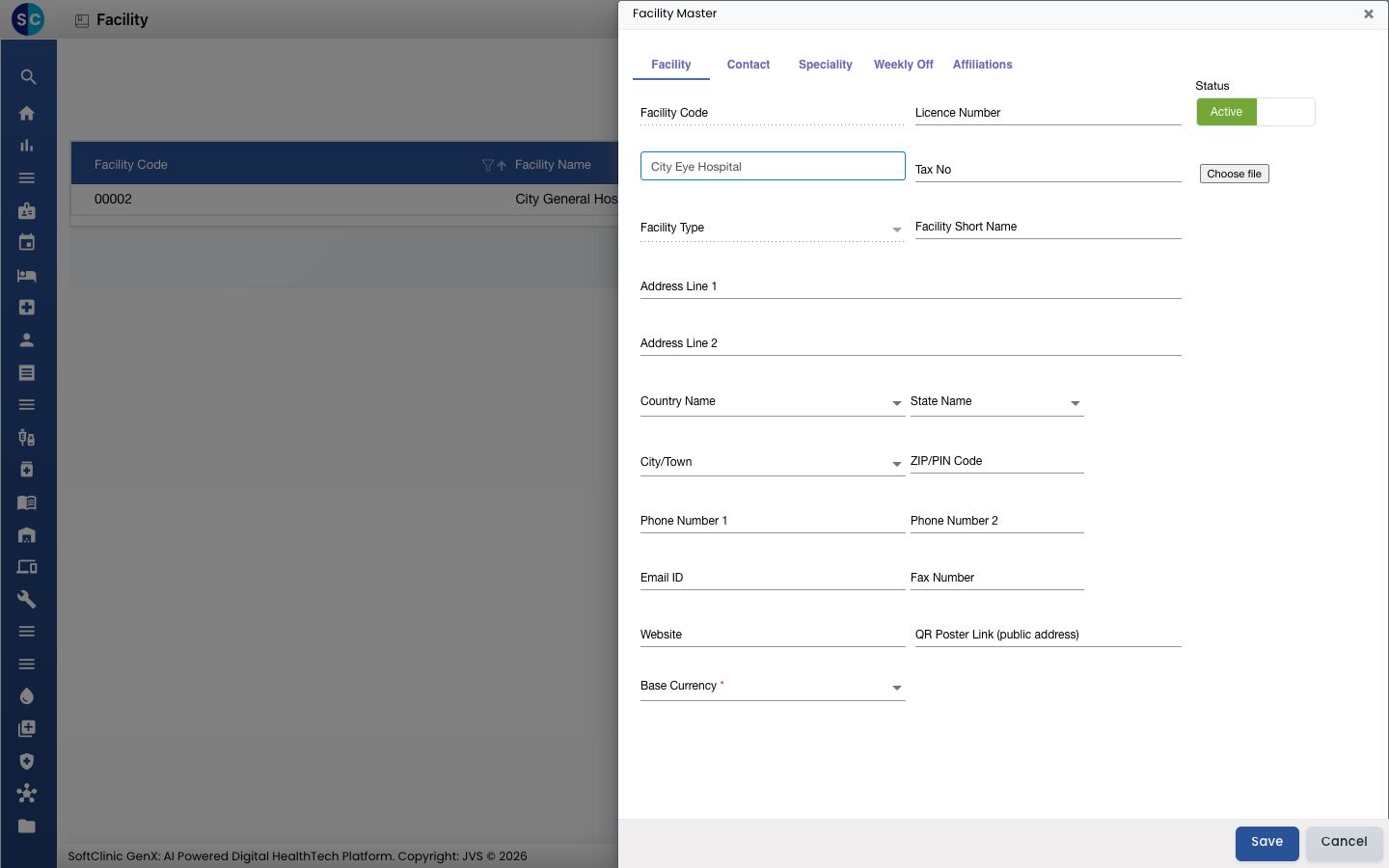
Click Add. The Facility Master panel opens on the right, on the Facility tab.
-
In Facility Name, start typing the branch name and pick it from the list. Facility Code and Facility Type are filled in from the location.
-
Fill in the fields:
Field What to enter Required Facility Code Filled in automatically from the location. — Facility Name Pick the branch from the list of Facility locations. Up to 80 characters. Yes Licence Number The hospital registration or licence number. Letters, numbers and spaces only. No Tax No The branch's tax registration number. Up to 50 characters. No Facility Type Filled in automatically. — Facility Short Name A short name for small printouts. Up to 25 characters. No Address Line 1, Address Line 2 The branch's street address. No Country Name, State Name, City/Town Pick from the lists. No ZIP/PIN Code The postal code. No Phone Number 1, Phone Number 2, Email ID, Fax Number, Website The branch's contact details. No QR Poster Link (public address) The public web address of the branch, starting with http://orhttps://, used on printed QR posters.No Base Currency The currency the branch bills in. Yes Logo (Choose file under Status) The branch logo. No Letter Head Image, Letter Head Footer Images printed at the top and bottom of the branch's documents. No Status Leave on Active. — -
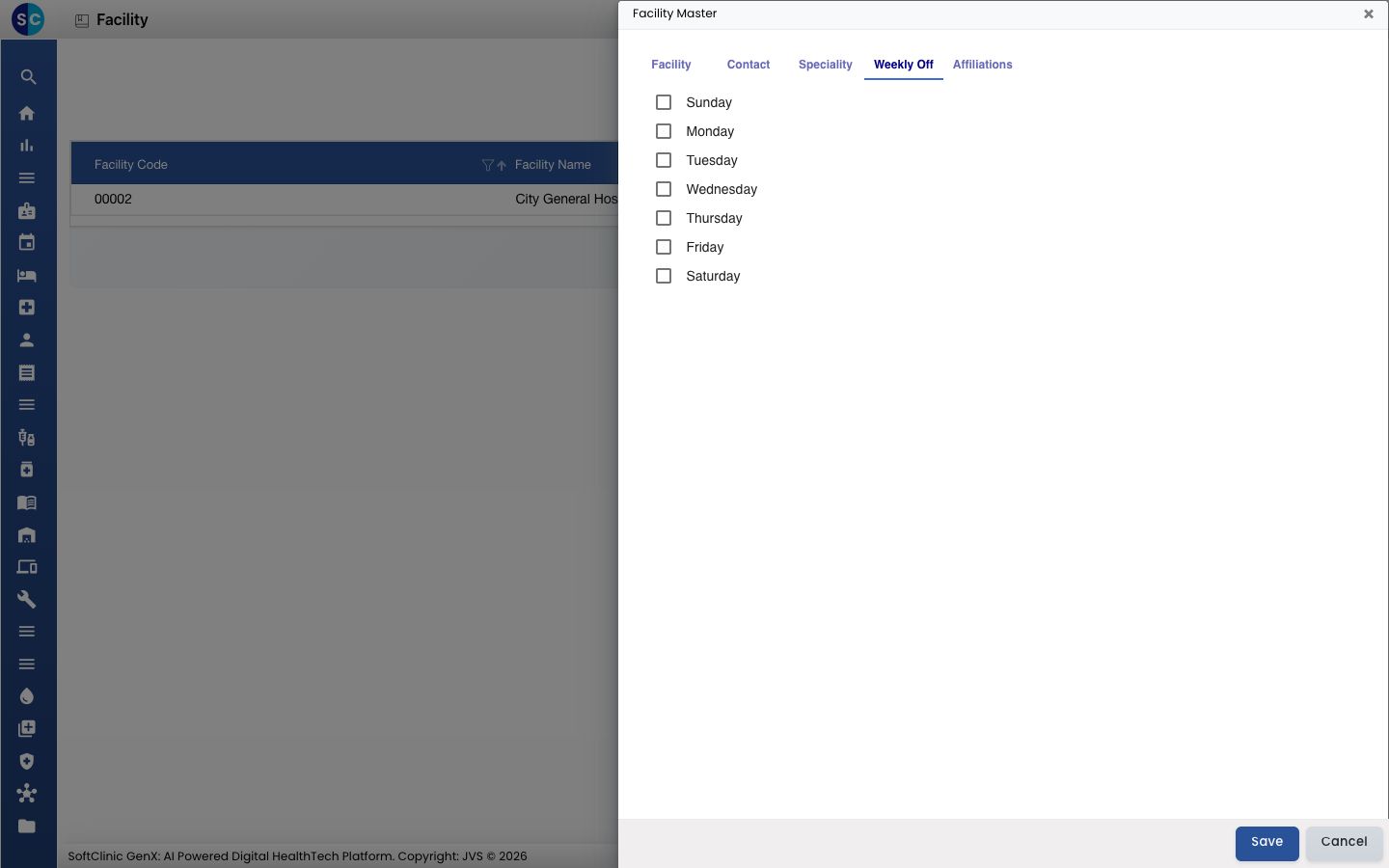
Fill in the other tabs as needed:
- Contact — the person in charge: Facility Incharge Name, Designation, Email ID and Phone Number.
- Speciality — the specialties the branch offers.
- Weekly Off — tick the days the branch is closed.
- Affiliations — the address and contact details of an organisation the branch is affiliated with.
-
Click Save. The panel closes and the facility appears in the list.
Change or deactivate a facility
- In the list, click the ⋮ button at the end of the row and choose Edit.
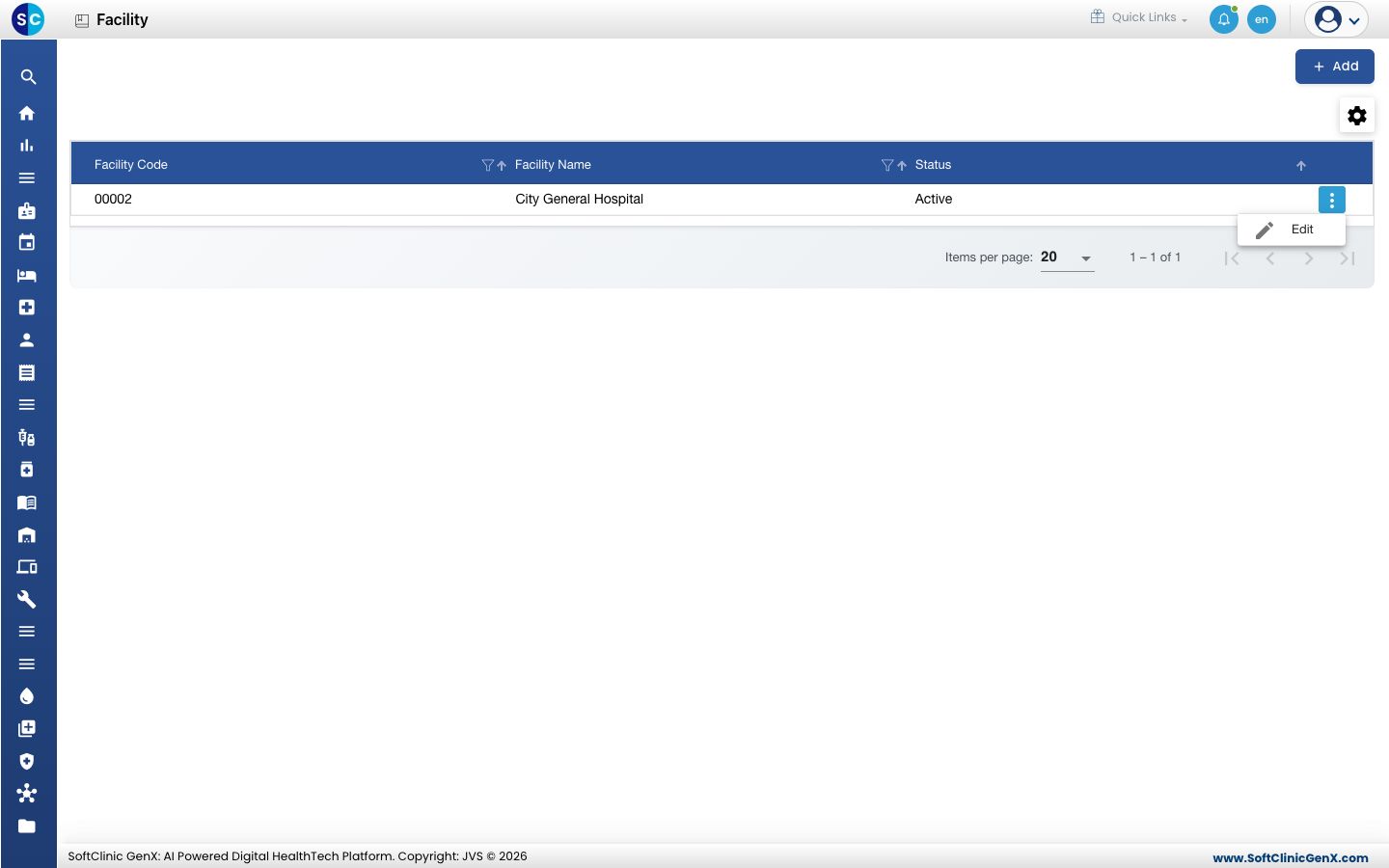
- Change the fields you need. To stop using the branch, switch Status to Inactive.
- Click Save.
Facilities cannot be deleted. Make a facility Inactive instead.
Good to know
- Each facility name and code must be unique.
- A facility can only be added for a location of type Facility. If the branch is missing from the Facility Name list, add it in Location first.
- Countries, states and cities come pre-loaded. If one is missing from the address lists, add it in Country, State or City.