Set up Referral Hospital or Doctor
Who does this: hospital administrator or front-office supervisor Where: General Masters › Other Masters › Referral Hospital or Doctor
A referral source is an outside hospital, doctor or other person who sends patients to your hospital. Add each one here once with their contact details; staff then pick them when they record who referred a patient.
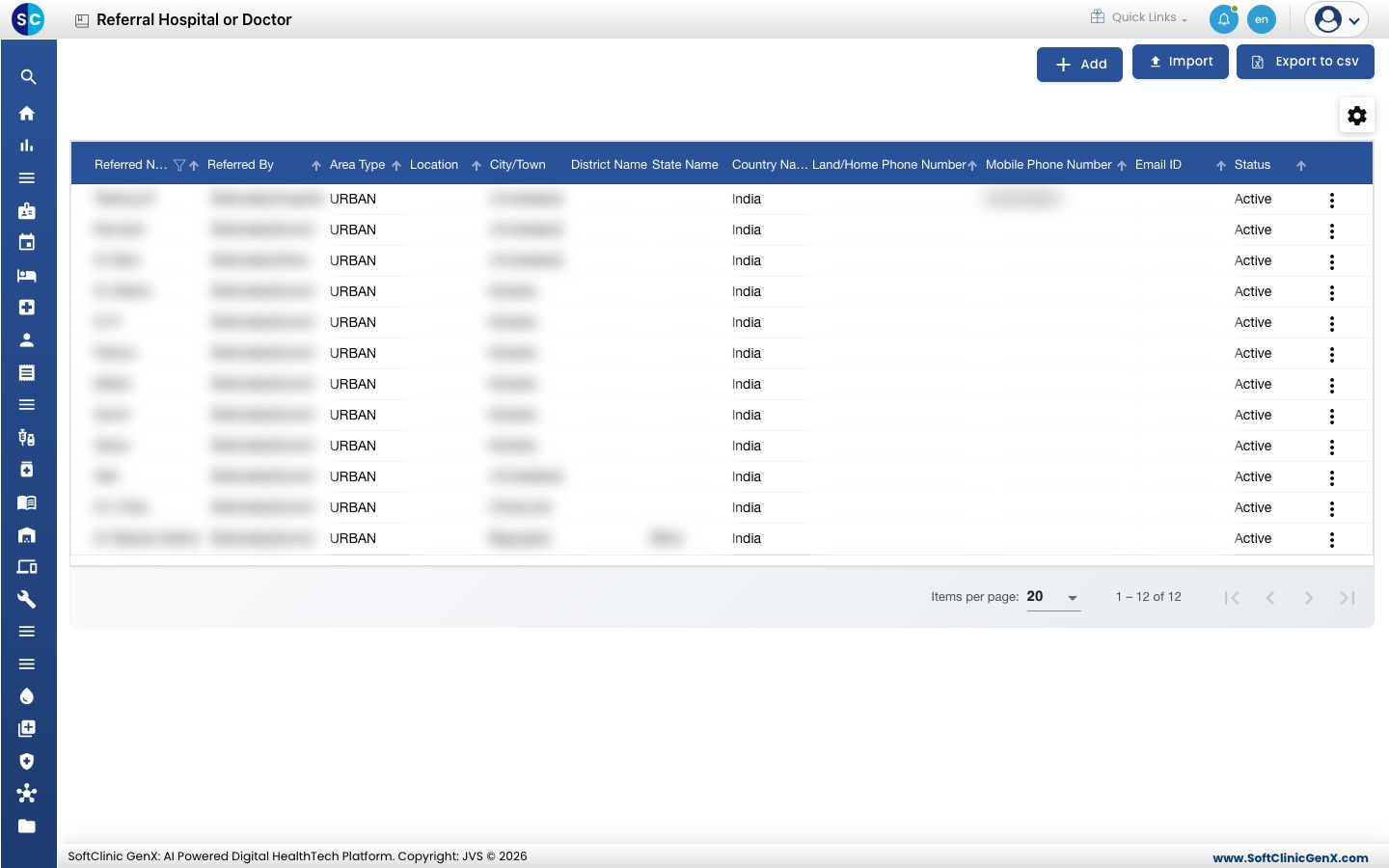
Add a referring hospital or doctor
-
Go to General Masters › Other Masters › Referral Hospital or Doctor.
-
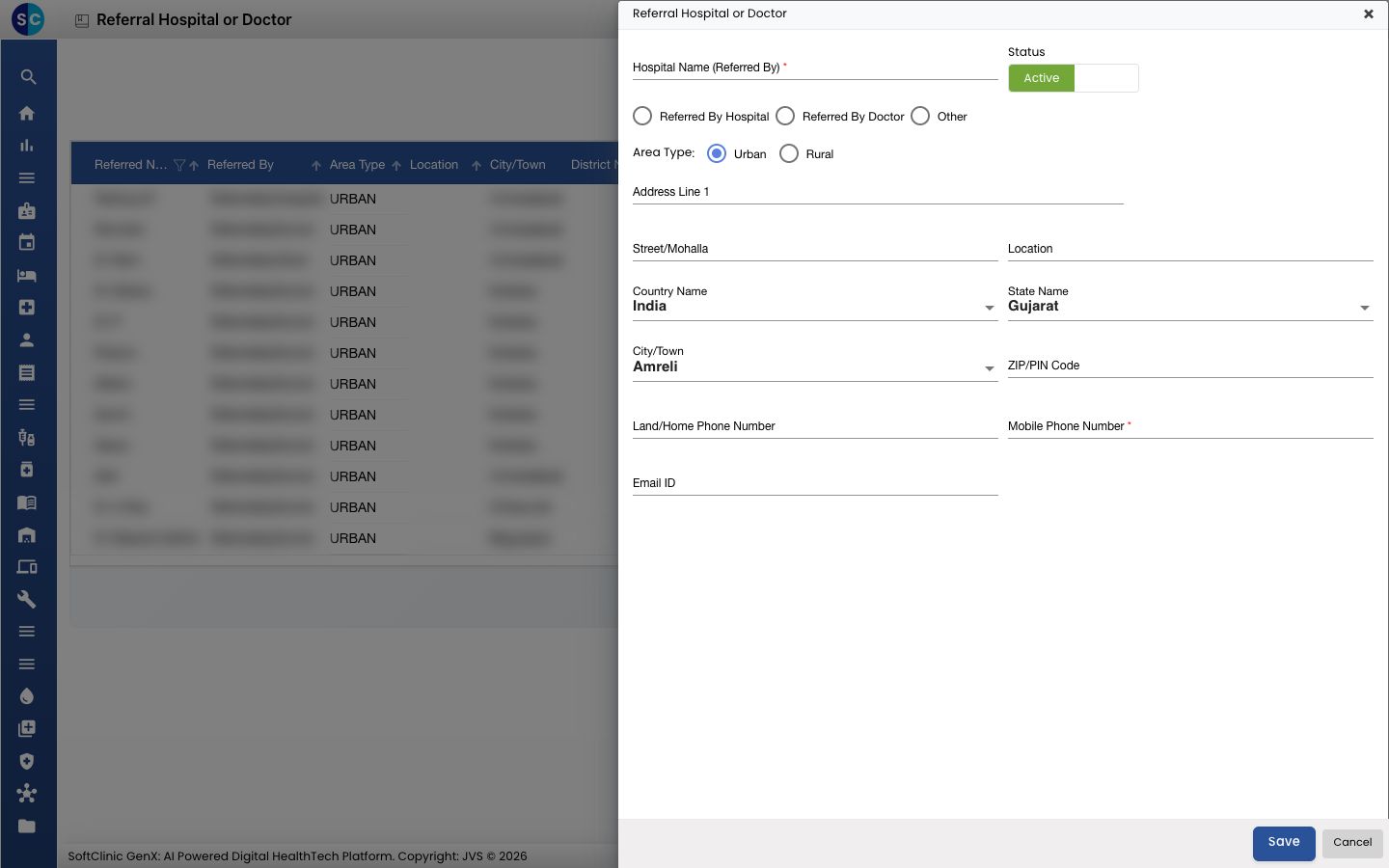
Click Add. The form opens on the right.
-
Choose who is referring: Referred By Hospital, Referred By Doctor or Other. The name field changes to match, for example Doctor Name (Referred By).
-
Fill in the fields:
Field What to enter Required Hospital Name / Doctor Name (Referred By) The hospital's or doctor's name. Up to 50 characters. Yes Status Leave on Active. — Area Type Urban or Rural. — Address Line 1, Street/Mohalla, Location The address. No Country Name, State Name, City/Town Where they are. A default is filled in; change it if needed. No ZIP/PIN Code The postal code, numbers only. No Land/Home Phone Number A landline number, at least 6 digits. No Mobile Phone Number A mobile number of 9 or 10 digits. Yes Email ID An email address. No -
Click Save. You return to the list and the new entry appears in it.
Change or deactivate a referral source
- In the list, click the ⋮ button at the end of the row and choose Edit.
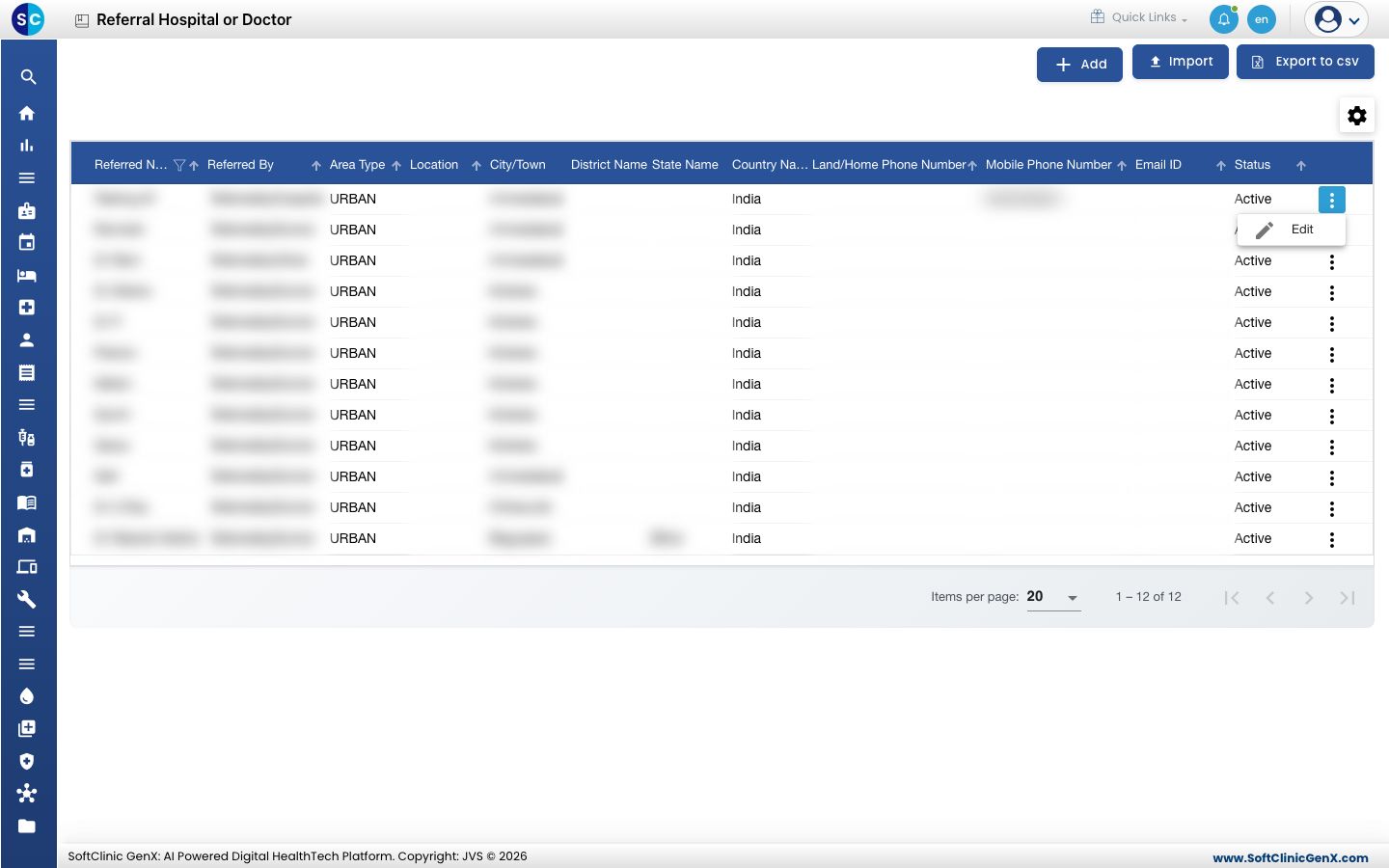
- Change the fields you need. To stop offering this hospital or doctor, switch Status to Inactive.
- Click Save.
Referral sources cannot be deleted from this screen. Make them Inactive instead.
Good to know
- A mobile number is required for every referral source.
- Click Import to load many referral sources at once from a file, and Export to csv to download the list.
- Click Cancel or × to close the form without saving.
Related
- Previous: Set up Occupation
- Next: Set up Relationship
- General Masters FAQs