Set up Mandatory Information
Who does this: hospital administrator Where: General Masters › Other Masters › Mandatory Information
Mandatory information is a question or detail that must be recorded before a service is given, for example whether the patient has been fasting. You write each question here once; it can then be attached to the services that need it when those services are set up.
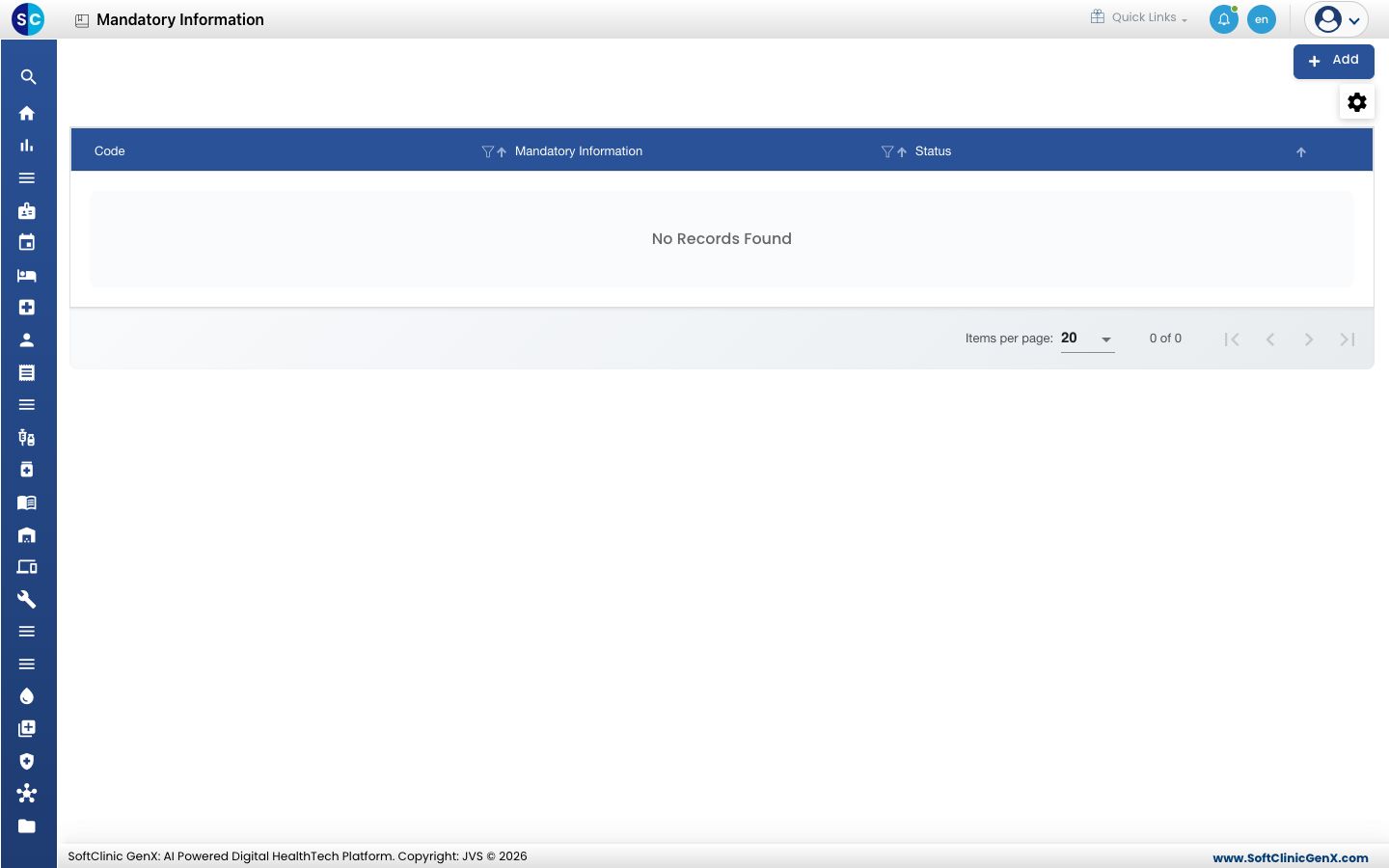
Add mandatory information
-
Go to General Masters › Other Masters › Mandatory Information.
-
Click Add. The form opens on the right.
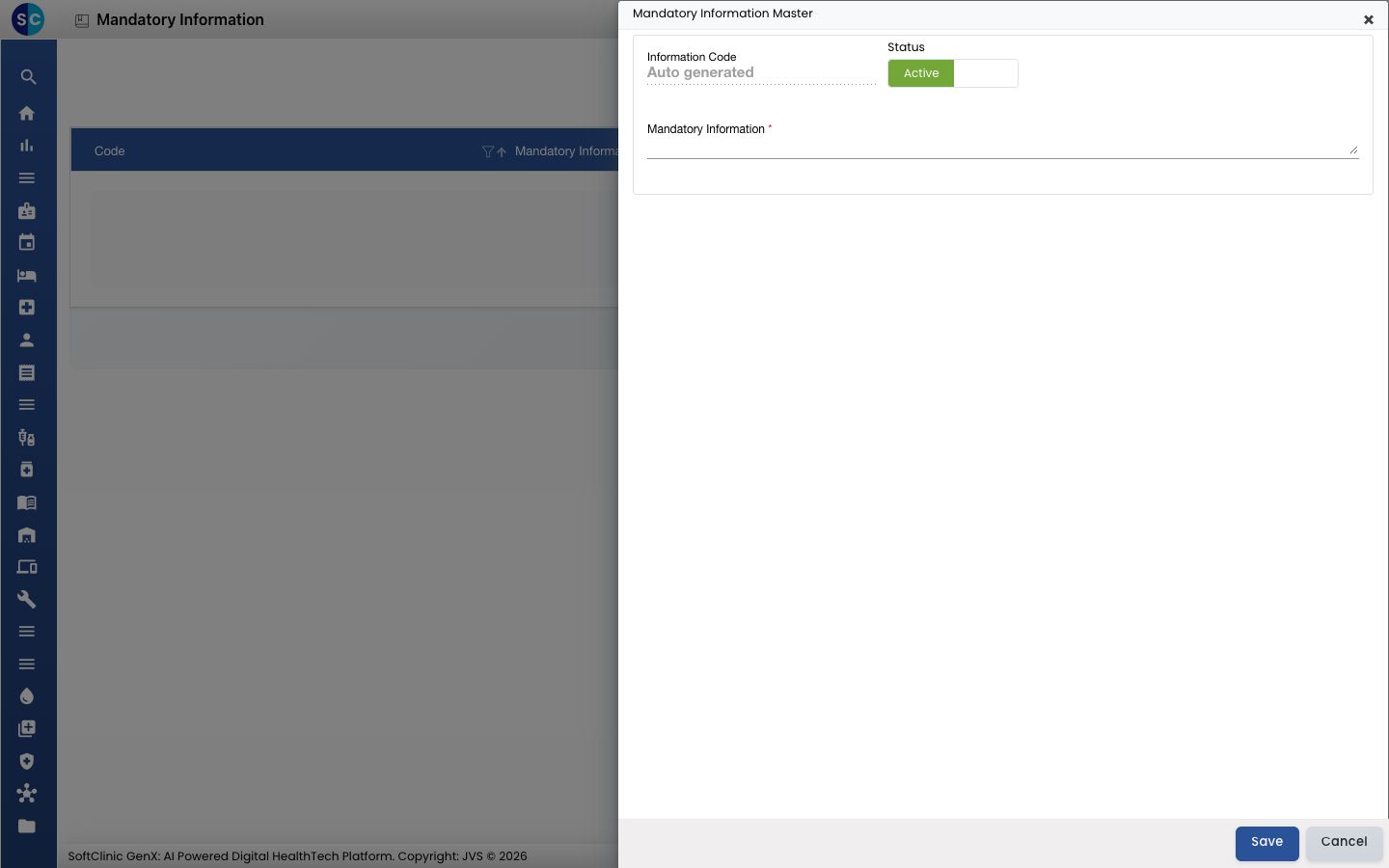
-
Fill in the fields:
Field What to enter Required Information Code Filled in automatically when you save. — Status Leave on Active. — Mandatory Information The question or detail to collect, written the way staff should read it. Yes -
Click Save. You return to the list and the new entry appears in it.
Change or deactivate mandatory information
- In the list, click the ⋮ button at the end of the row and choose Edit.
- Change the fields you need. To stop offering it, switch Status to Inactive.
- Click Save.
Entries cannot be deleted from this screen. Make them Inactive instead.
Good to know
- The list starts empty. Add only the questions your services really need.
- Use the filter and sort icons in the column headers to find an entry quickly.
- Click Cancel or × to close the form without saving.
Related
- Previous: Set up Identification Types
- Next: Set up Occupation
- General Masters FAQs