Use the Reusable Items Register
Who does this: store manager, OT or CSSD in-charge Where: Inventory Management › Masters › Reusable Items Register Set up before: Record reusable item usage
The register lists every reusable unit that has been used at least once, with its rated uses, uses so far and uses left. It helps you replace instruments before they run out. Units appear here after their first use is recorded in Reusable Usage.
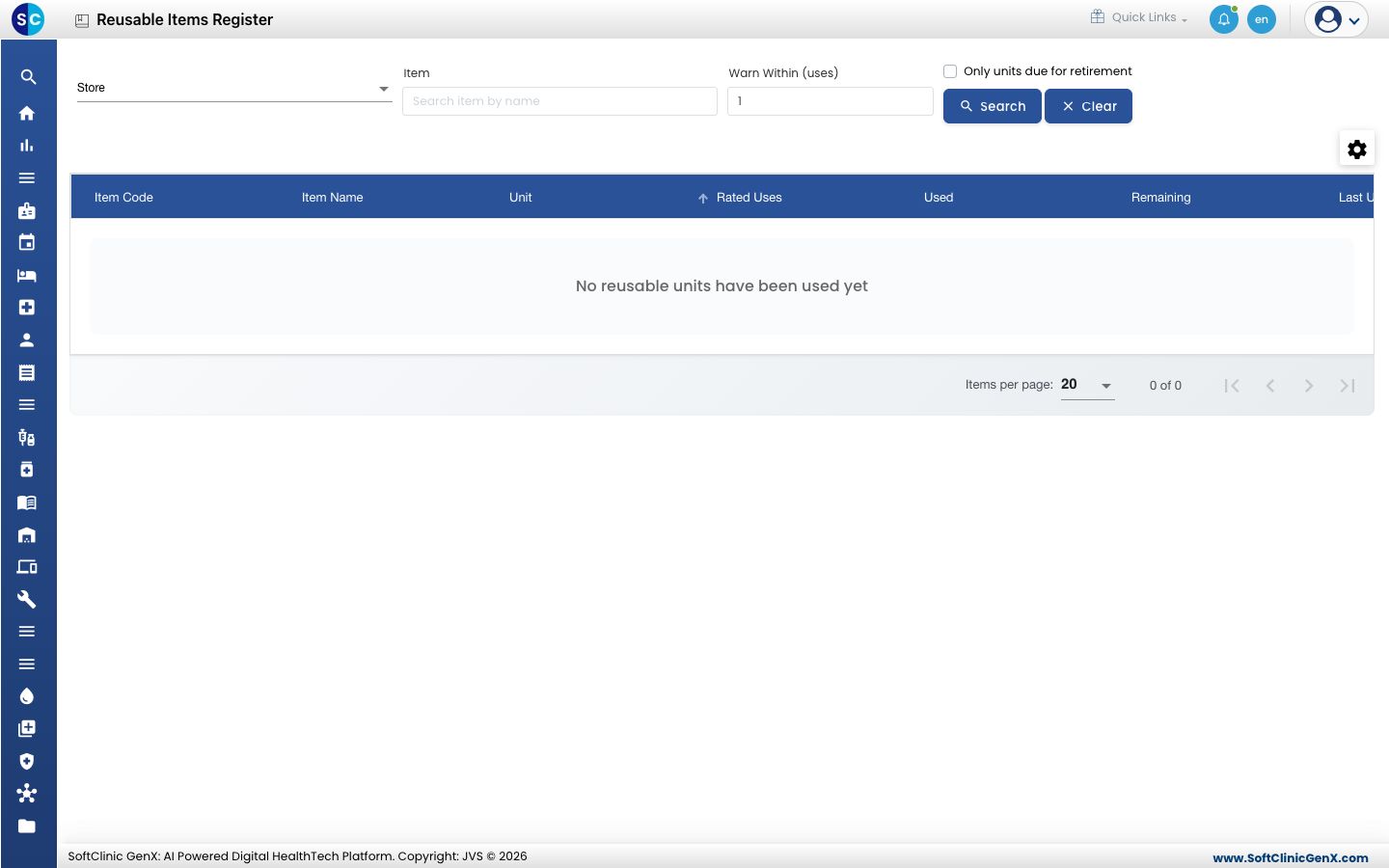
Find units due for retirement
-
Go to Inventory Management › Masters › Reusable Items Register.
-
Set the filters you need:
Field What to enter Required Store Show units of one store only. No Item Type and pick an item to show only its units. No Warn Within (uses) A unit is Due For Retirement when this many uses or fewer are left. Starts at 1. No Only units due for retirement Tick to hide units that still have plenty of uses left. No -
Click Search. Click Clear to reset the filters.
Each row shows the Item Code, Item Name, the Unit (its serial number), Rated Uses, Used, Remaining, Last Used and Status: In Service, Due For Retirement or Retired.
Good to know
- The register only shows data. To record a use, go to Reusable Usage.
- A unit that has used up all its rated uses is written off stock automatically and shows as Retired.
- Use the gear icon above the list to show more columns, such as Batch Number.