Set up Consumption Type Master
Who does this: store manager or hospital administrator Where: Inventory Management › Masters › Consumption Type Master
Every stock consumption has a Type of Transaction, such as direct consumption or consumption against a request. This screen holds the list of those types. Three types are built in. You can rename them and add your own. The type is shown on consumption reports, so you can see why stock was used.
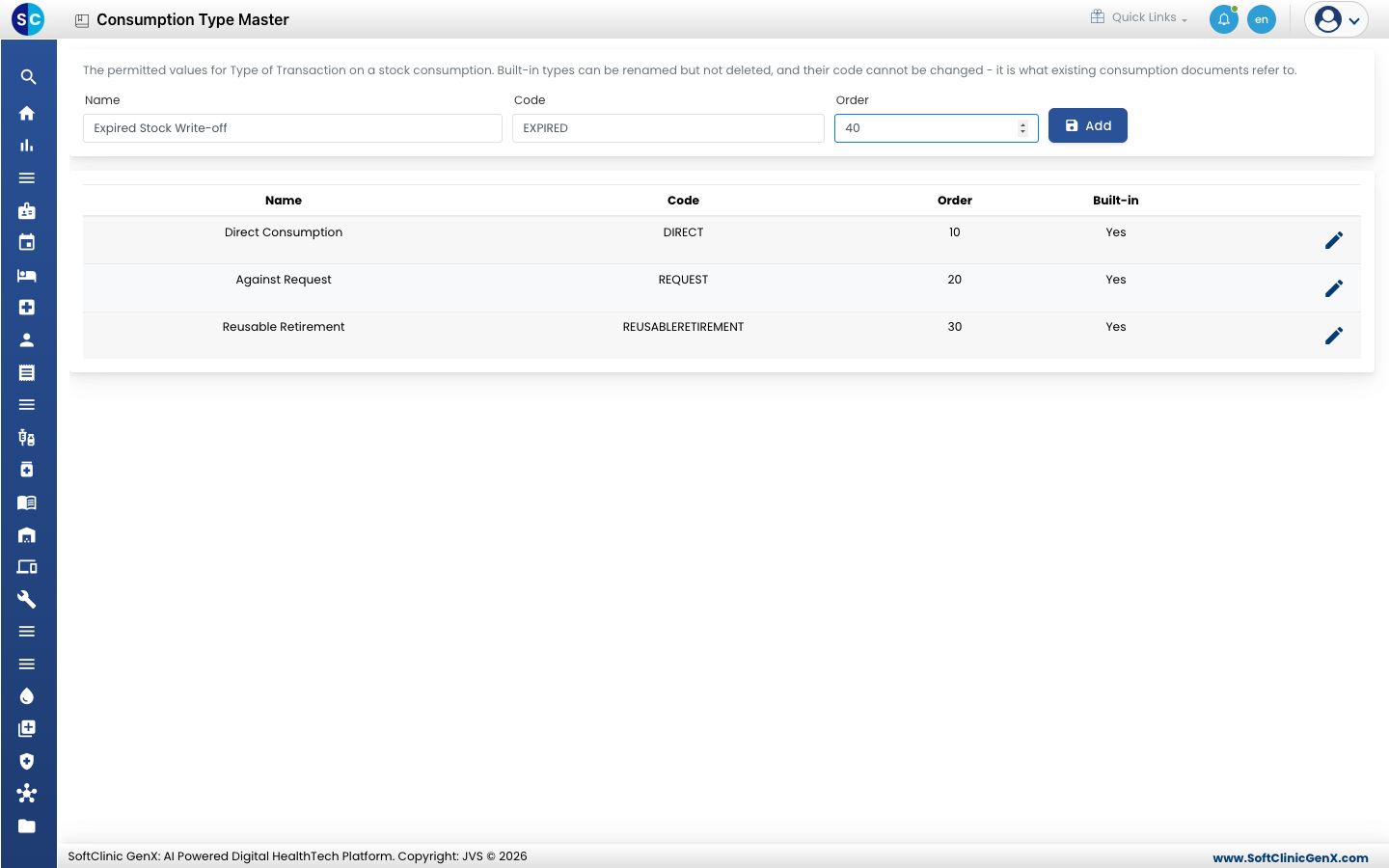
Add a consumption type
-
Go to Inventory Management › Masters › Consumption Type Master.
-
Fill in the fields at the top:
Field What to enter Required Name The name staff will see, for example Expired Stock Write-off. Up to 100 characters. Yes Code A short code, for example EXPIRED. Up to 40 characters. It cannot be changed later. Yes Order A number that sets the type's place in the list. Lower numbers come first. No -
Click Add. The type appears in the list below.
Rename or delete a consumption type
- Click the pencil icon at the end of the type's row. Its details move into the fields at the top.
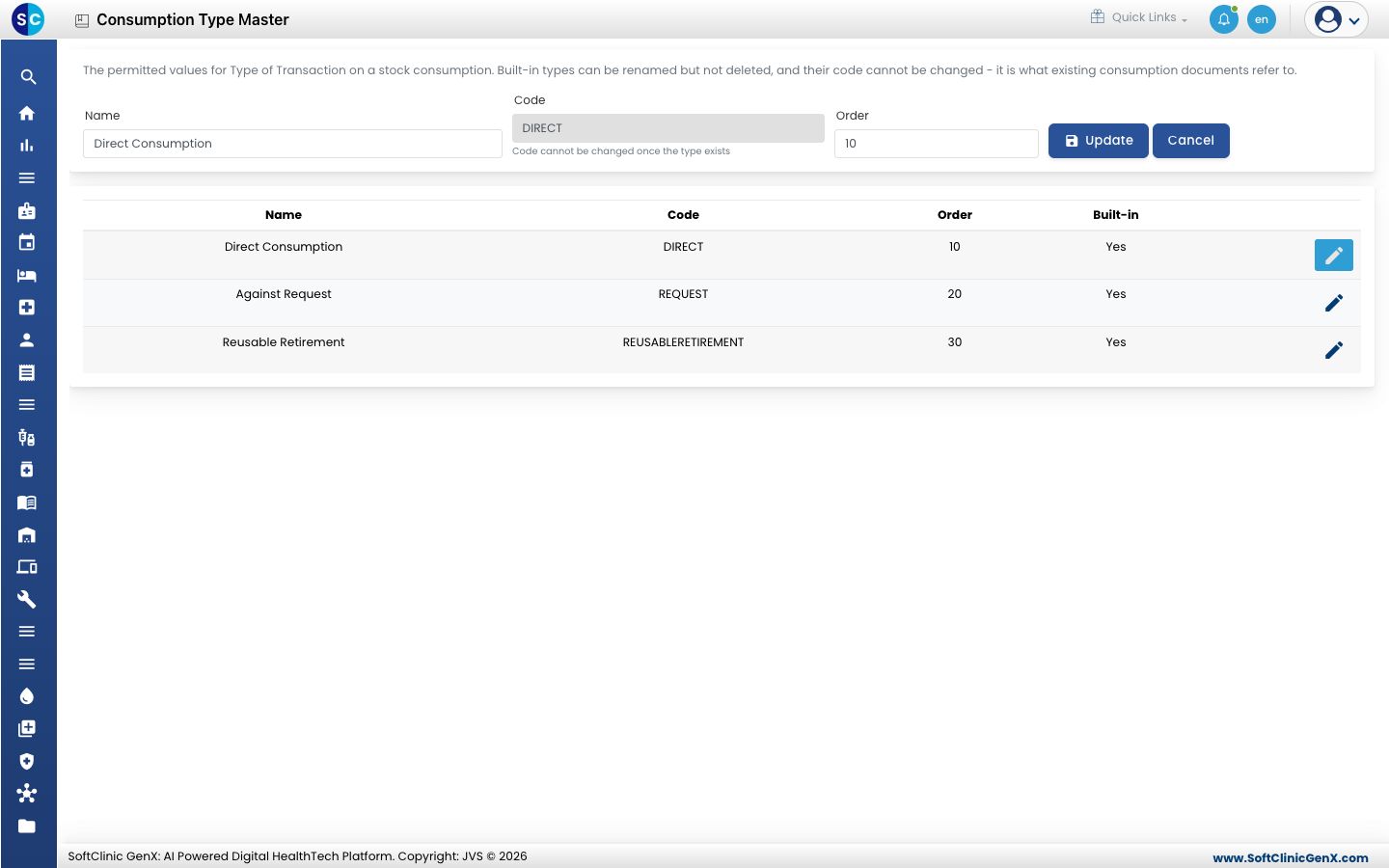
- Change the Name or Order and click Update. Click Cancel to stop without changing anything.
Types you added can also be deleted from their row. Built-in types cannot be deleted.
Good to know
- The built-in types are Direct Consumption, Against Request and Reusable Retirement. Reusable Retirement is used automatically when a reusable instrument reaches the end of its rated uses and is written off.
- Each code must be unique. If the code is already used, the screen shows which type has it.
- The code of an existing type cannot be changed, because past consumption records refer to it. Rename the type instead.