Set up Department Store Setup
Who does this: hospital administrator or store manager Where: Inventory Management › Masters › Department Store Setup Set up before: Department, Store Master
Departments such as the Emergency, the Laboratory or the Operation Theatre can hold their own stock and record what they use. This screen does two things: it sets the hospital-wide Department stock policy, and it creates a store for each department you choose, in one step.
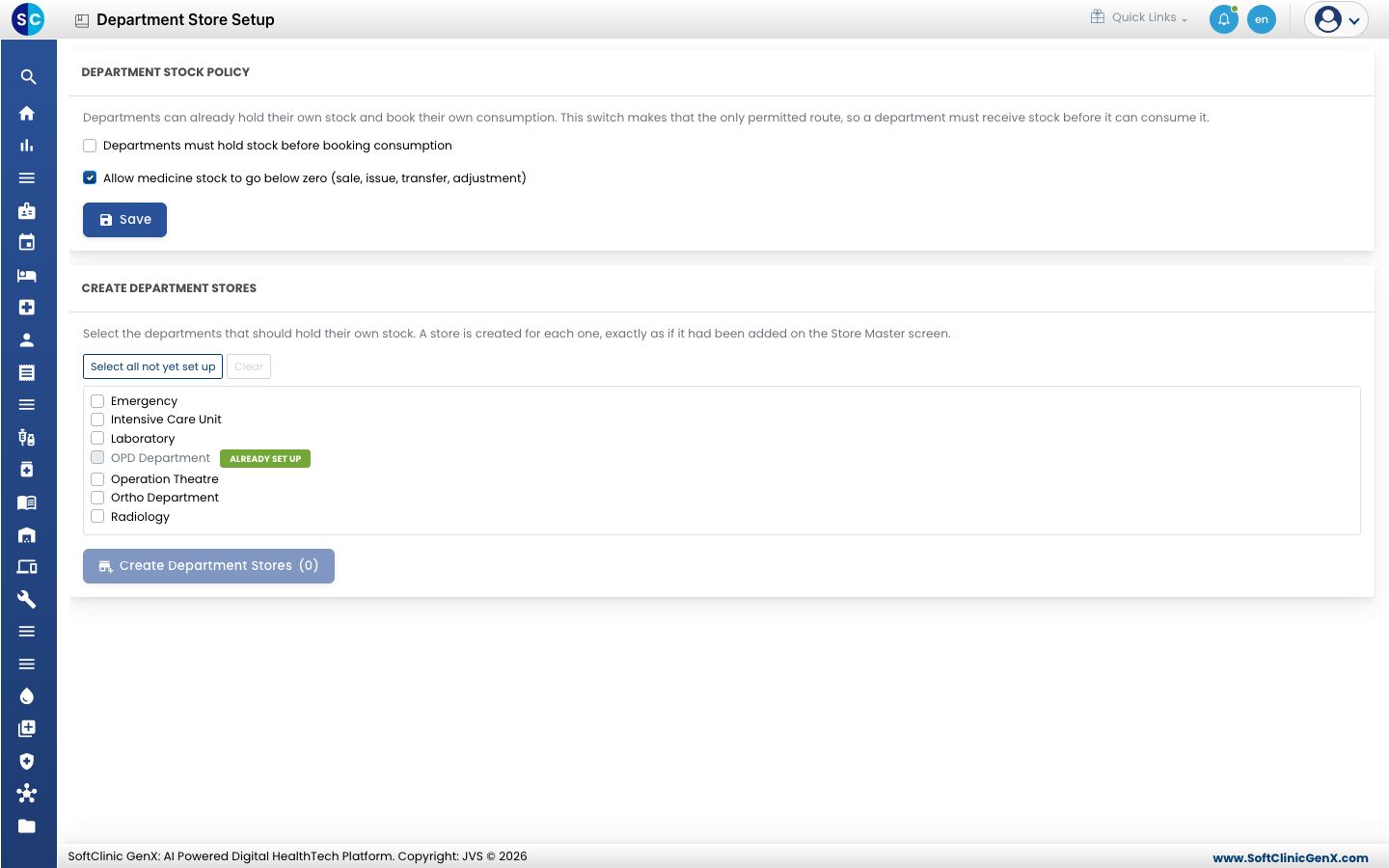
Set the department stock policy
-
Go to Inventory Management › Masters › Department Store Setup.
-
Under Department stock policy, tick or untick the settings:
Setting What it does Departments must hold stock before booking consumption When ticked, consumption can be recorded only from a department store, so a department must receive stock before it can use it. Consumption from any other store is refused. Allow medicine stock to go below zero (sale, issue, transfer, adjustment) When ticked, a sale, issue, transfer or adjustment may take a medicine's stock below zero. Untick it to stop any of these when stock runs out. -
Click Save.
Create the department stores (below) before you tick Departments must hold stock before booking consumption, otherwise departments cannot record consumption at all.
Create department stores
- Under Create department stores, tick each department that should hold its own stock. Departments that already have a store show Already set up and cannot be ticked.
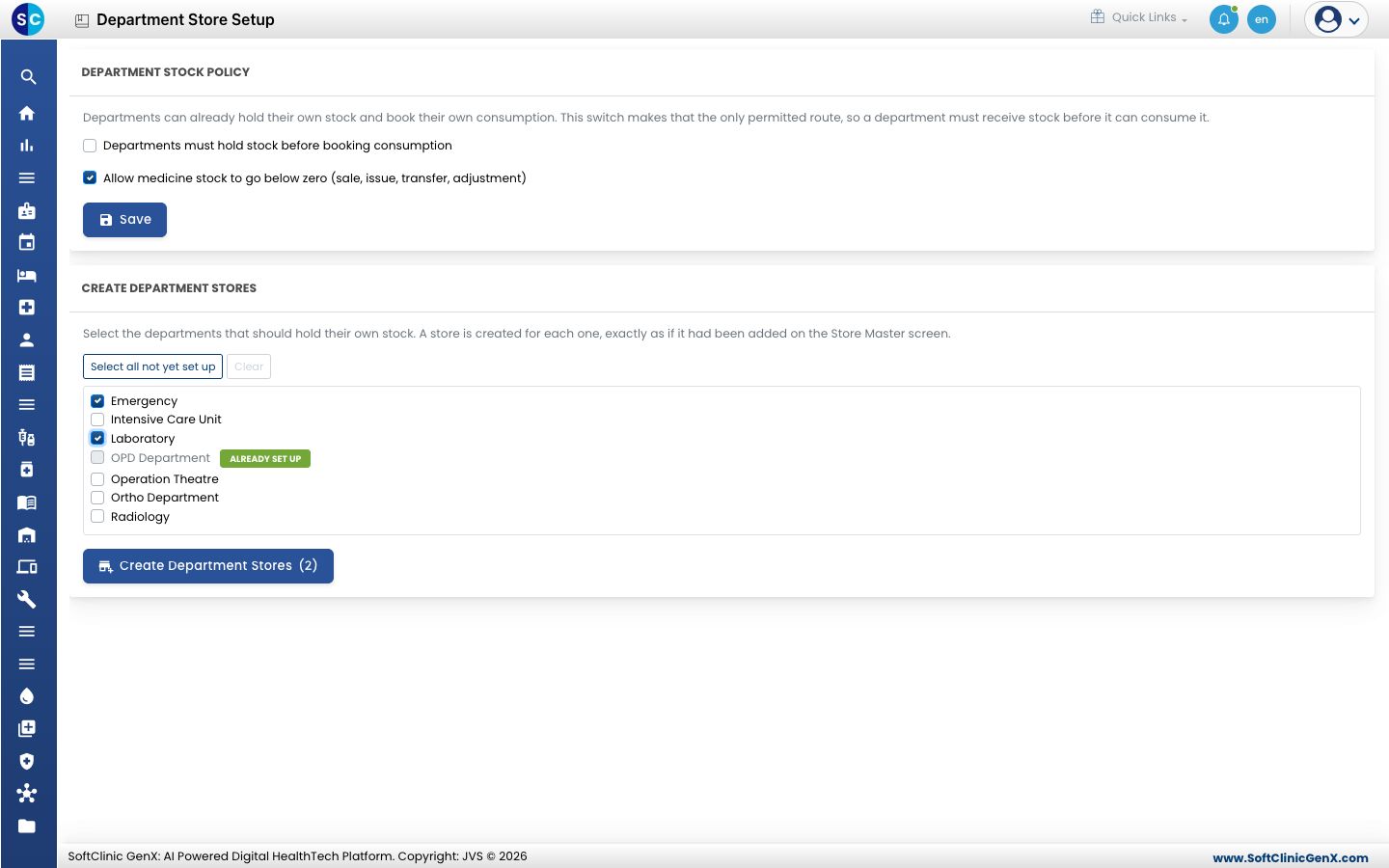
- To pick every department that does not yet have a store, click Select all not yet set up. Click Clear to untick them all.
- Click Create Department Stores. The number in brackets shows how many departments you ticked.
A store is created for each department, exactly as if you had added it in Store Master. A summary then shows how many stores were Created, how many were Already set up and how many Failed, with a line for each department.
Good to know
- If a department is missing from the list, add it first. Departments come from the hospital layout.
- If some departments could not be set up, the list below the summary gives the reason for each one.
- To change a department store later, open it in Store Master.