Take a patient deposit
Collect an advance from a patient, give a deposit receipt and see the balance that can be used against later bills.
A deposit is money the patient pays in advance, before the bill is made. It stays on the patient's account until you adjust it against a bill or refund it. You take it from the patient's row on the Billing Dashboard.
note
Who can do this: cashier and billing staff with deposit rights
Where: Billing › Billing Dashboard › row menu › Patient Deposit
Before you start
- The patient has a visit, an admission or a bill on the Billing Dashboard. For a walk-in, create the bill or check in the appointment first.
Take the deposit
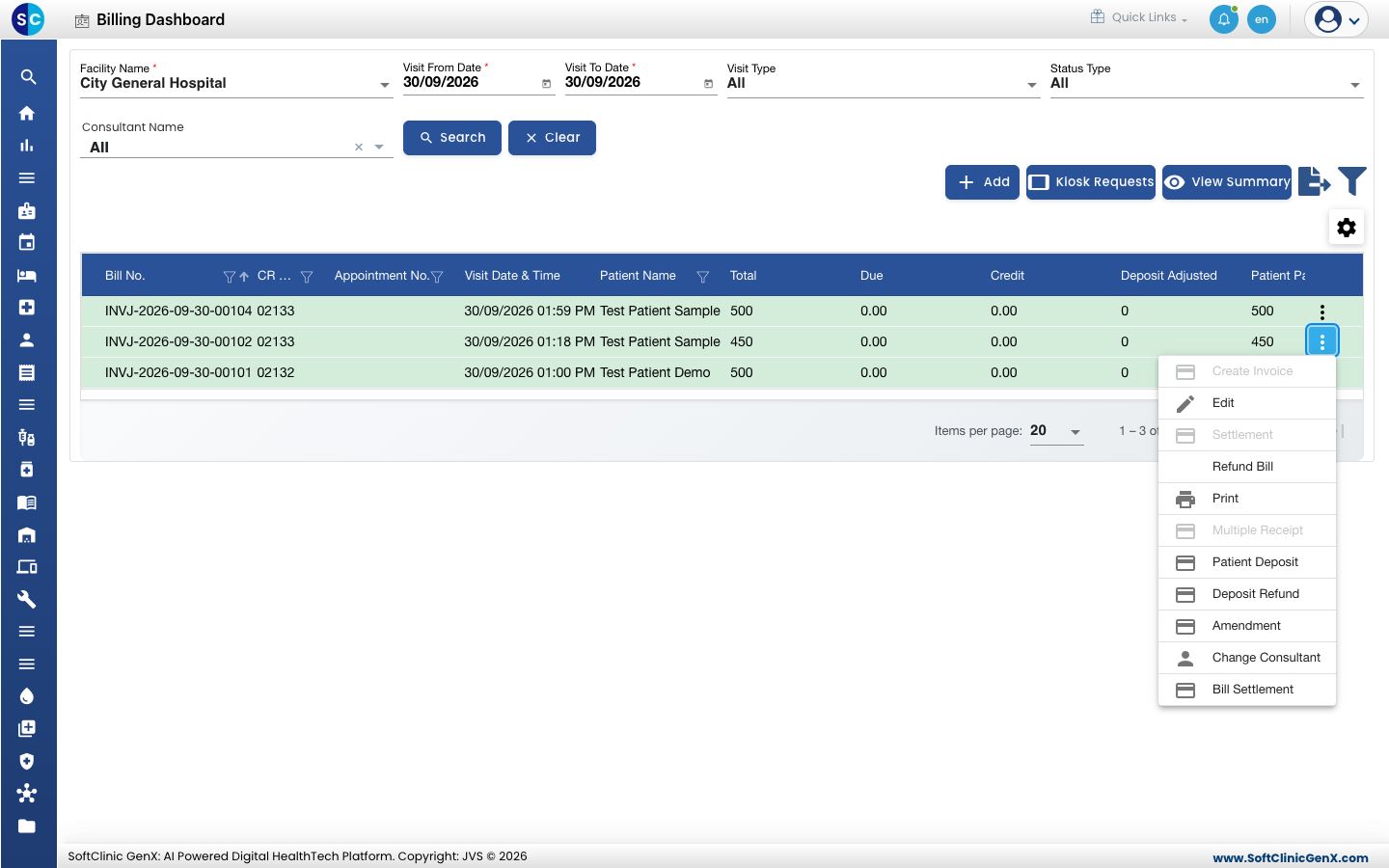
- Go to Billing › Billing Dashboard, set the dates and Status Type, and click Search to find the patient.
- Click the three dots at the end of the patient's row and choose Patient Deposit.
- The Patient Deposits form opens. Deposit Receipt Number is filled when you save.
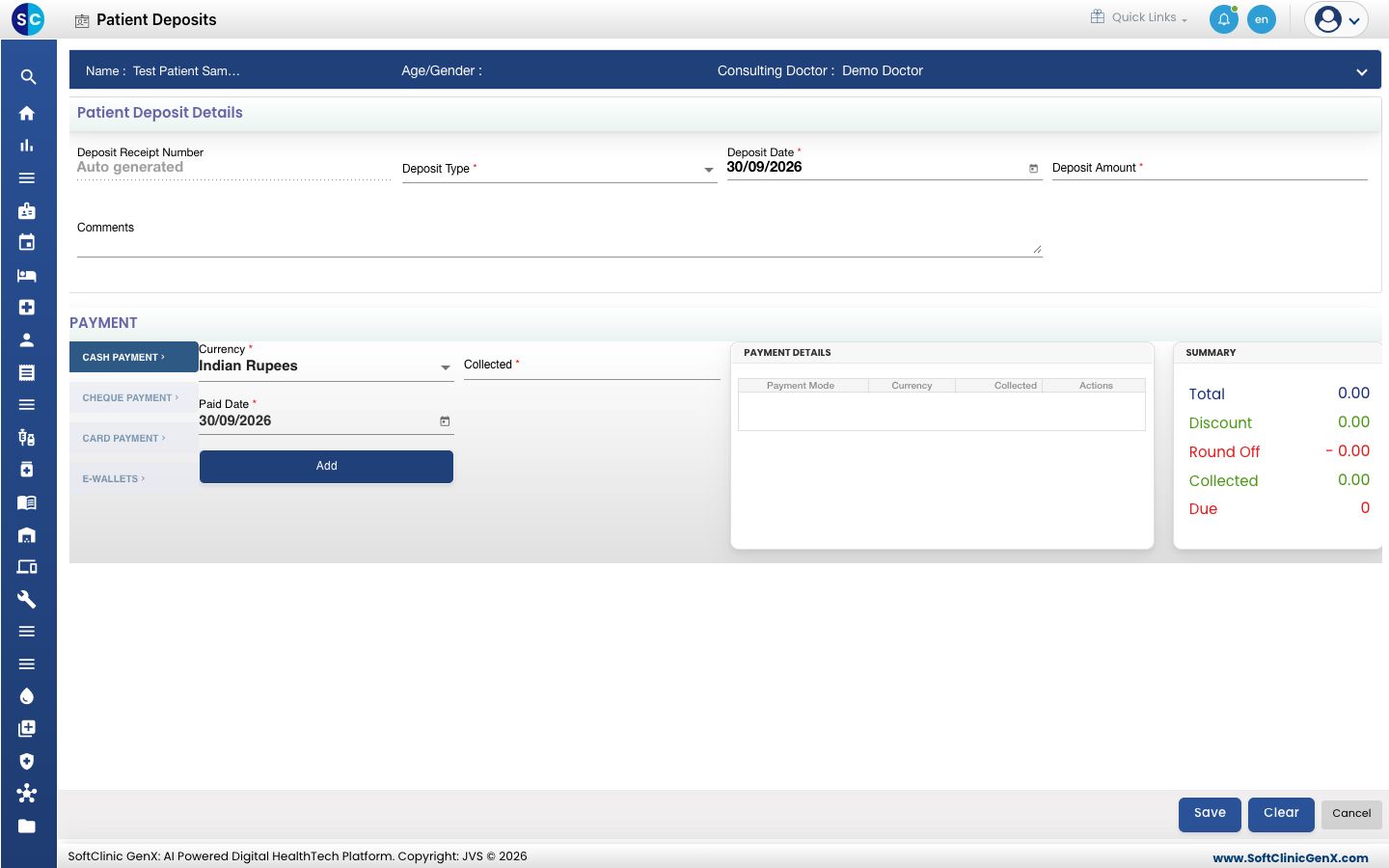
- Select the Deposit Type. Use On Account Deposit for an outpatient and Admission Deposit for an admitted patient.
- Type the Deposit Amount and, if needed, a note in Comments.
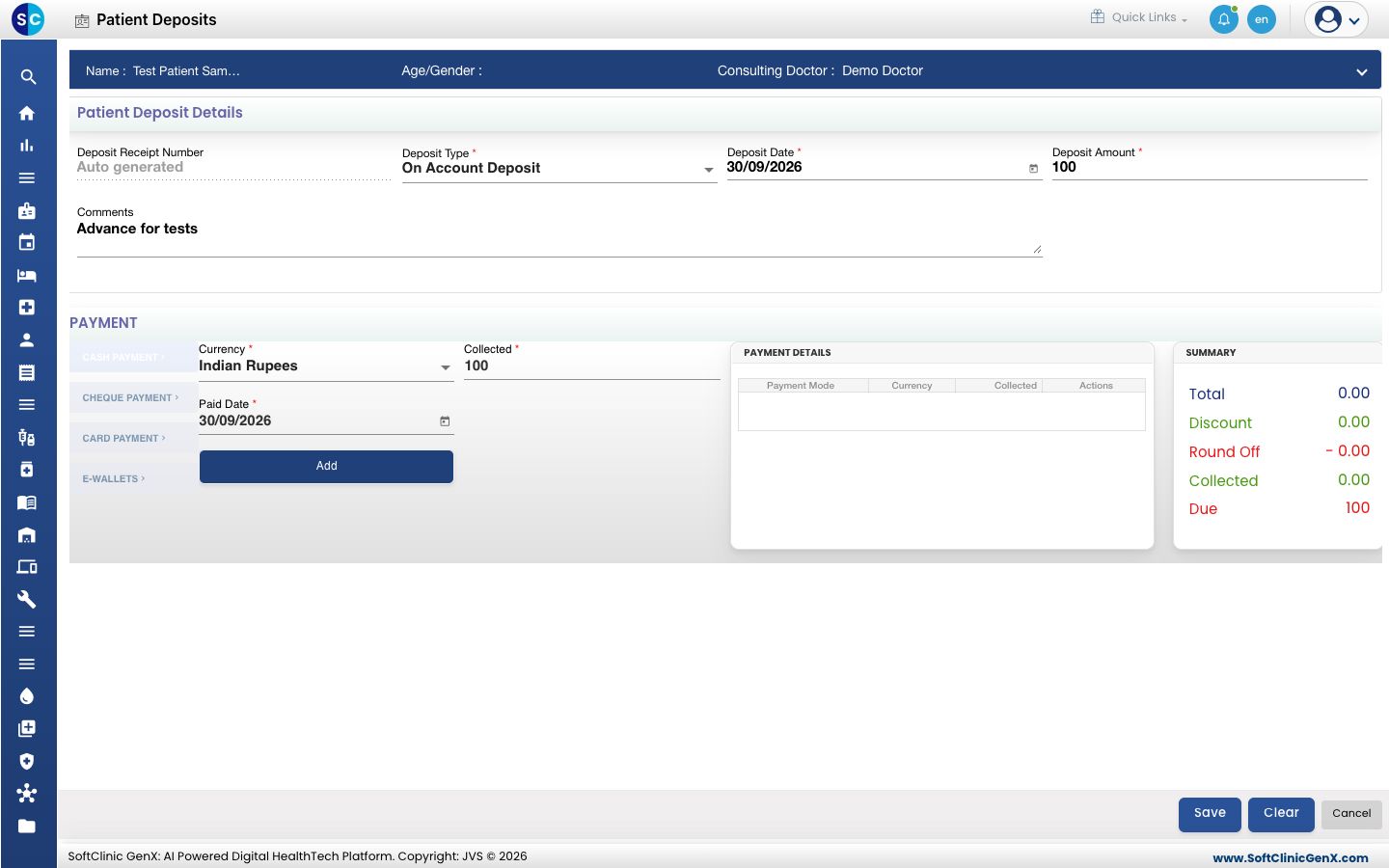
- Under PAYMENT, choose the mode, check that Collected equals the deposit amount and click Add.
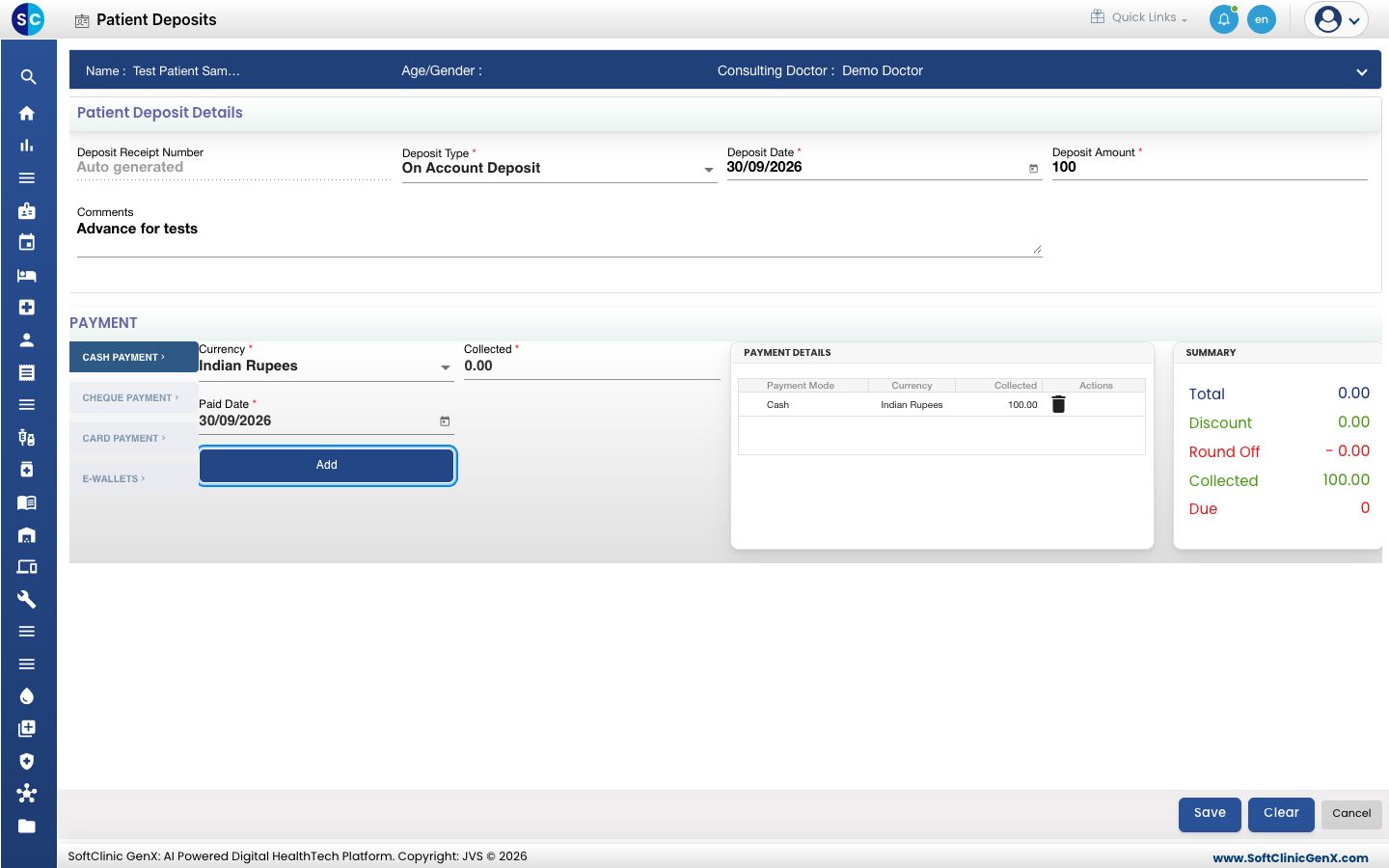
- Click Save. You see Your record has been saved.
Print the deposit receipt
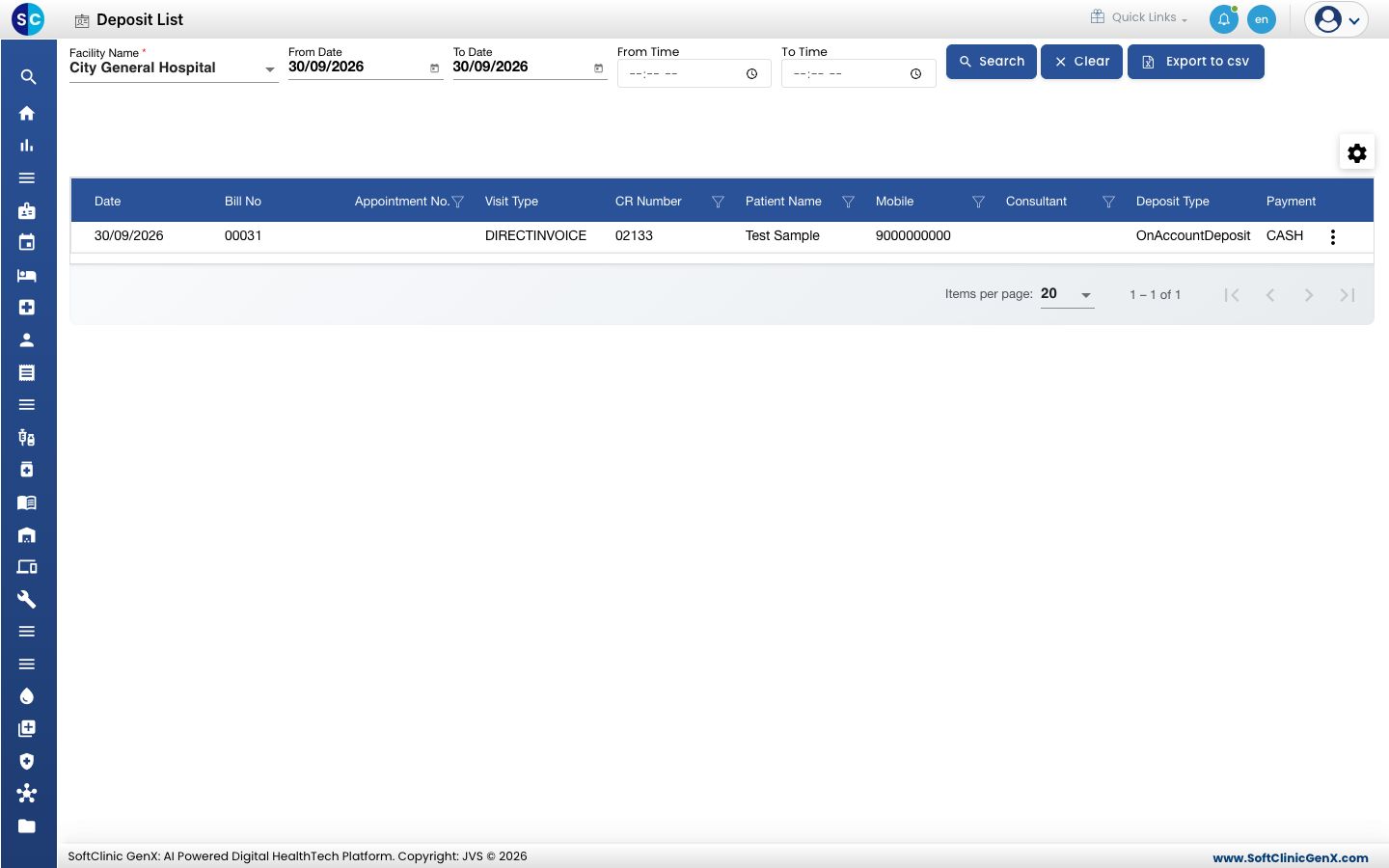
- Go to Billing › Views › Deposit List. Today's deposits are listed with the Deposit Amount and the Remaining Amount.
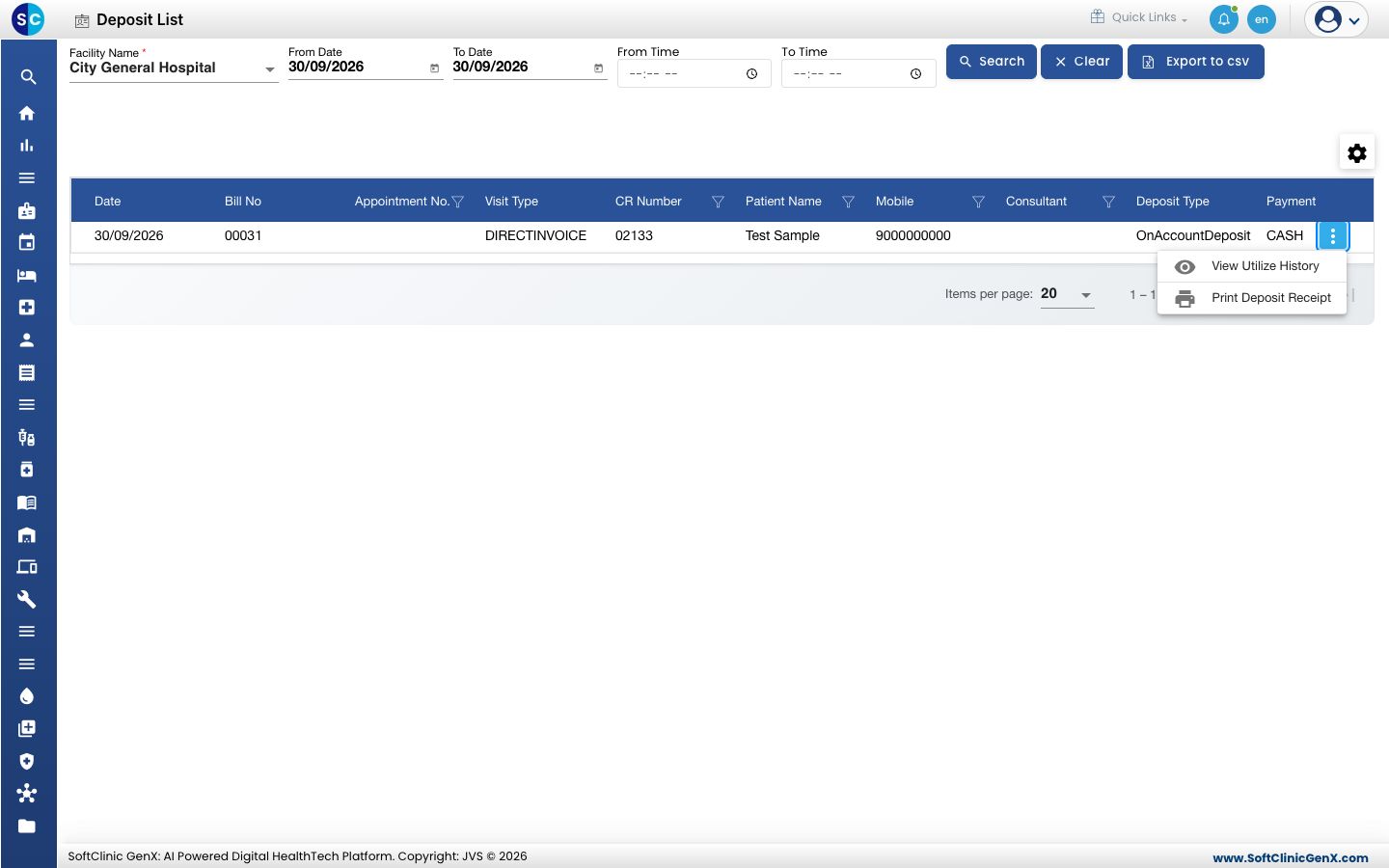
- Click the three dots at the end of the row and choose Print Deposit Receipt.
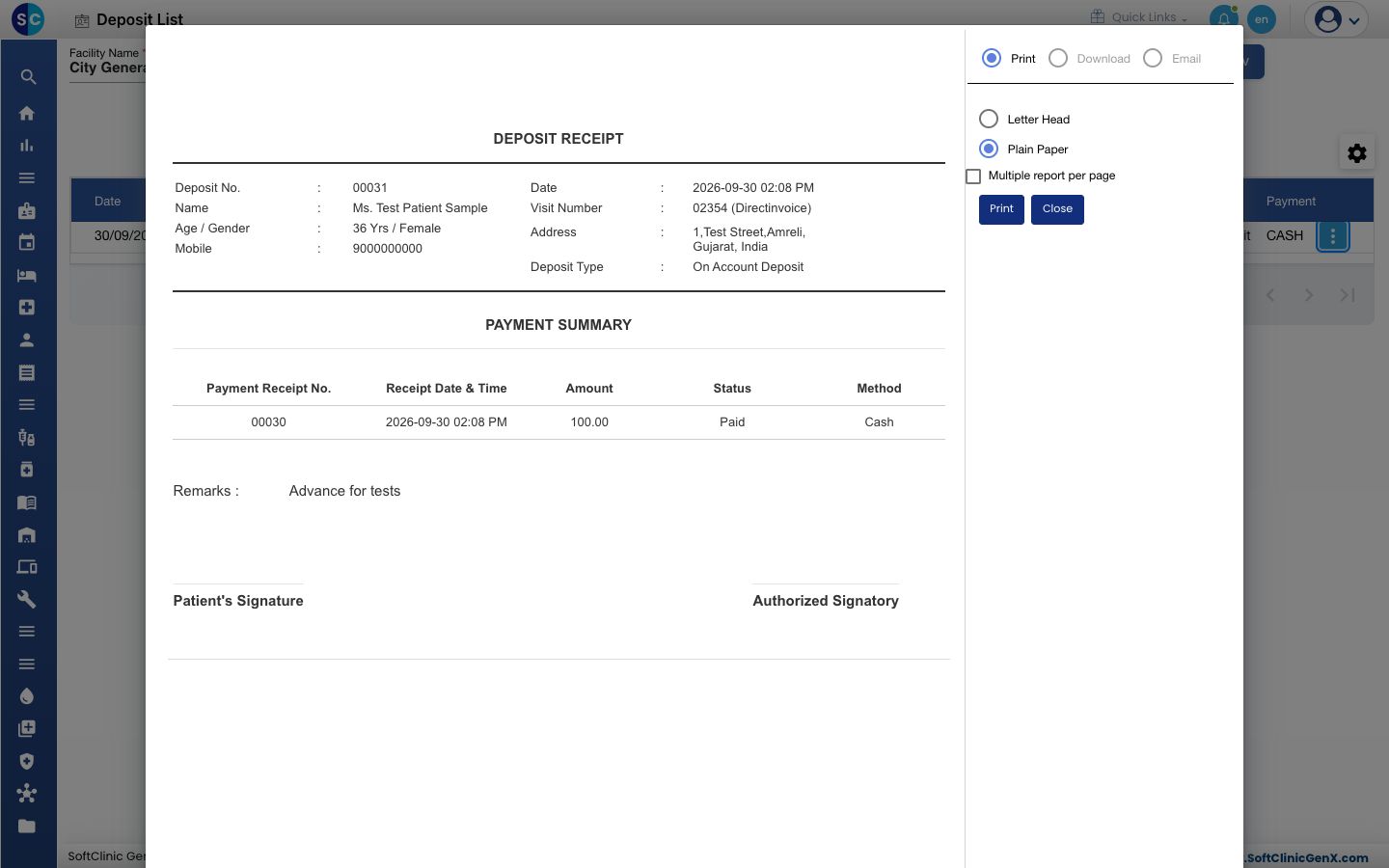
- Choose Letter Head or Plain Paper and click Print.
Use the deposit on a bill
- Open the bill or its settlement and click the SETTLEMENT tab.
- Tick Adjust Amount and click Deposit Detail. The Patient Deposit box lists the patient's deposits with the Remaining Amount.
- Tick Adjust on the deposit, type the amount in Adj.Amount and click Add.
- Collect any balance on the PAYMENT tab and save.
Fields on the form
| Field | What to enter | Required |
|---|---|---|
| Deposit Receipt Number | Filled for you on save. | — |
| Deposit Type | On Account Deposit for OPD, Admission Deposit for IPD. | Yes |
| Deposit Date | The date the money is received. Today by default. | Yes |
| Deposit Amount | The advance received. | Yes |
| Comments | A note, up to 300 characters. It prints as Remarks on the receipt. | No |
Troubleshooting
| What you see | What it means | What to do |
|---|---|---|
| Please fill all mandatory fields highlighted in red | Deposit Type, Deposit Date or Deposit Amount is empty. | Fill the fields marked in red. |
| Please select On Account Deposit for OPD | Admission Deposit is chosen for an outpatient. | Change Deposit Type to On Account Deposit. |
| Please select Admission Deposit for IPD | On Account Deposit is chosen for an admitted patient. | Change Deposit Type to Admission Deposit. |
| Please add deposit Payment | No payment line is added. | Add the payment under PAYMENT and save again. |
| deposit amount and paid amount should be same | The payment lines do not equal the Deposit Amount. | Correct the payment lines. |
| Deposit amount should not be greater than the Net Payable Amount. | You tried to adjust more deposit than the bill amount. | Reduce Adj.Amount. |
Related
- Refund a patient deposit: return the unused balance.
- Settle a pending bill: collect a balance, with or without a deposit.
- Collect a payment: the payment modes in detail.