Collect a payment
Take the bill amount by cash, card, UPI or cheque, split it across modes, or take a part payment and leave the balance due.
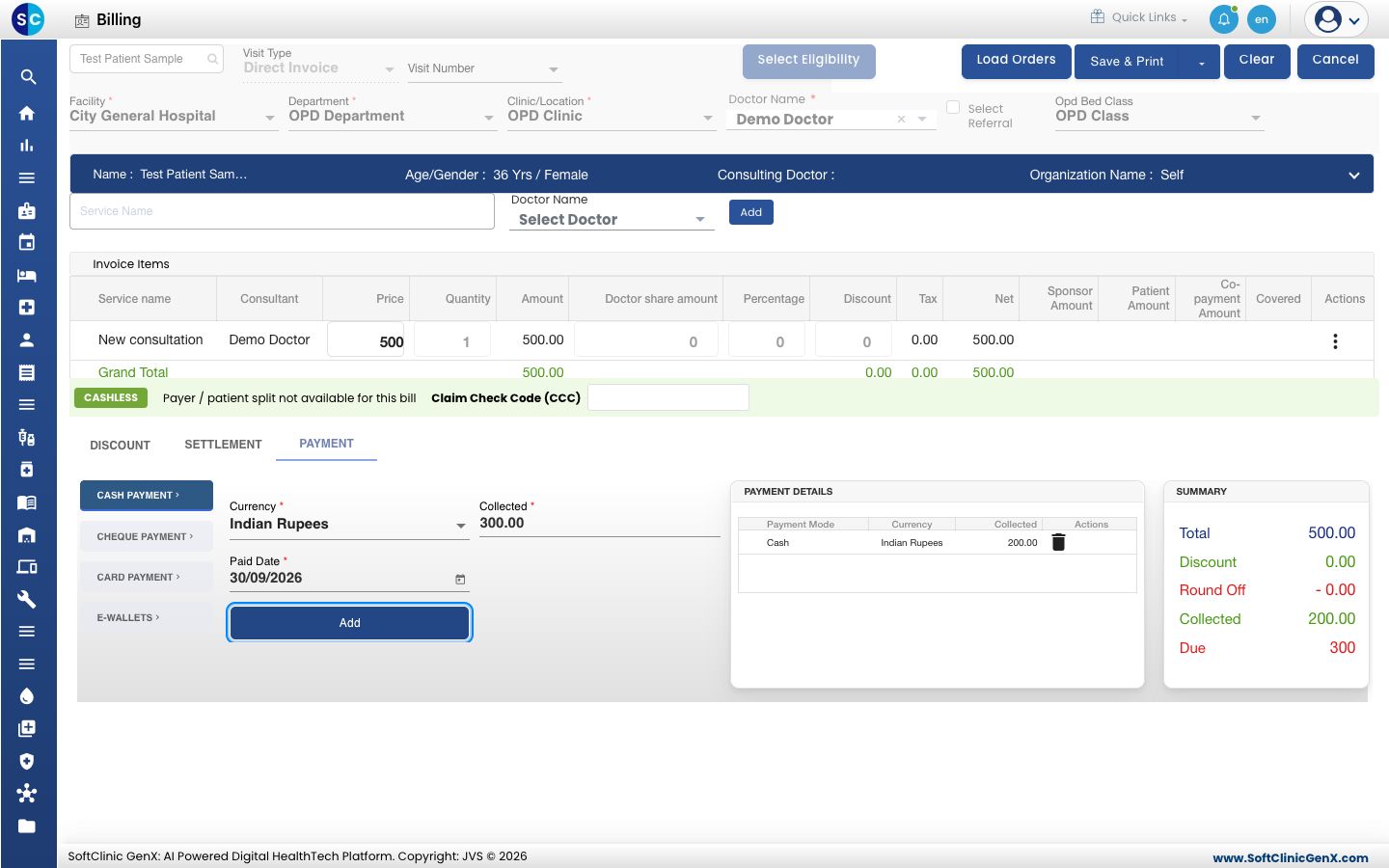
You record what the patient pays on the PAYMENT tab of the bill form. Each payment you add becomes a line under PAYMENT DETAILS, and SUMMARY shows what is collected and what is still due.
note
Who can do this: cashier and front desk staff with billing rights
Where: Billing › Billing Dashboard › Add › PAYMENT tab
Before you start
- Open a bill and add the services. See Create an OPD bill.
- Give any discount first. You cannot change the services or the discount after a payment is added. See Apply a discount to a bill.
Take cash
- On the PAYMENT tab, keep CASH PAYMENT selected.
- Check the amount in Collected. It is filled with the amount still due. Change it if the patient pays part of it in cash.
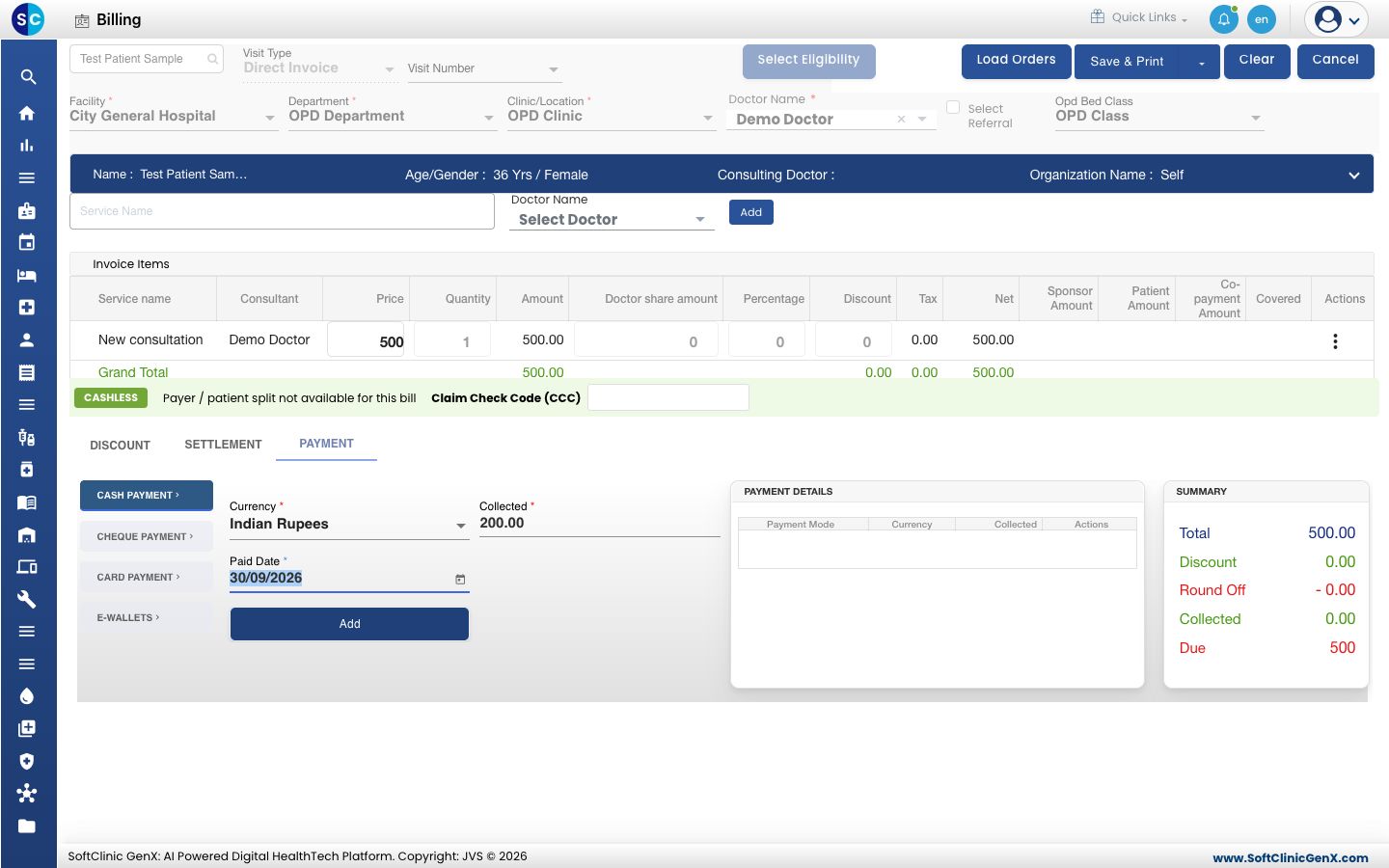
- Click Add. The cash line appears under PAYMENT DETAILS.
Take a card payment
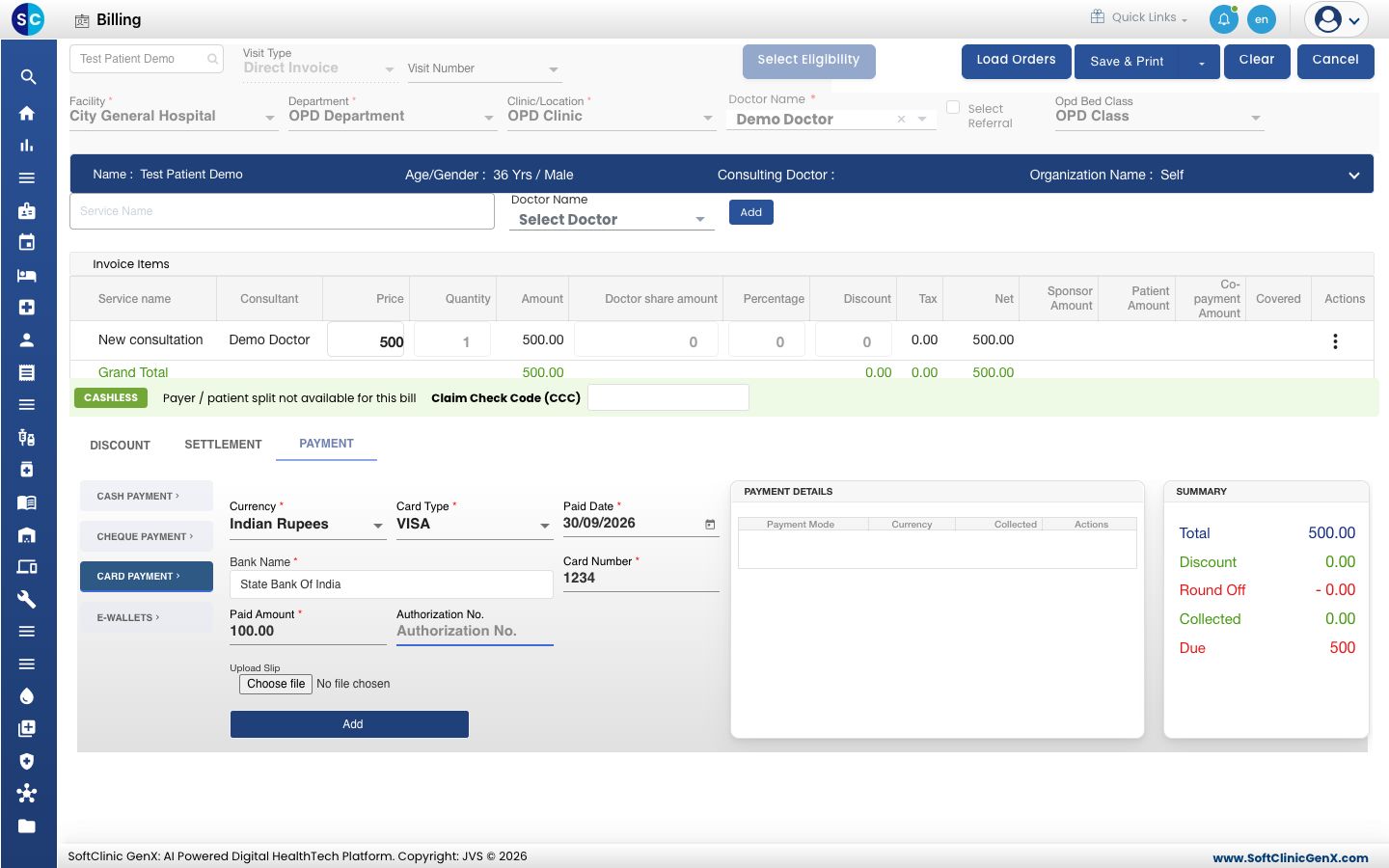
- Click CARD PAYMENT.
- Select the Card Type, for example VISA or RuPay.
- Type the first letters of the bank in Bank Name and pick the bank from the list.
- Type the last four digits of the card in Card Number.
- Check Paid Amount, then click Add.
Take a UPI or wallet payment
- Click E-WALLETS.
- Select the app in E-Wallet Type, for example GooglePay, PhonePe or Paytm.
- Check the Phone Number. It is filled from the patient's record.
- Type the transaction reference in Authorization/Reference No. so that you can trace the payment later.
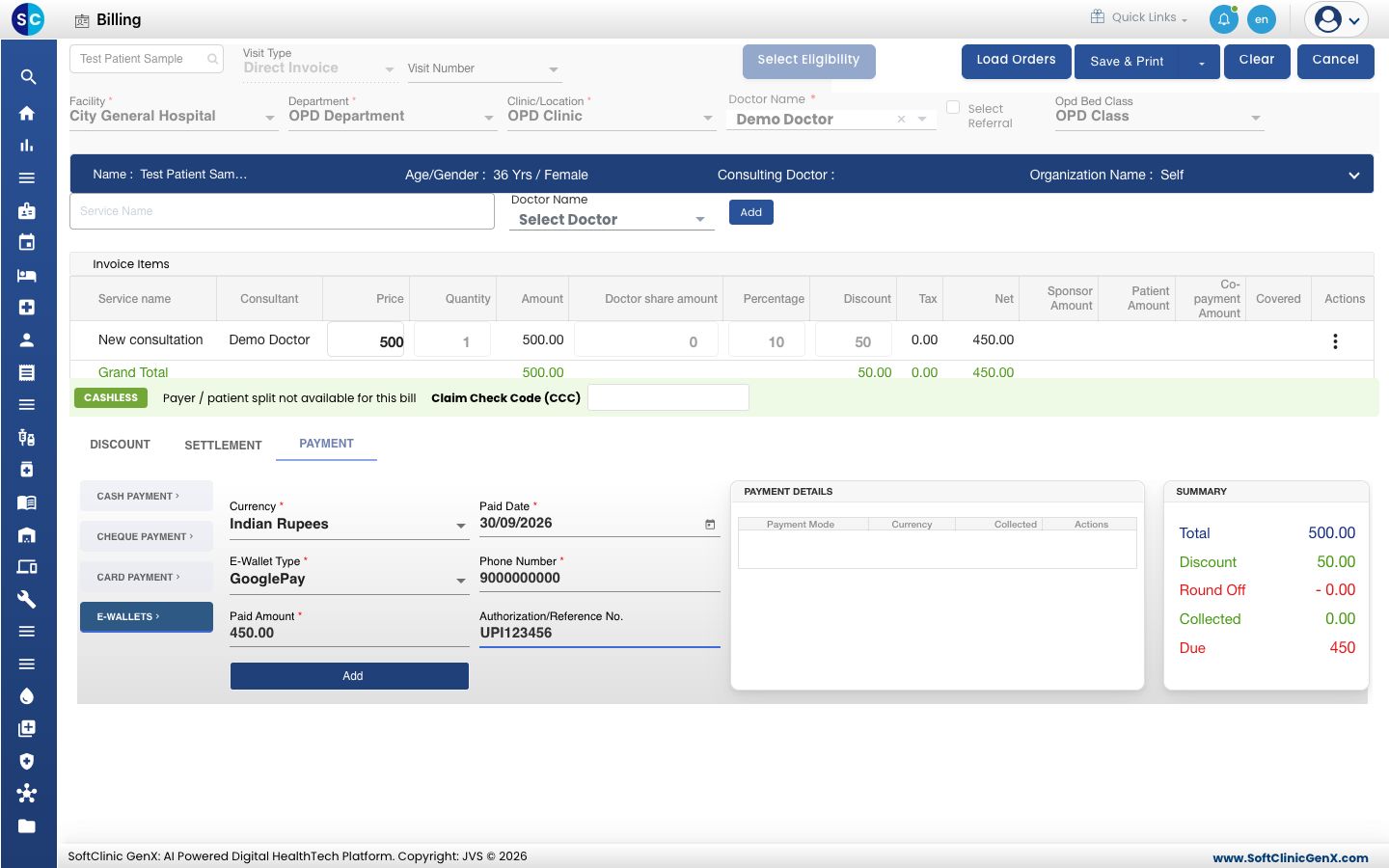
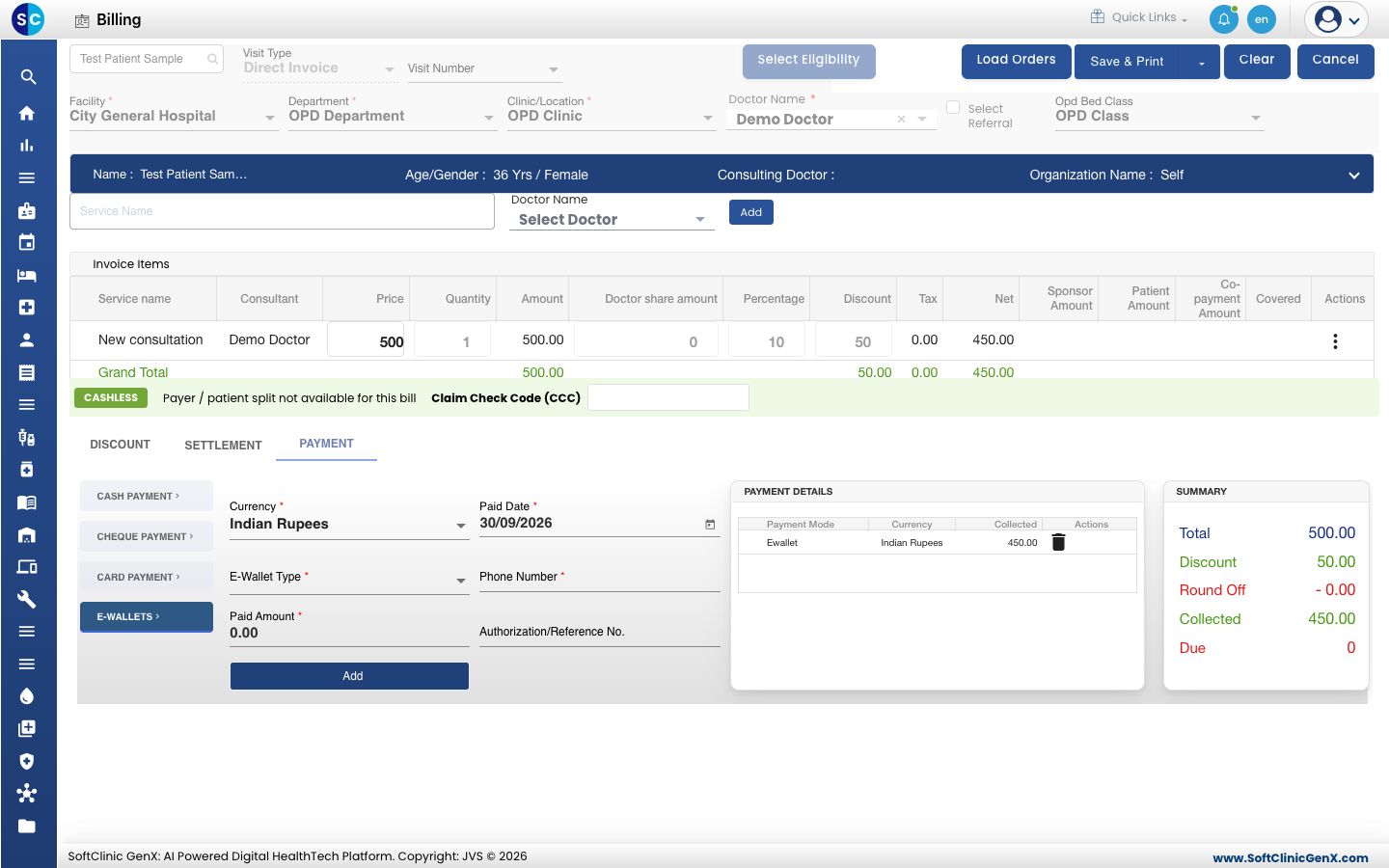
- Check Paid Amount, then click Add. Due in SUMMARY becomes 0.
Take a cheque
- Click CHEQUE PAYMENT.
- Fill Cheque Date, Cheque Number, Bank Name, Cheque Amount and Drawer Name, then click Add.
Split a payment across modes
- Add the first payment with the amount paid in that mode, for example 200 in cash.
- Open the next mode. Check that its amount is the balance, correct it if needed, and click Add.
- Check that Due is 0, then save the bill.
To remove a line added by mistake, click the bin icon on that line under PAYMENT DETAILS.
Take a part payment
Use this when the patient pays only a part now and the rest later.
- Click the SETTLEMENT tab and select Partial Settlement. Partial Settlement Reason appears.
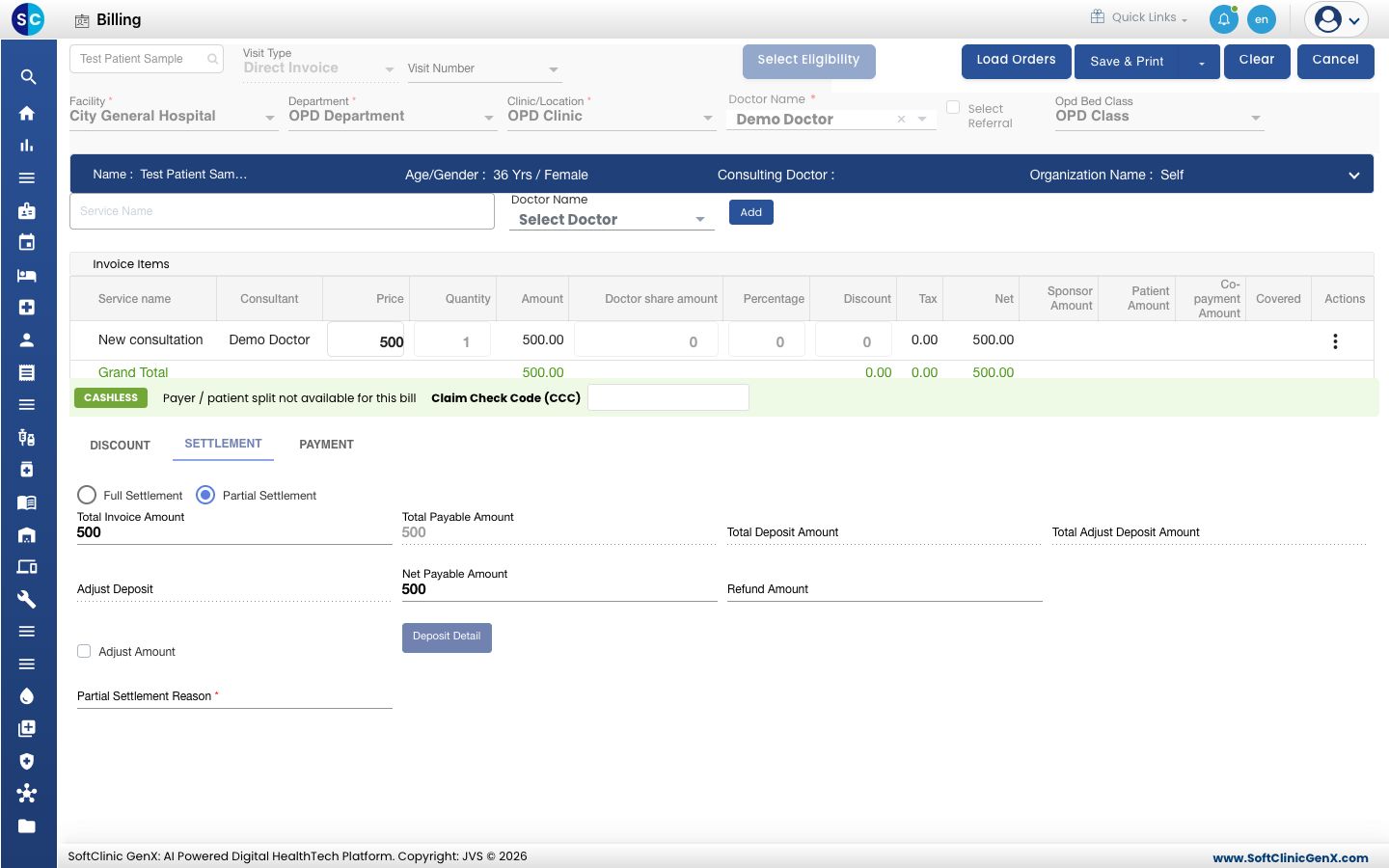
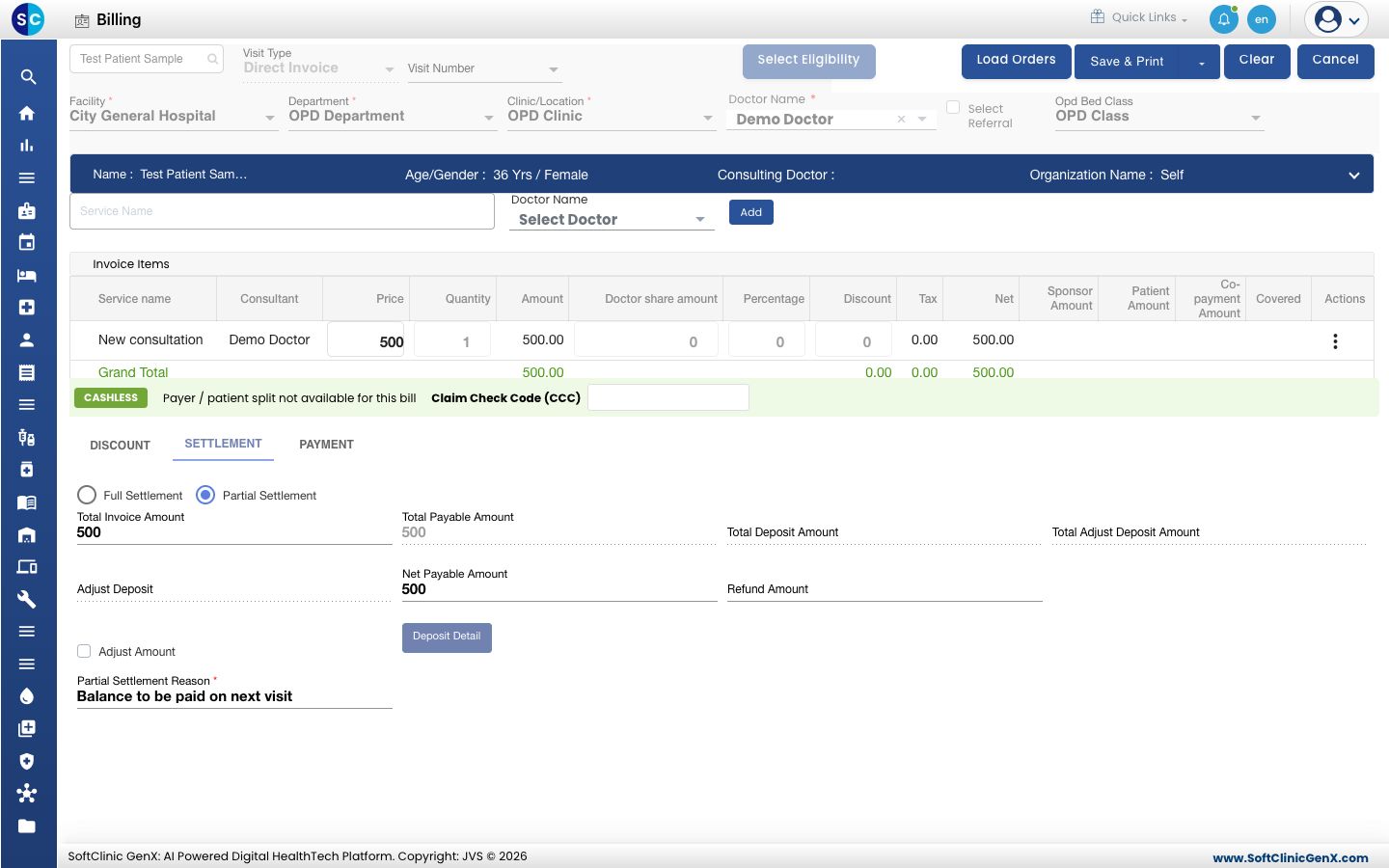
- Type the reason in Partial Settlement Reason. This field is required.
- Click the PAYMENT tab. Type the amount the patient pays now in Collected and click Add. Due shows the balance.
- Click the arrow beside Save & Print and choose Save, or click Save & Print. The bill shows on the Billing Dashboard as Partially Settled Invoices with the balance in the Due column.
tip
When the patient returns with the balance, settle the pending bill.
Fields for each payment mode
| Mode | Required | Optional |
|---|---|---|
| CASH PAYMENT | Currency, Collected, Paid Date | — |
| CHEQUE PAYMENT | Currency, Cheque Date, Cheque Number, Bank Name, Cheque Amount, Drawer Name | Upload Slip |
| CARD PAYMENT | Currency, Card Type, Paid Date, Bank Name, Card Number (4 digits), Paid Amount | Authorization No., Upload Slip |
| E-WALLETS | Currency, Paid Date, E-Wallet Type, Phone Number, Paid Amount | Authorization/Reference No. |
Troubleshooting
| What you see | What it means | What to do |
|---|---|---|
| Total payment amount is not matched with total service amount | Full Settlement is selected but the payments do not equal the bill amount. | Correct the payment lines, or select Partial Settlement to leave a balance. |
| Partial Settlement Reason is Required | Partial Settlement is selected without a reason. | Type the reason on the SETTLEMENT tab. |
| Due Amount Should not less than 1 | Partial Settlement is selected but the full amount is collected. | Select Full Settlement. |
| Please enter payment details | No payment line is added. | Add at least one payment and save again. |
| This field is required. under Bank Name | The bank was typed but not picked from the list. | Pick the bank from the list. If it is missing, ask your administrator to add the bank. |
| Card number is invalid. | Card Number is not exactly four digits. | Type the last four digits of the card. |
| Amount is already Collected | The bill amount is already covered by the lines added. | Delete a line if you need to change the mode. |
Related
- Settle a pending bill: collect the balance of a part-paid bill.
- Print or reprint a bill and receipt: give the patient a copy.
- Take a patient deposit: collect an advance before billing.
- Set up Bank: the banks offered in Bank Name.