Add services and packages to a bill
Put several services or a health package on one bill, change the quantity and remove a line added by mistake.
A bill can carry any number of services. A package is a set of services sold at one price, and you add it from the same search box as a single service.
note
Who can do this: cashier and front desk staff with billing rights
Where: Billing › Billing Dashboard › Add › Service Name
Before you start
- Open a bill and select the patient, department, clinic and doctor. See Create an OPD bill.
- The services and packages exist in the Service master and the Package Master.
Add another service
- Type at least three letters in Service Name. The list shows the matching services.
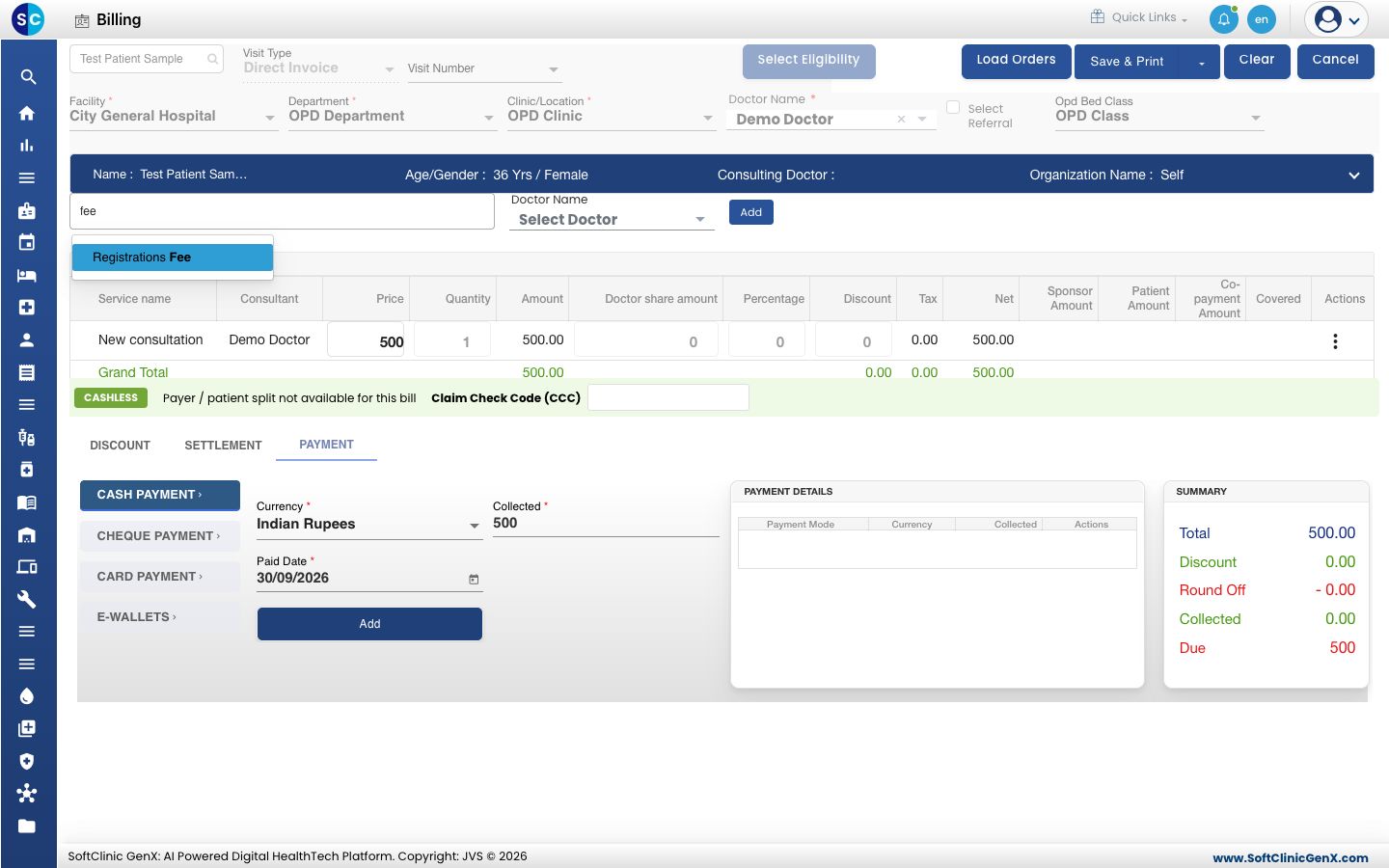
- Pick the service. To bill it under a different doctor, select that doctor in Doctor Name beside the search box.
- Click Add. The service becomes a new line under Invoice Items, and Grand Total and Collected update.
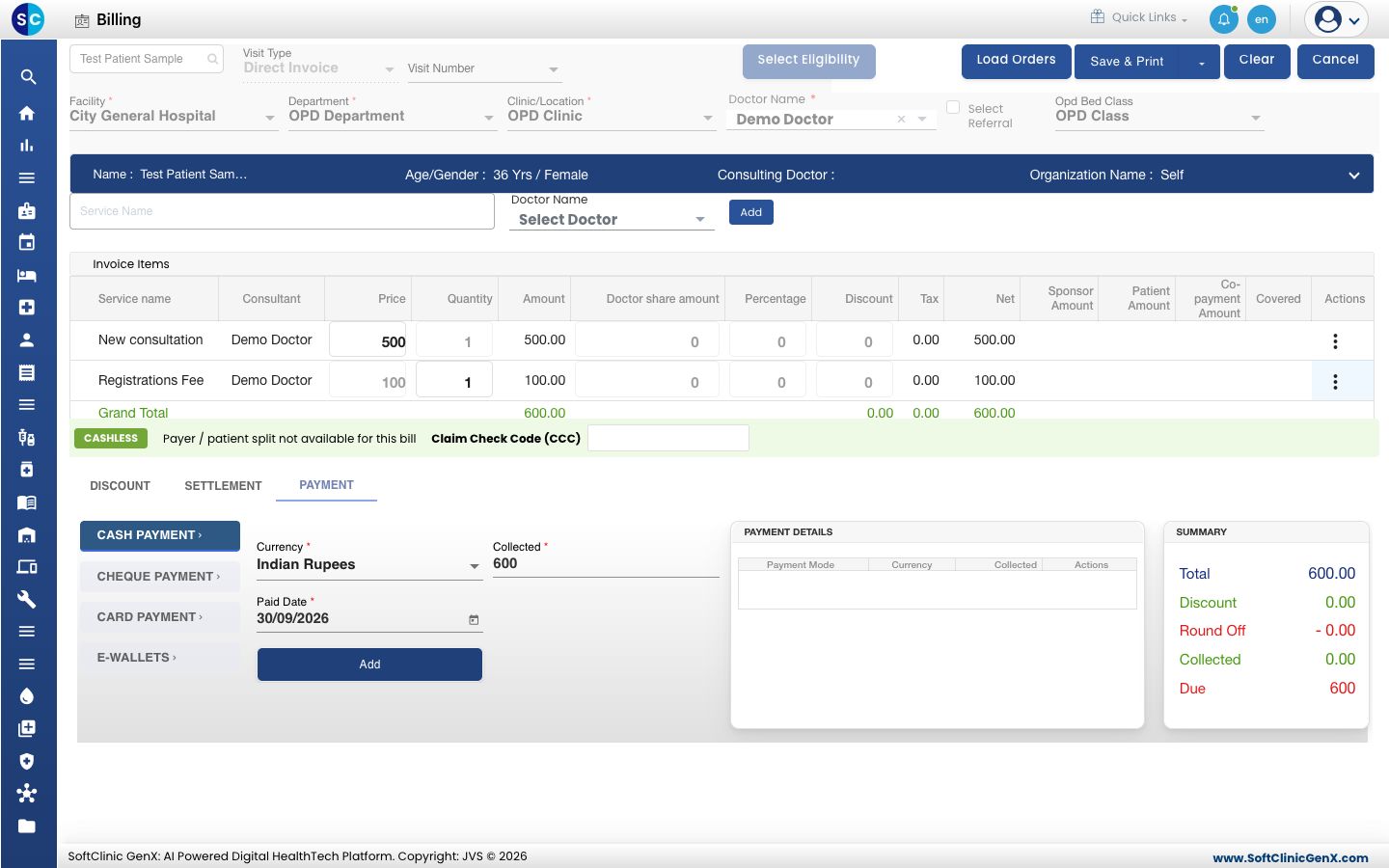
- Repeat for every service the patient has taken.
Add a package
- Type the package name in Service Name. Packages appear in the same list as services.
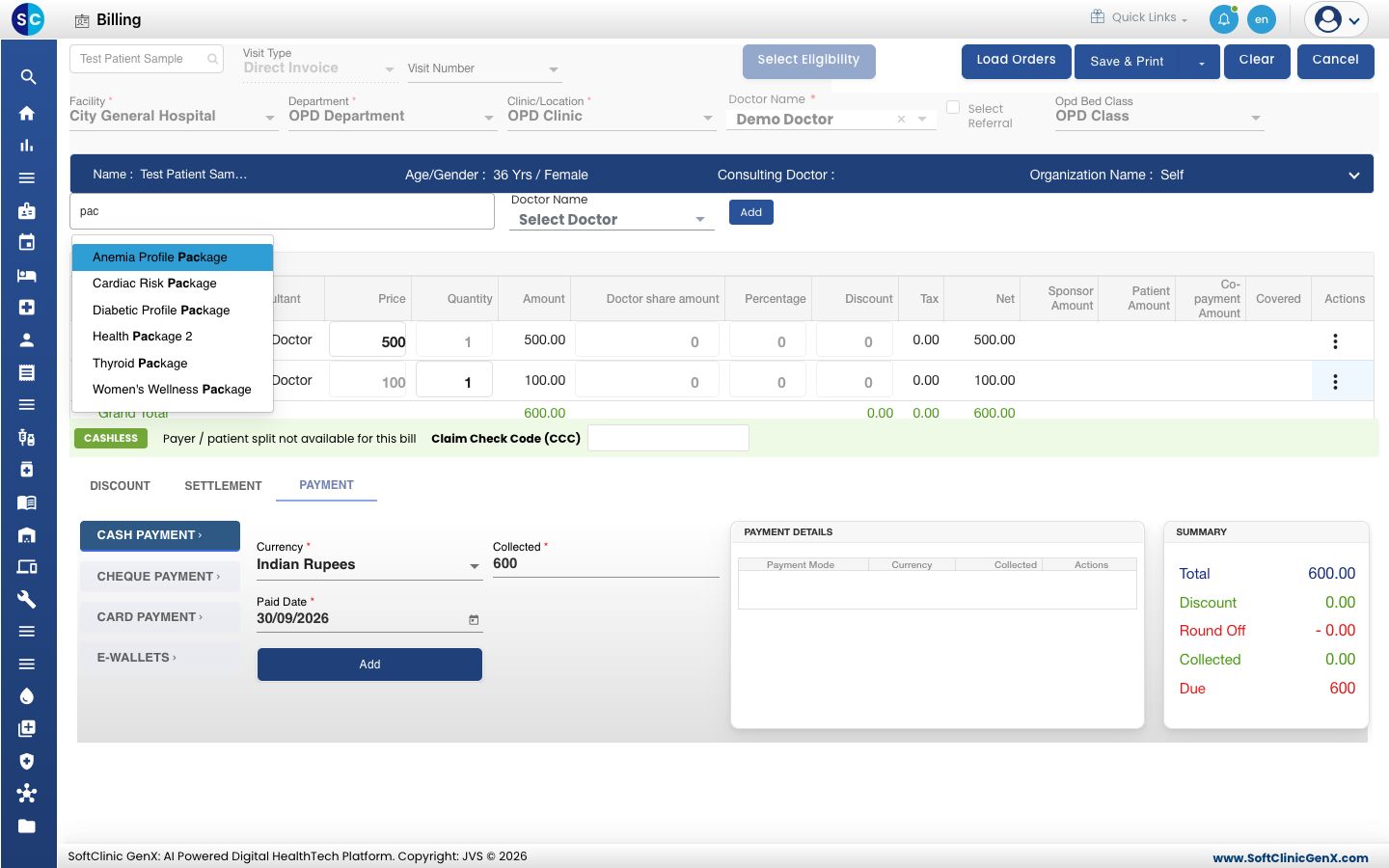
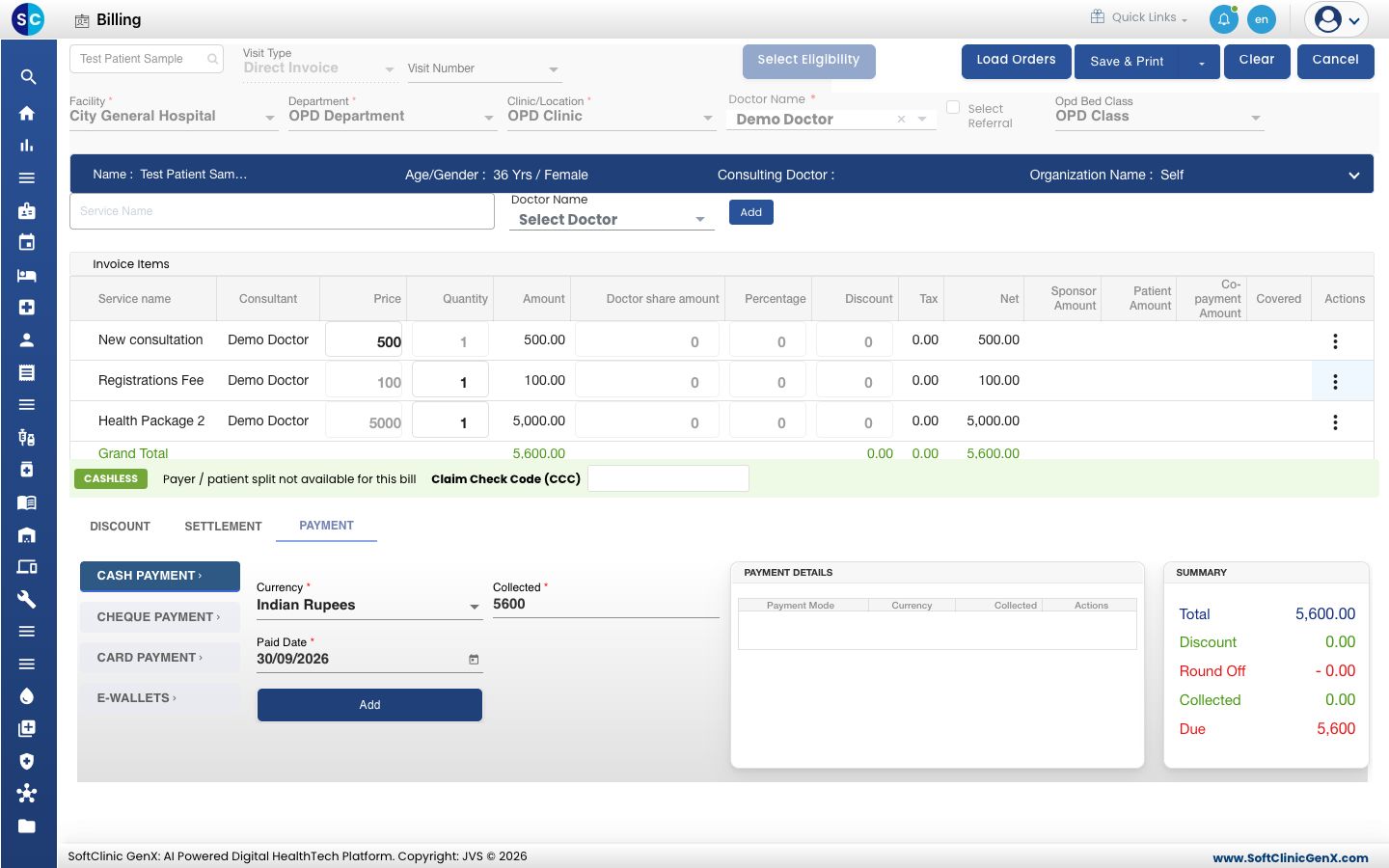
- Pick the package and click Add. The package is one line at the package price.
note
If a package shows 0.00, no price is set for it. Ask your administrator to check it in the Package Master before you bill it.
Change the quantity or price
- Quantity: type the new number on the line. Amount and Net recalculate. The box is locked for services that are always billed once.
- Price: you can type a price only for services marked as variable price. For all other services the price comes from the rate plan and is locked.
Remove a line
- Click the three dots at the end of the line.
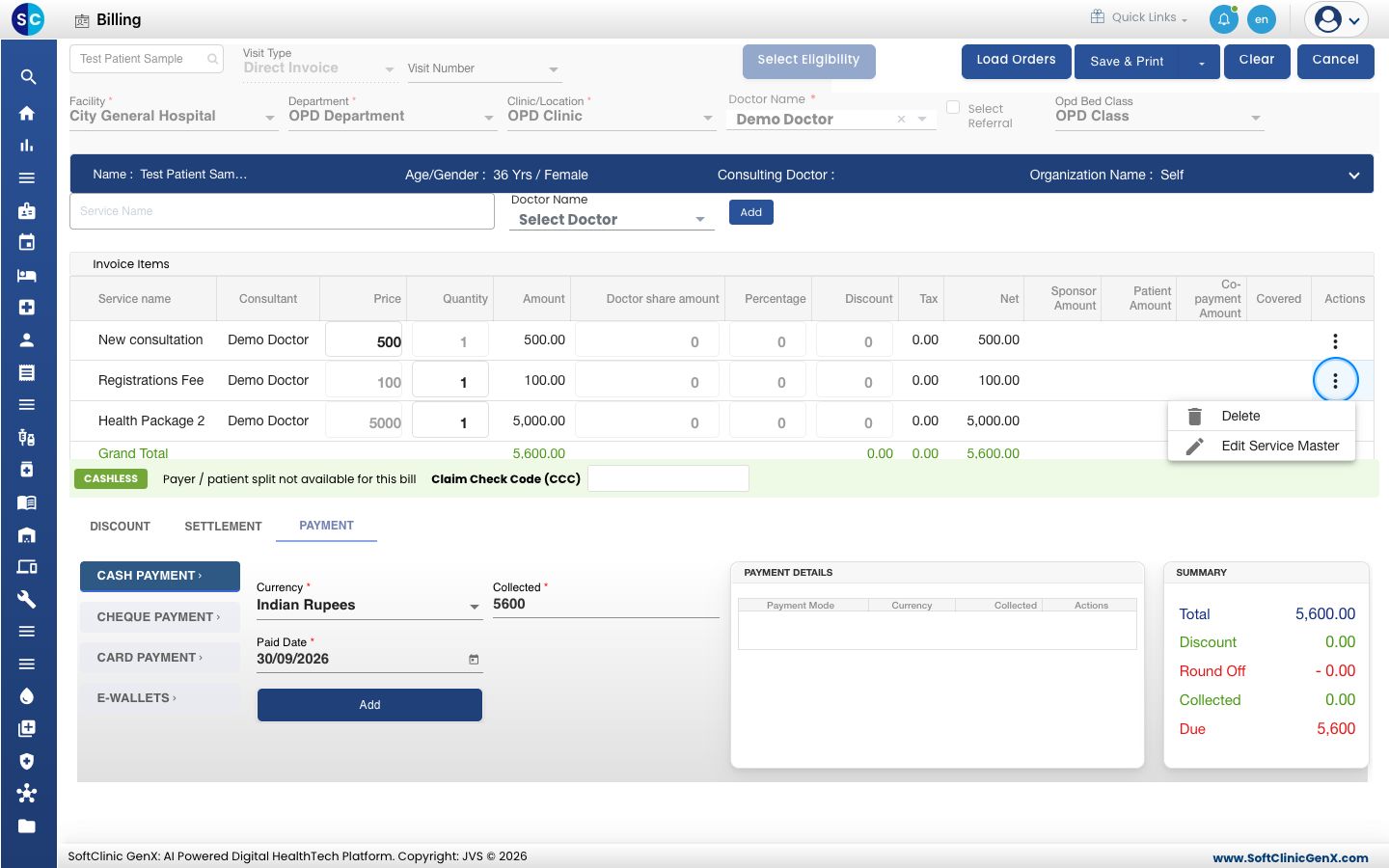
- Choose Delete. The line is removed and the totals update.
Troubleshooting
| What you see | What it means | What to do |
|---|---|---|
| Service is Required | You clicked Add without picking a service from the list. | Type the name and pick the service from the list, then click Add. |
| Service Already Exist! | The service is already on this bill. | Increase the Quantity on the existing line. |
| Please clear all payment details first | A payment is already added to the bill. | Delete the lines under PAYMENT DETAILS, change the services, then add the payment again. |
| The service is not in the list | It is not in the Service master, or it has no price for this patient's rate plan. | Ask your administrator to set up the service and its rate. |
Related
- Create an OPD bill: the full flow from patient to print.
- Apply a discount to a bill: reduce one line or the whole bill.
- Set up Package Master: create packages and their prices.
- Billing FAQs: common questions about packages.