Set up Complaint SLA Rules
Set how many hours the team has to resolve a complaint, by machine type, vendor type and priority.
An SLA rule sets the time allowed to resolve a complaint. New complaints get a due time from the most specific rule that matches them.
note
Who does this: biomedical in-charge · Where: Complaint Management › SLA Rules
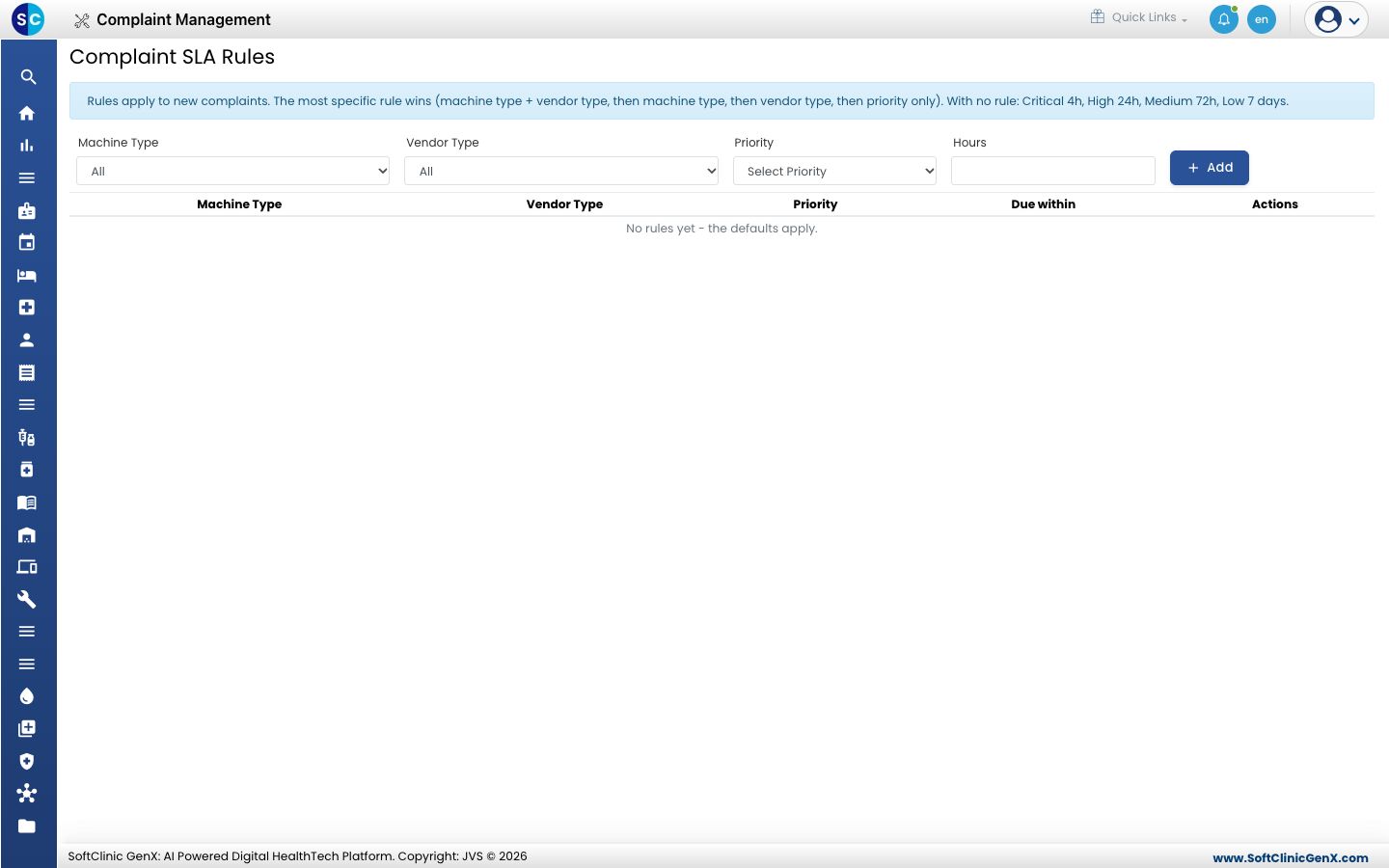
Add a rule
- Open Complaint Management › SLA Rules.
- Choose the Machine Type, Vendor Type and Priority the rule applies to. Leave Machine Type or Vendor Type on All for a broader rule.
- Enter the Hours within which the complaint must be resolved.
- Click Add. The rule appears in the list below.
How rules are chosen
- The most specific rule wins: machine type with vendor type first, then machine type, then vendor type, then priority only.
- When no rule matches, the defaults apply: Critical 4 hours, High 24 hours, Medium 72 hours and Low 7 days.
- Rules apply to new complaints only.
Related
- Register a complaint: the complaint gets its due time from these rules.
- Complaint Management FAQs: short answers about complaints.
Was this helpful?