Find discharged patients
List the patients discharged between two dates, with their admission number, ward, bed and doctor, and export the list.
The Discharge List report shows every patient discharged in a date range. Use it to check that a discharge went through, to answer a family's query about a past stay or to hand the day's discharges to medical records.
note
Who can do this: admission desk, ward and medical records staff
Where: In-Door Management › Reports › Discharge List
List discharged patients
- Go to In-Door Management › Reports › Discharge List.
- Set the From Date and To Date. Both start at today.
- Keep Admission Status as DISCHARGED.
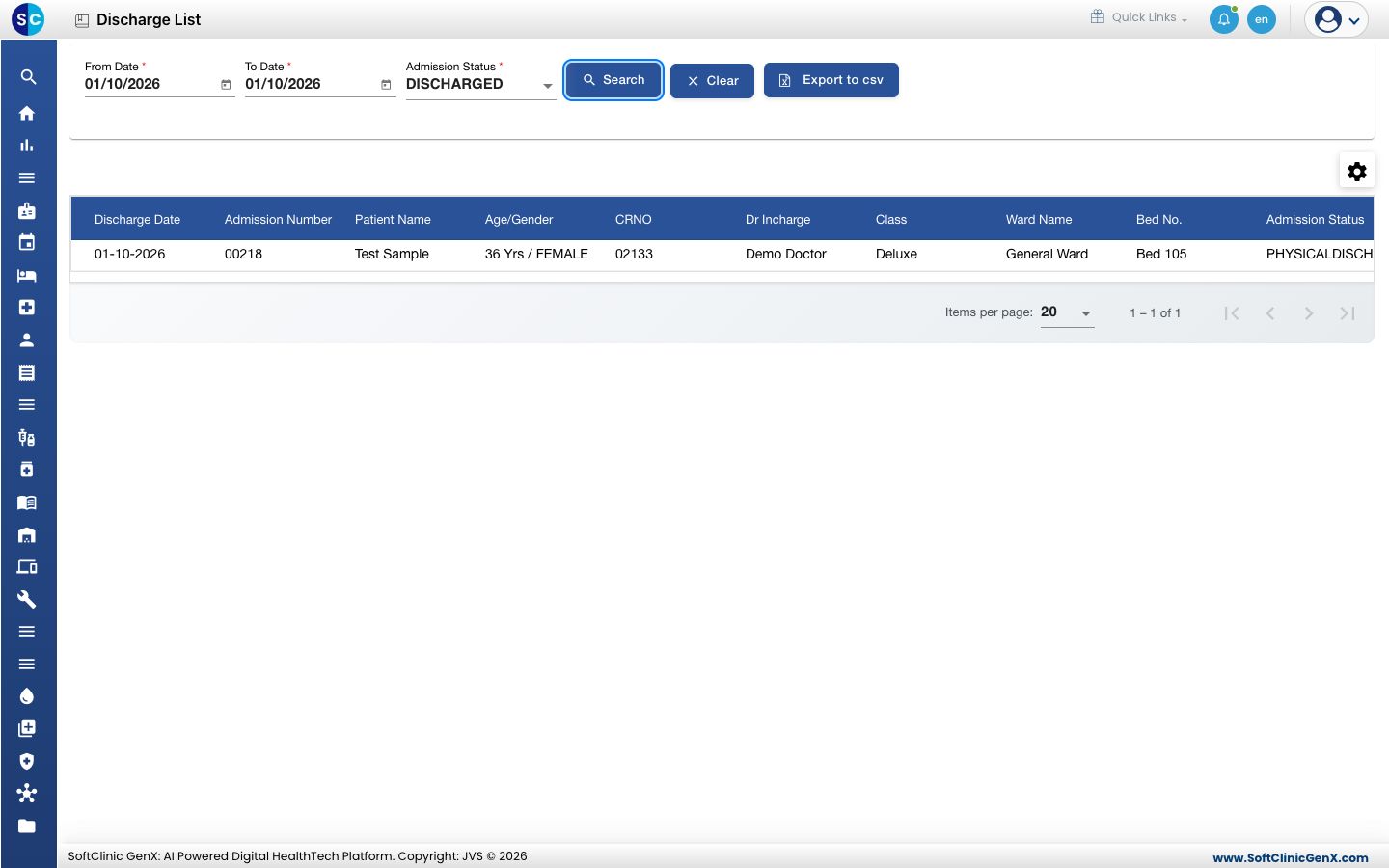
- Click Search. Each discharged patient shows with the Discharge Date, Admission Number, Patient Name, Age/Gender, CRNO, Dr Incharge, Class, Ward Name, Bed No. and Admission Status.
Export the list
Click Export to csv to download the list as a spreadsheet file.
Find a discharge summary
The discharge summaries are listed separately in In-Door Management › Views › Discharge Summary List. See Write a discharge summary.
Troubleshooting
| What you see | What it means | What to do |
|---|---|---|
| No Records Found | No patient was discharged between the two dates. | Widen the From Date and To Date and click Search again. |
| A patient you discharged is missing | The discharge date is outside the range. | Set the dates to cover the day of discharge. |
Related
- Discharge a patient: record a discharge.
- Find an admitted patient: patients still in the hospital.
- In-Door Management FAQs: common discharge questions.