Set up Queue Prefix
Choose how token numbers look for each department, such as OPD-001, and when the numbering restarts.
A queue prefix decides the look of a token number: the letters in front, the separator and the number length. Set one up for each department that issues tokens.
note
Who does this: hospital administrator · Where: Queue Management › Masters › Queue Prefix
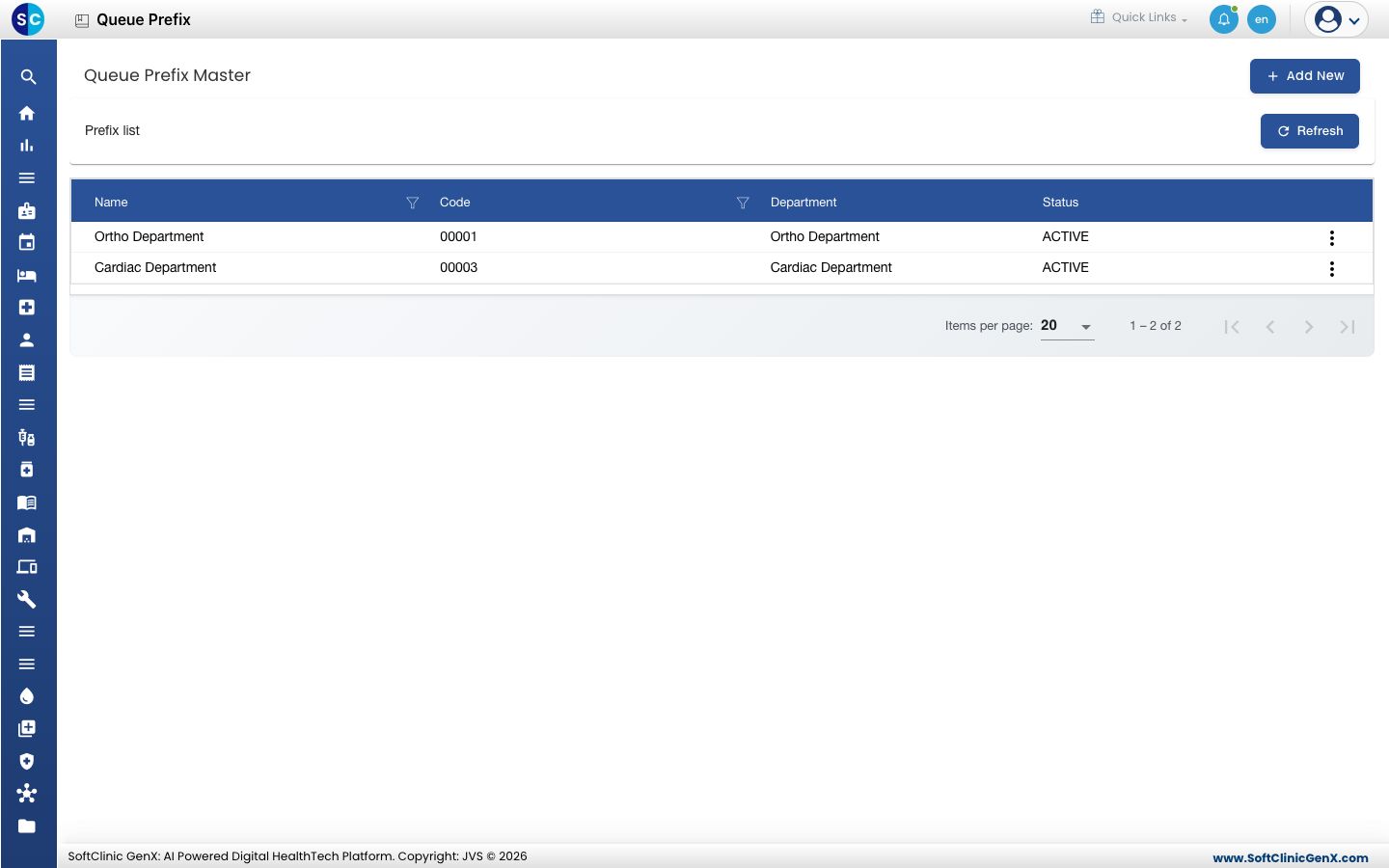
Add a prefix
-
Open Queue Management › Masters › Queue Prefix and click Add New.
-
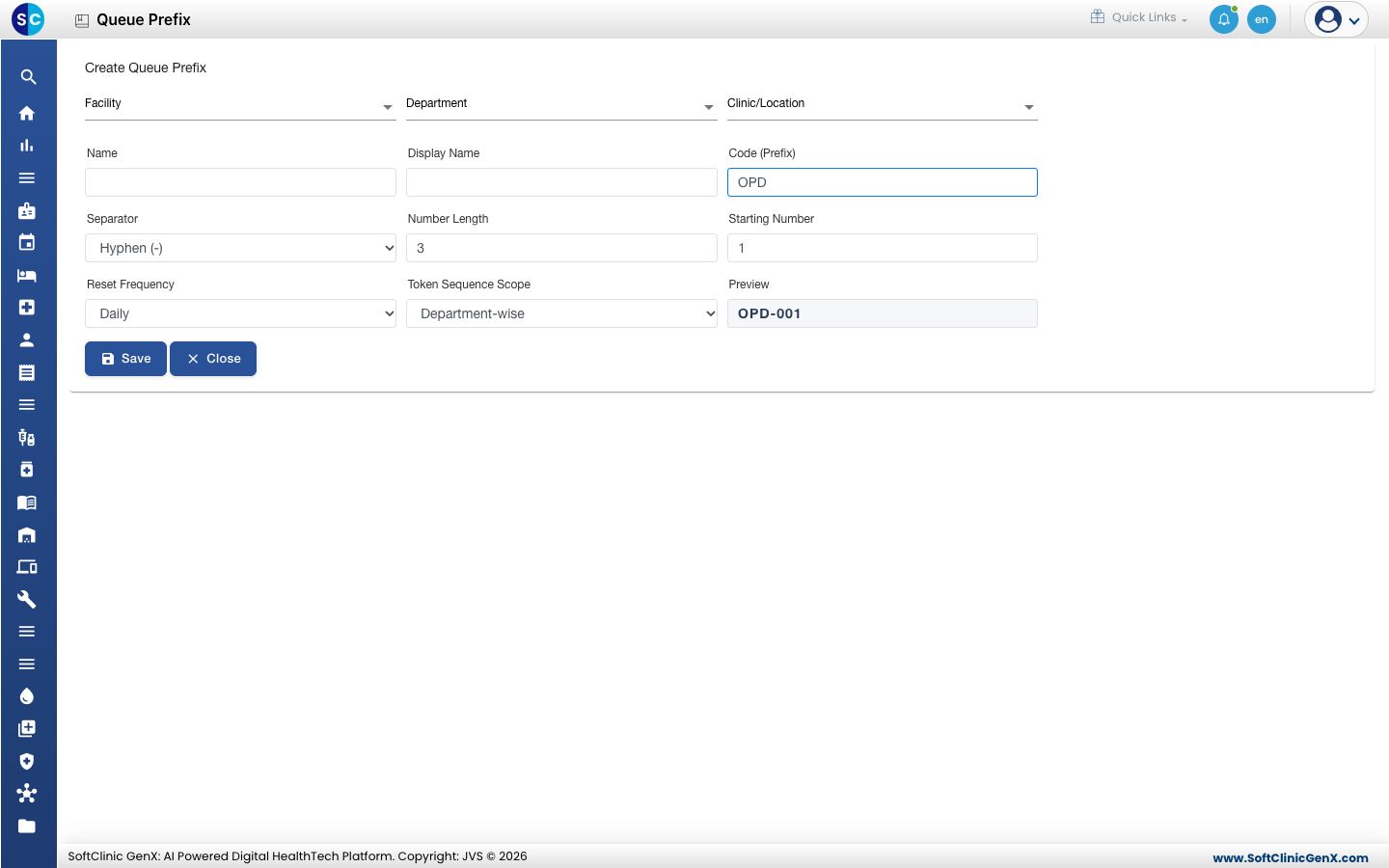
Fill in the form. The Preview box shows the first token as you type.
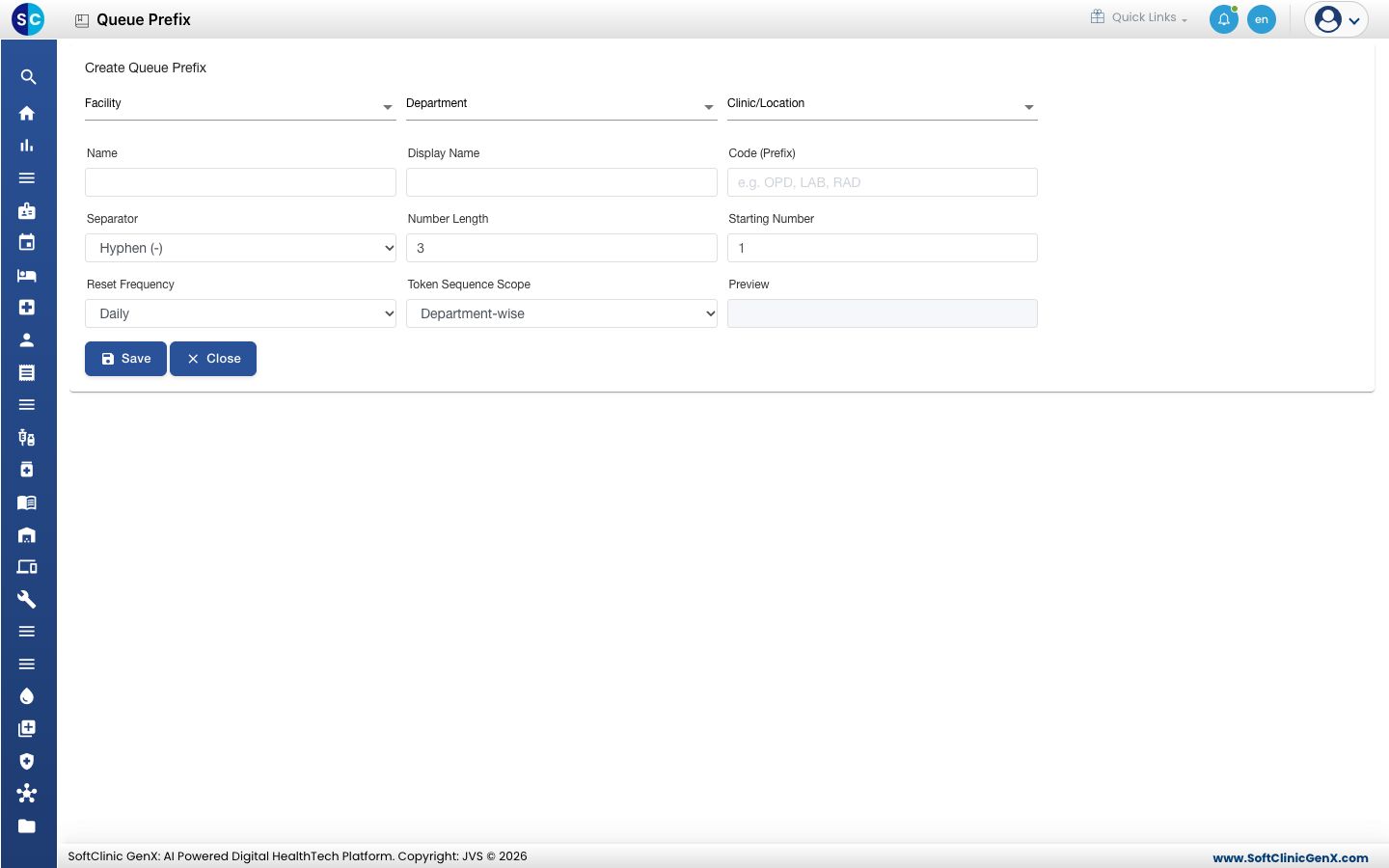
| Field | What to enter |
|---|---|
| Facility, Department, Clinic/Location | Where this numbering applies. |
| Name and Display Name | The name staff see, and the name shown to patients. |
| Code (Prefix) | The letters at the start of every token, for example OPD. |
| Separator | Hyphen (-), Slash (/), Space or None. |
| Number Length | How many digits the number has. 3 gives 001. |
| Starting Number | The first number issued. |
| Reset Frequency | Daily, Monthly, Financial Yearly or Never / Continuous. |
| Token Sequence Scope | Whether the count runs per Department-wise, Doctor-wise, Facility-wise, Clinic-wise or Counter-wise. |
- Click Save. The message Prefix saved successfully. appears.
Change or delete a prefix
Click the three dots on the row, then choose Edit or Delete.
Good to know
- The Preview stays empty until you type a Code (Prefix).
- Most hospitals use Daily with Department-wise so every department starts at 001 each morning.
Related
- Set up Service Counter: add the counters that call these tokens.
- View the queue token list: see the tokens as they are issued.
- Queue Management FAQs: short answers about token numbers.
Was this helpful?