Set up Display Device
Register each waiting-room TV or LED screen, then pair it with a one-time code.
A display device is a TV or LED screen in a waiting area that shows the token being called. You register it here, then pair the physical screen with a code.
note
Who does this: hospital administrator · Where: Queue Management › Masters › Display Devices
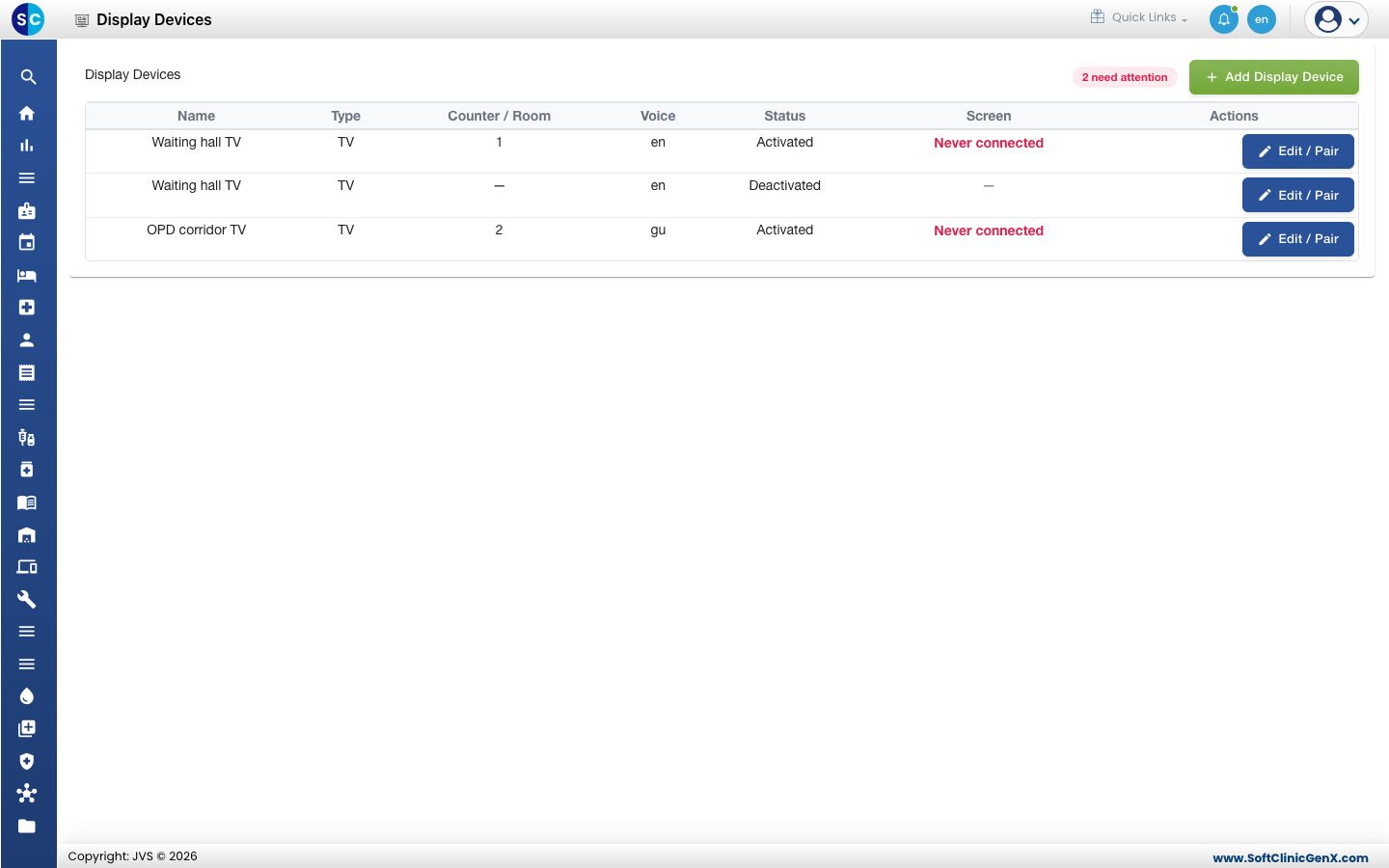
Add a display device
-
Open Queue Management › Masters › Display Devices and click Add Display Device.
-
Fill in the form.
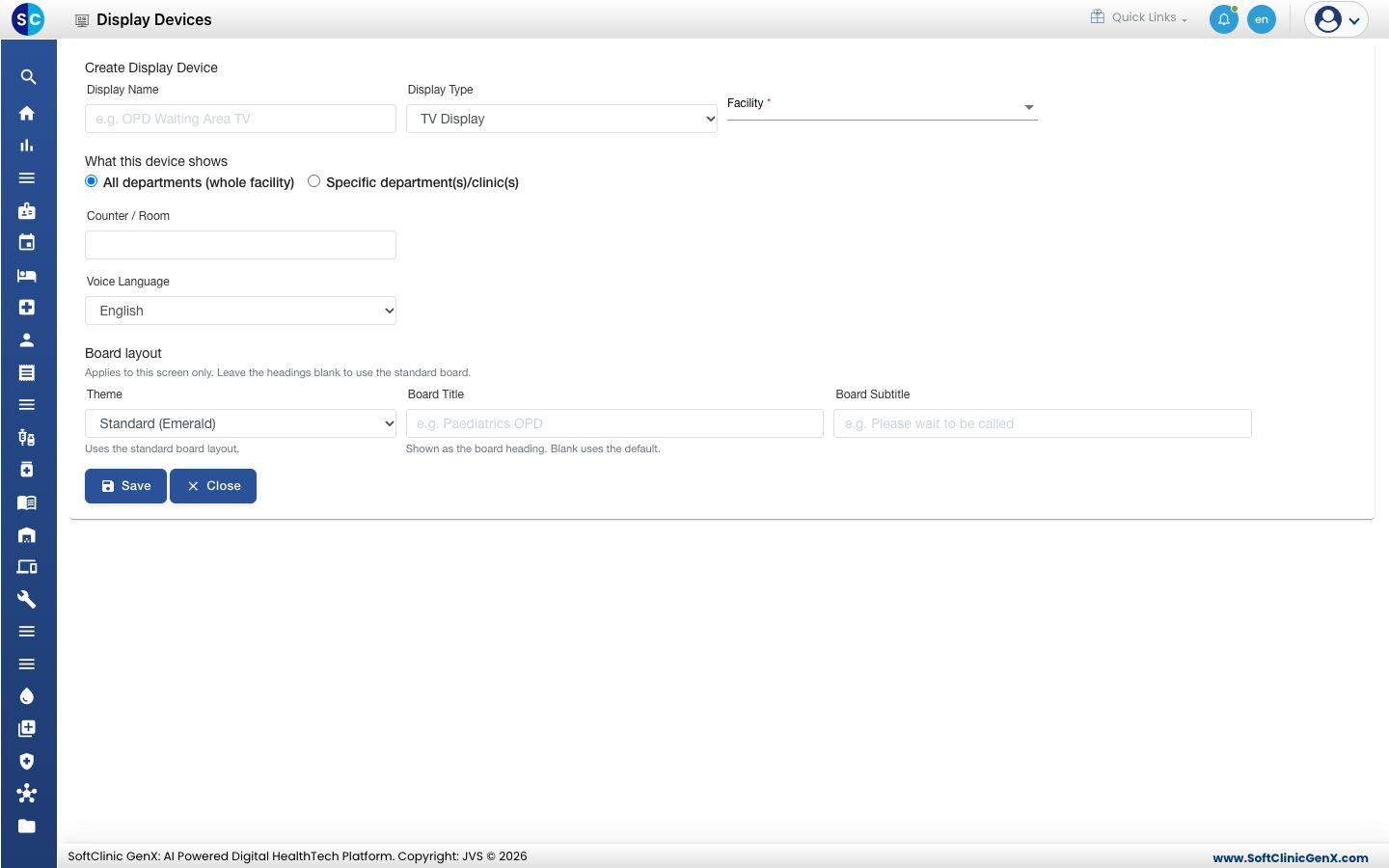
| Field | What to enter | Required |
|---|---|---|
| Display Name | A name for the screen, for example OPD Waiting Area TV. | Yes |
| Display Type | TV Display or LED Display. | Yes |
| Facility | The hospital the screen is in. | Yes |
| What this device shows | All departments (whole facility), or Specific department(s)/clinic(s) and then tick the ones to show. | Yes |
| Counter / Room | The counter or room the screen belongs to. | No |
| Voice Language | The language of the spoken call: English, Hindi, Gujarati or All. | No |
| Theme | Standard (Emerald), Emerald, Sapphire, Daylight or Spotlight. | No |
| Board Title, Board Subtitle | Your own headings. Leave them blank for the standard board. | No |
- Click Save. The message says to scan the QR or enter the code on the screen.
Pair the screen
Open the device with Edit / Pair. The Pairing section shows the status, for example ACTIVATED.
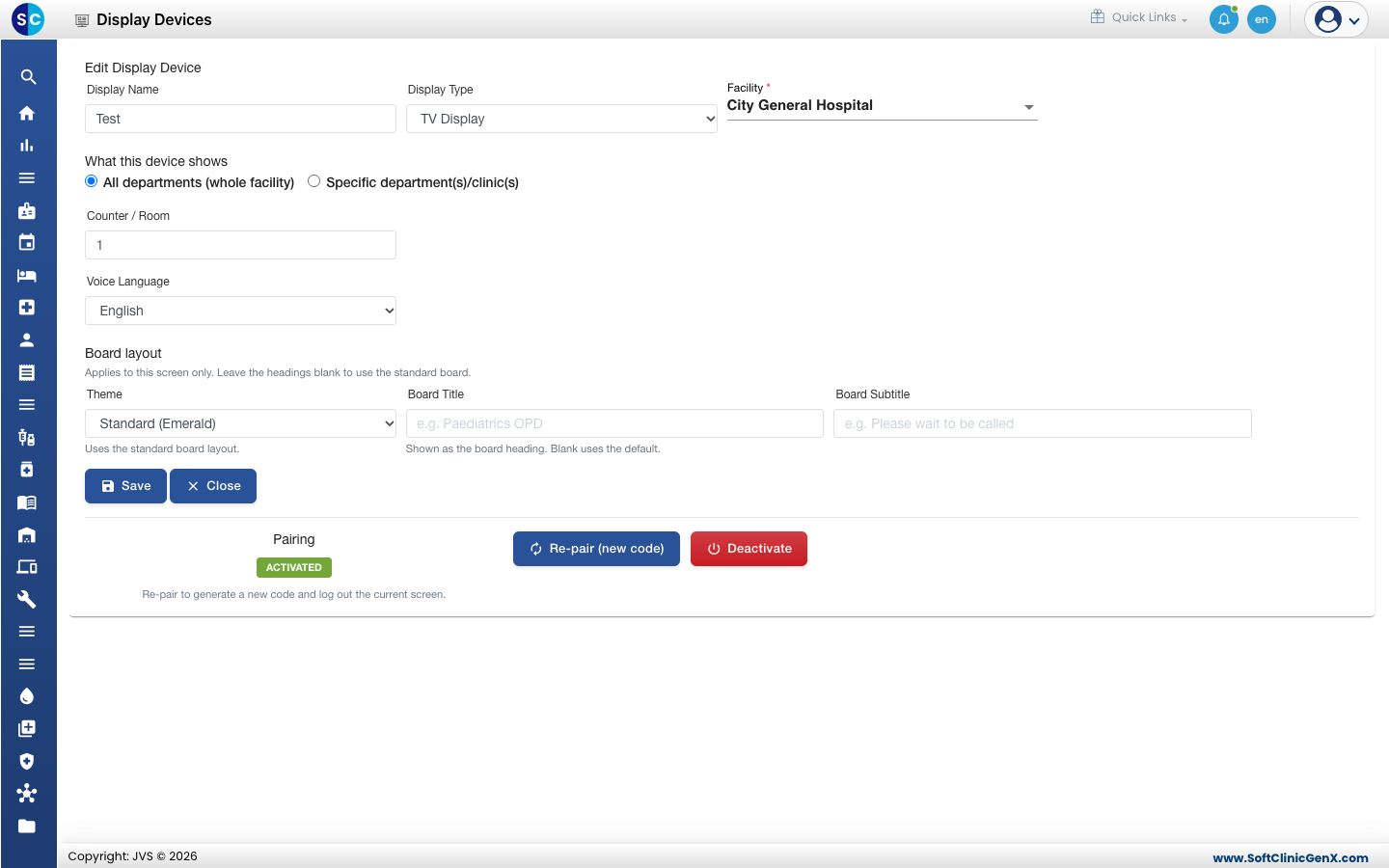
- Click Re-pair (new code) to make a new code. The screen paired earlier is logged out.
- Click Deactivate to switch the device off. The paired screen is logged out.
To enter the code on the screen itself, follow Show the queue on a waiting-room screen.
Good to know
- In the list, Never connected means nobody has paired the screen yet. The number beside need attention counts these.
- Headings that are too long are refused with Too long. Shorten them and save again.
- If you choose Specific department(s)/clinic(s) and tick none, the message asks you to select at least one or choose All departments.
Related
- Set up Display Content: the messages shown between token calls.
- Queue Management FAQs: short answers about waiting-room screens.
Was this helpful?