Set up Service Counter
Add the counters and rooms where patients are called, and open, pause or close them during the day.
A service counter is a desk or room that calls patients, such as the OPD counter or a consultation room. Counters appear on the waiting-room displays next to the token being served.
Who does this: hospital administrator · Where: Queue Management › Masters › Service Counter
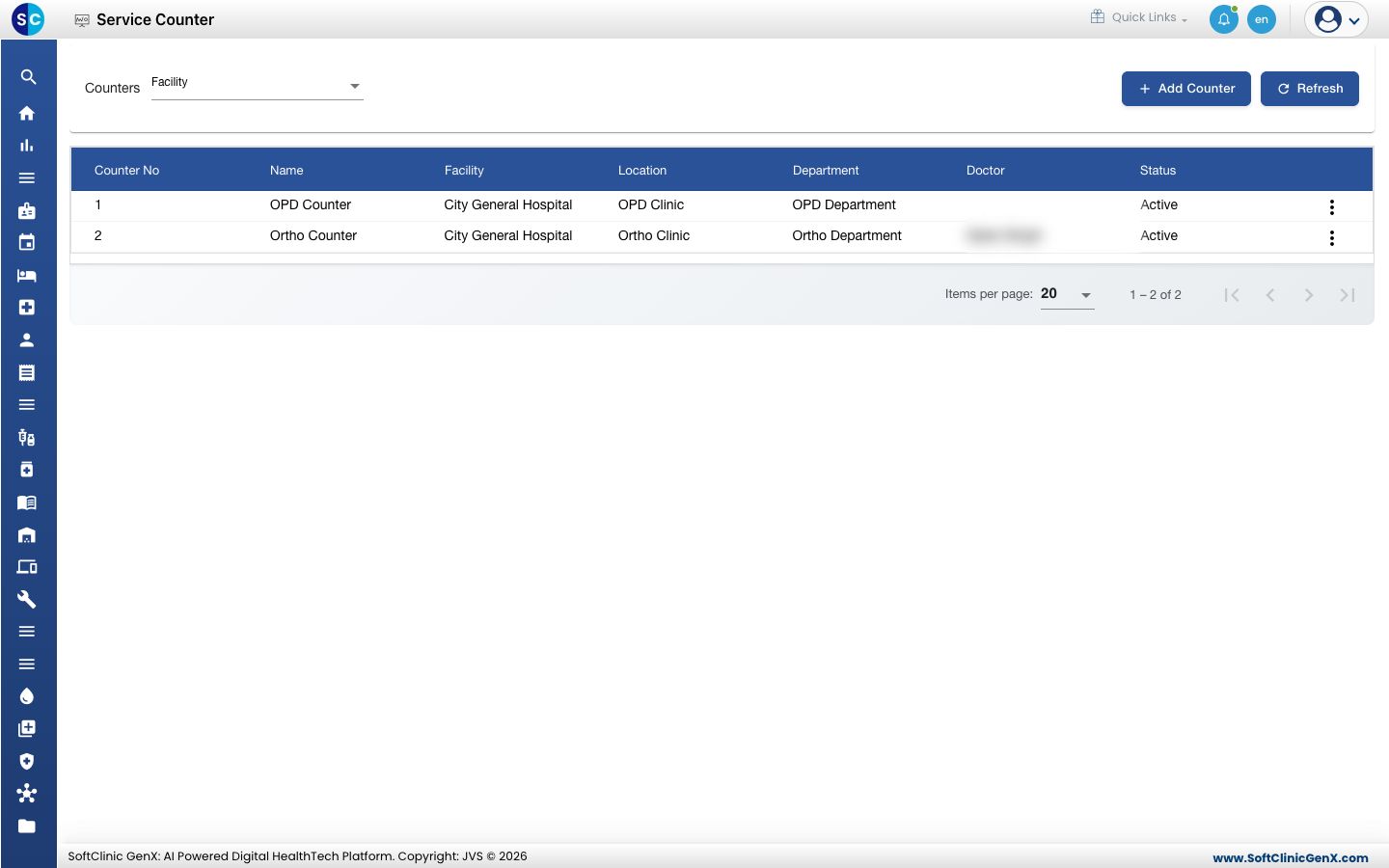
Add a counter
-
Open Queue Management › Masters › Service Counter and click Add Counter.
-
Fill in the form.
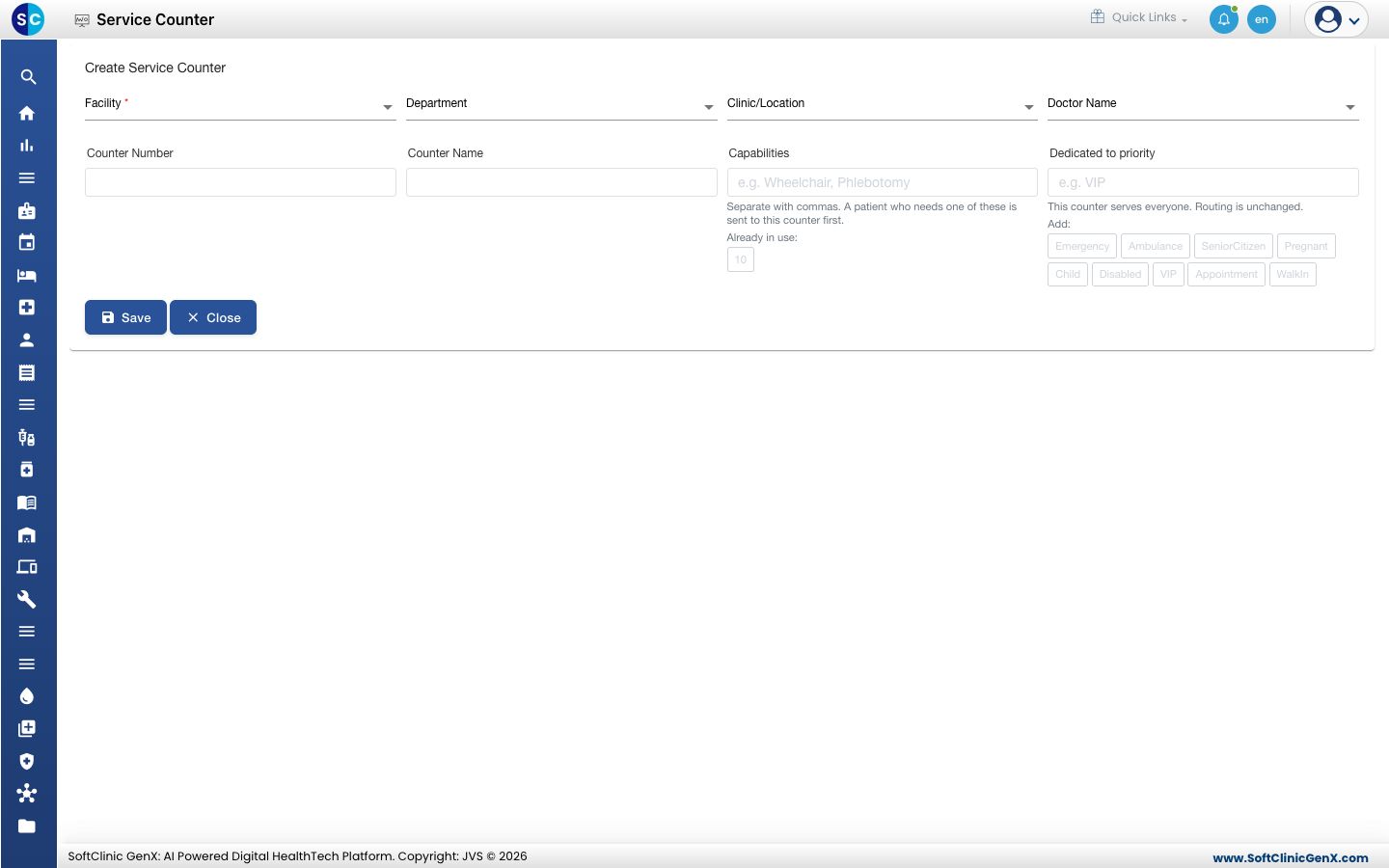
| Field | What to enter | Required |
|---|---|---|
| Facility | The hospital this counter belongs to. | Yes |
| Department | The department the counter serves. | Yes |
| Clinic/Location | The clinic or room, if the counter is tied to one. | No |
| Doctor Name | The doctor who sits at this counter, if one doctor always does. | No |
| Counter Number | The number shown on the displays, for example 1. | Yes |
| Counter Name | A name staff recognise, for example OPD Counter. | Yes |
| Capabilities | Words separated by commas. A patient who needs one of these is sent to this counter first. | No |
| Dedicated to priority | Pick the priorities this counter serves, such as Emergency or SeniorCitizen. Leave it empty and the counter serves everyone. | No |
- Click Save. The message Counter saved. appears and the counter is in the list.
Open, pause or close a counter
-
In the list, click the three dots at the end of the counter's row.
-
Choose Open, Break or Close.
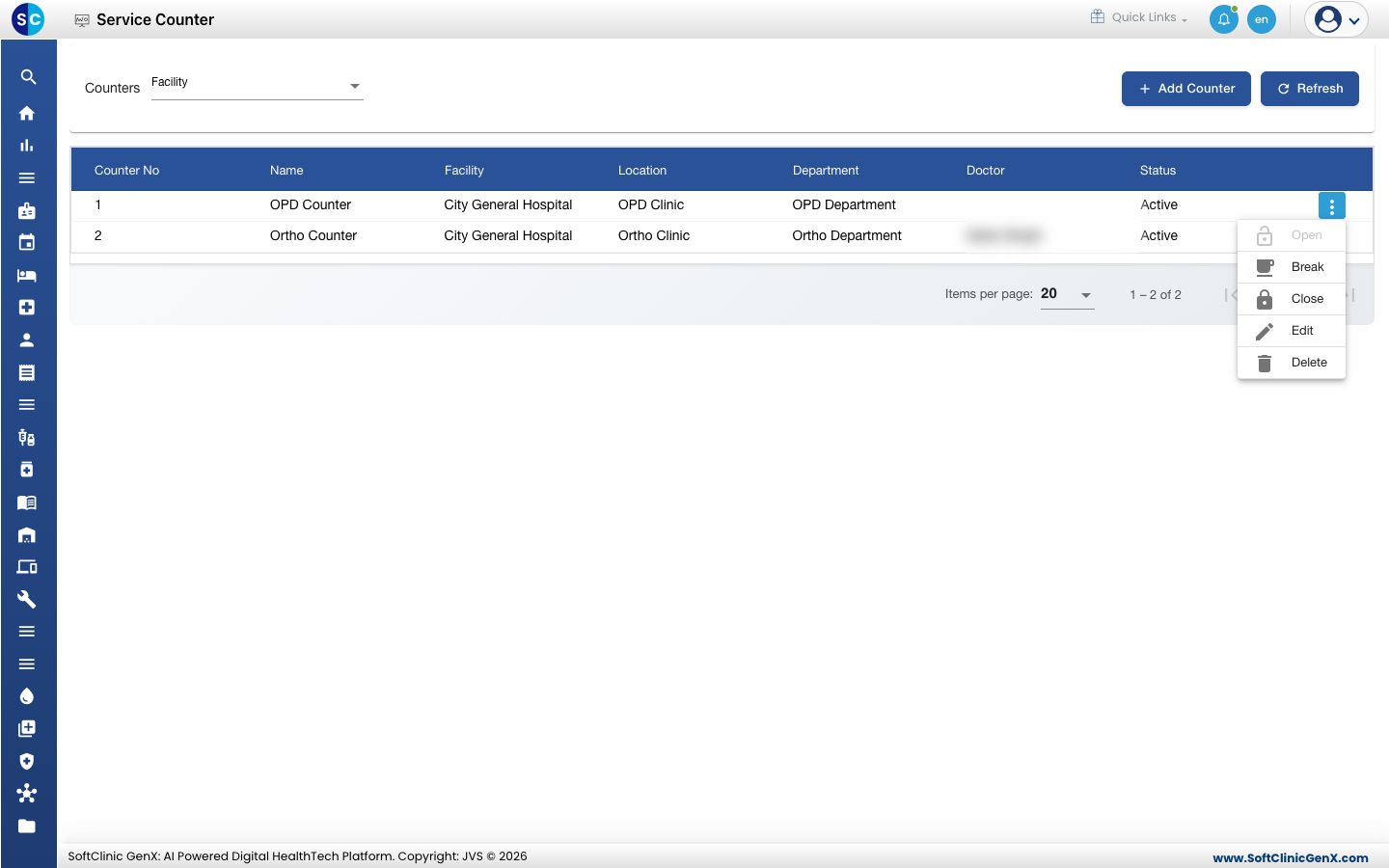
Open is greyed out while the counter is already open. Use Break for a short pause and Close at the end of the day.
Change or delete a counter
Choose Edit from the row menu, change the form and click Save. Choose Delete and confirm to remove a counter.
Good to know
- If you leave a required field empty, the message Please fill: lists the missing fields.
- Use the Facility filter above the list to see the counters of one hospital.
Related
- Set up Display Device: show each counter on a waiting-room screen.
- Call the next patient: what the doctor does at the counter.
- Queue Management FAQs: short answers about counters.