Set up Priority Rule
Change the order in which priority patients are called, for the whole hospital or one department.
A priority rule sets how early a category of patient is called. Without any rules, the built-in order applies: Emergency first, then Ambulance, SeniorCitizen and so on down to WalkIn.
note
Who does this: hospital administrator · Where: Queue Management › Masters › Priority Rules
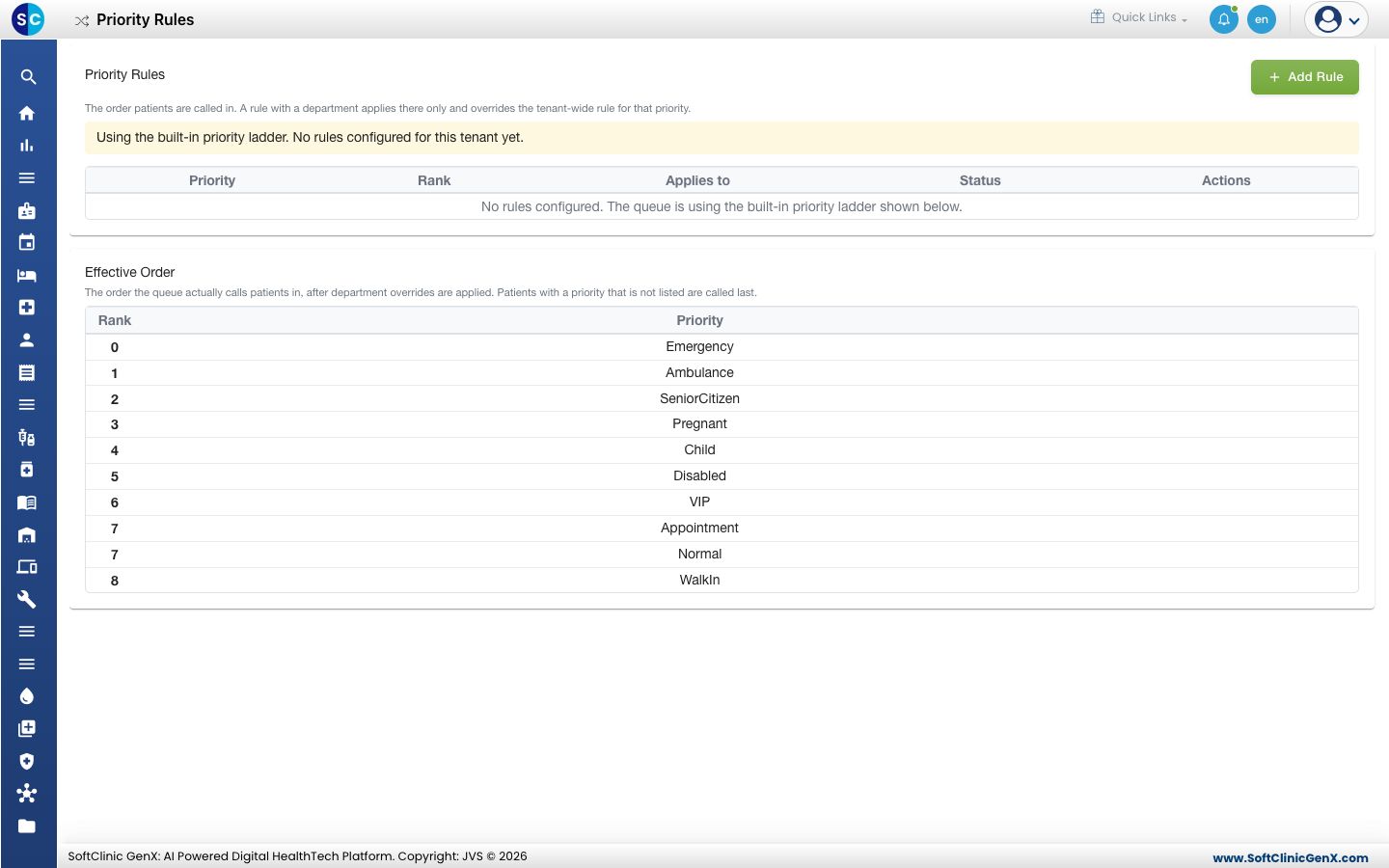
Add a rule
-
Open Queue Management › Masters › Priority Rules and click Add Rule.
-
Fill in the form.
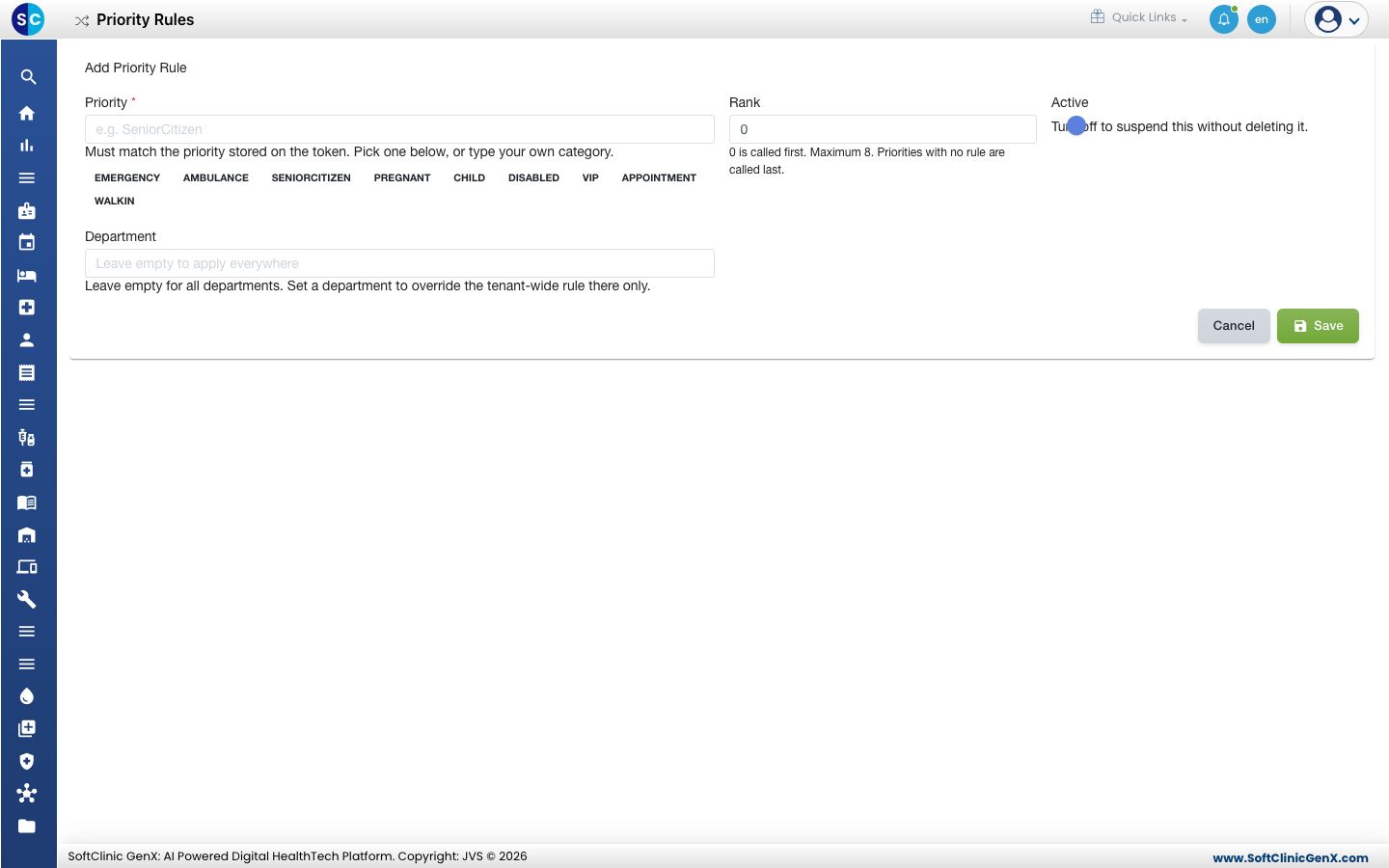
| Field | What to enter | Required |
|---|---|---|
| Priority | Pick one of the listed priorities, or type your own category. It must match the priority on the token. | Yes |
| Rank | 0 is called first. The maximum is 8. | Yes |
| Active | Turn off to suspend the rule without deleting it. | No |
| Department | Leave empty for all departments. Choose one to override the hospital-wide rule there only. | No |
- Click Save. The Effective Order table below the list updates.
Good to know
- Priorities with no rule are called last.
- A rule with a department beats the hospital-wide rule for that priority in that department.
- Emergency and ambulance patients are always called first by the fairness settings too.
Related
- Set up Fairness Policy: stop priority patients from delaying everyone else.
- Queue Management FAQs: short answers about calling order.
Was this helpful?