My Wallet
Check your hospital's prepaid balance and this month's usage, and add balance online.
Who does this: hospital administrator or accounts manager Where: Configurations › Application Settings › My Wallet
Some services, such as SMS and WhatsApp messages, are paid from a prepaid wallet. My Wallet shows the balance left, what was used this month and every recharge and deduction.
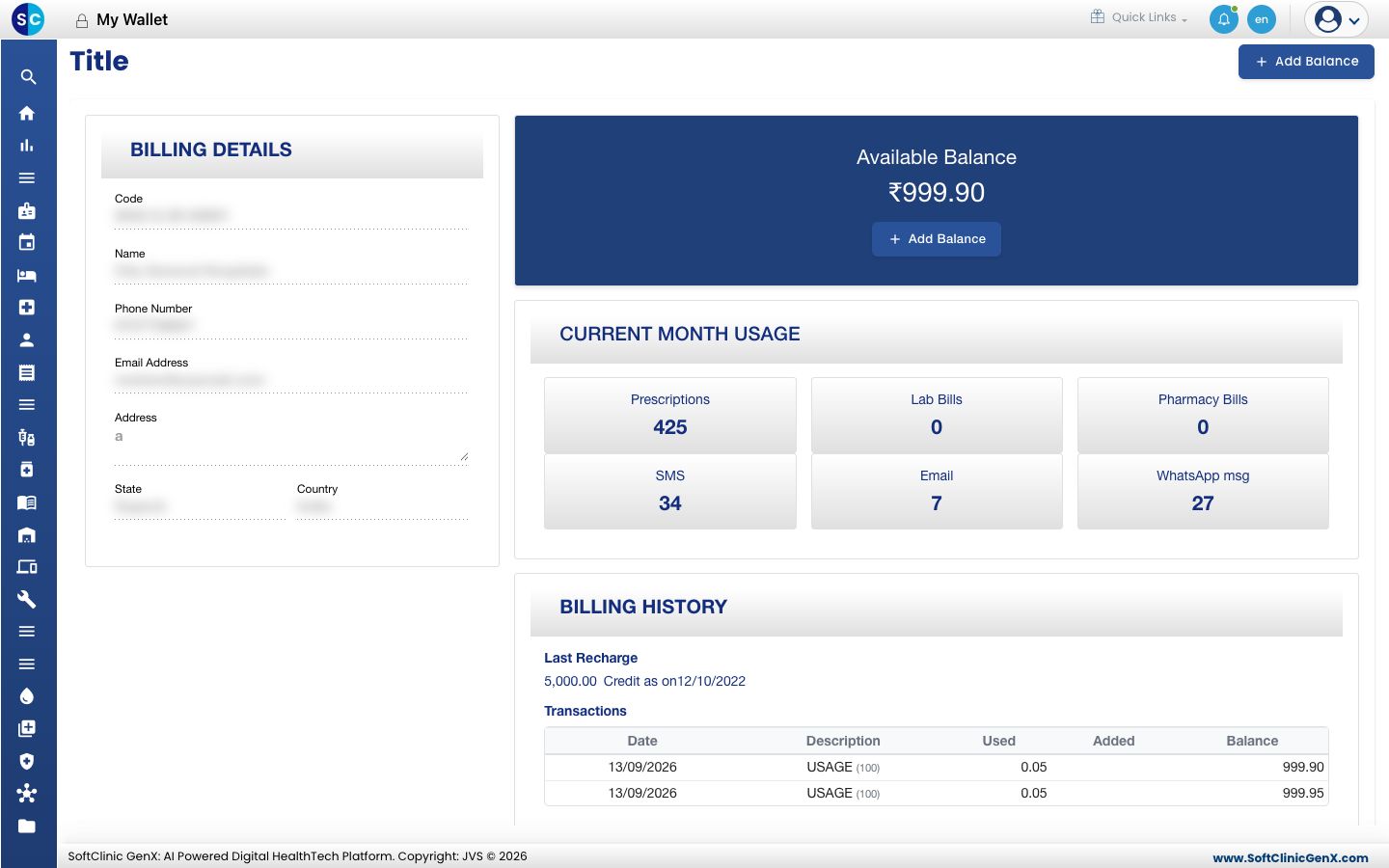
Check the balance and usage
- Go to Configurations › Application Settings › My Wallet.
- Read the screen:
- BILLING DETAILS — your hospital's billing name, contact and address.
- Available Balance — the amount left in the wallet.
- CURRENT MONTH USAGE — how many prescriptions, lab bills, pharmacy bills, SMS, emails and WhatsApp messages were used this month.
- BILLING HISTORY — the last recharge and a list of transactions with the amount used, added and the balance after each.
Add balance
- Click Add Balance.
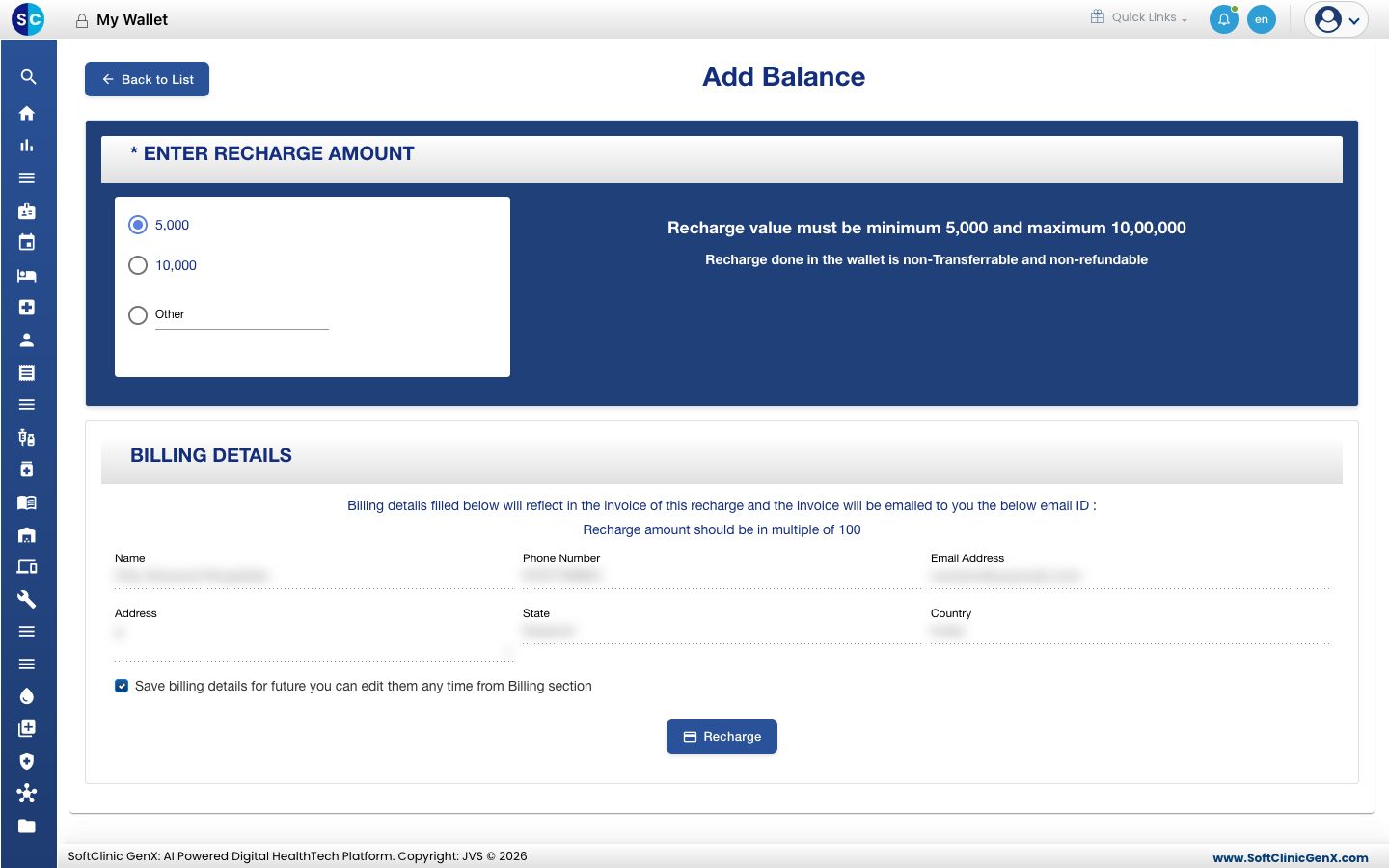
- Choose 5,000, 10,000 or Other. For Other, type the amount.
- Check the BILLING DETAILS. The recharge invoice is made out to these details and emailed to the email address shown. Tick Save billing details for future to keep any change.
- Click Recharge and complete the payment in the payment window.
- When the payment succeeds, a receipt is shown and the new balance appears in My Wallet.
Good to know
- A recharge must be between ₹5,000 and ₹10,00,000, in multiples of 100.
- Wallet balance cannot be transferred or refunded.
- If the payment window does not open, contact JVS support.
Related
- Previous: License Detail
- Next: Audit Logs
- Configurations (Admin) FAQs