Set up Code Setup
Decide how patient, bill, receipt and other numbers are built, with your own prefix, date part and number of digits.
Who does this: hospital administrator Where: Configurations › Application Settings › Code Setup Set up before: Application Configurations (the financial year start month)
Every record that gets a number, such as a patient registration, a bill, a receipt or an employee, takes it from a numbering series set here. You can give each series a prefix, add the year or date, choose a separator and decide how many digits the running number has. Set these before you start registering patients or billing, so numbers stay consistent from day one.
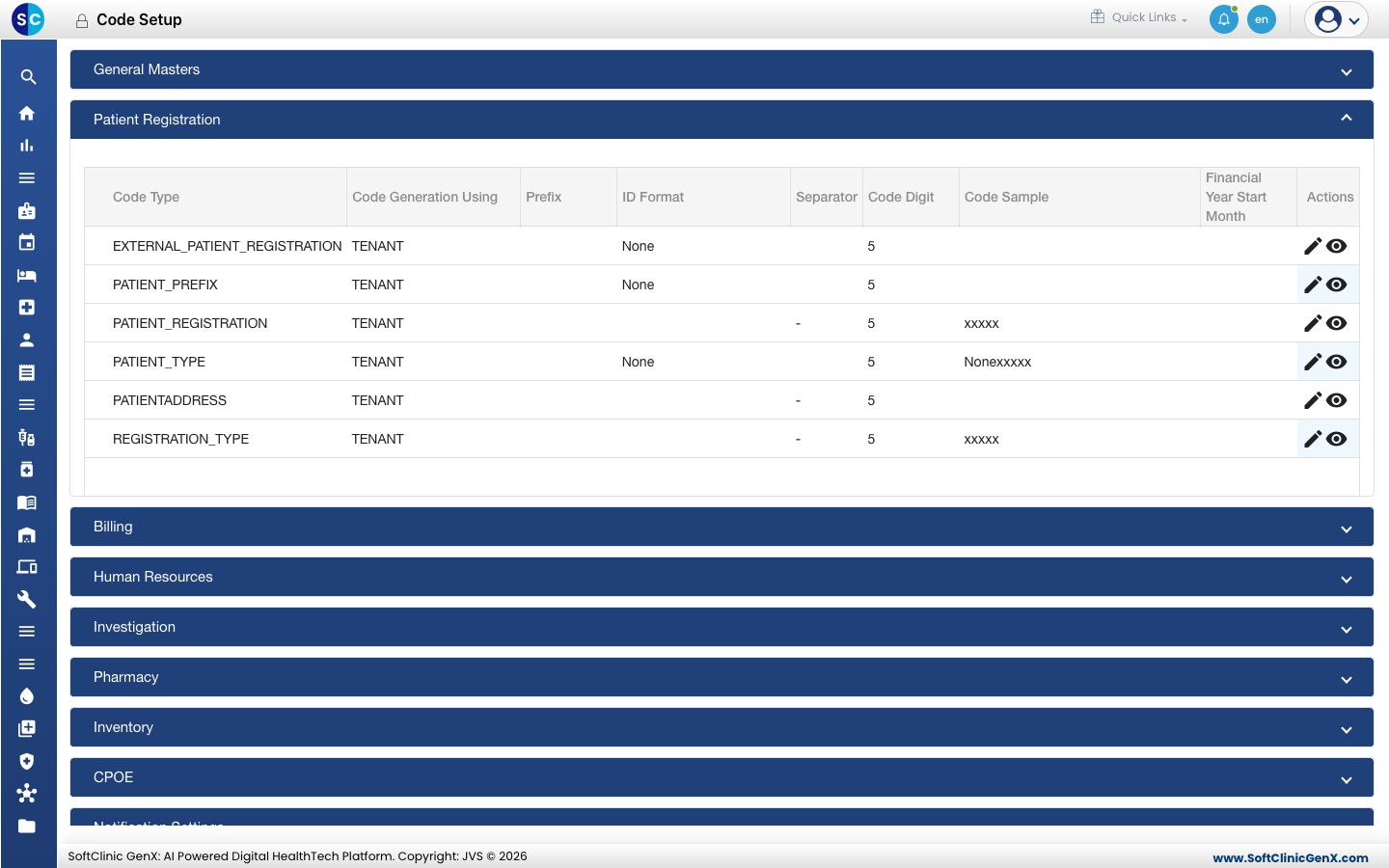
Change a numbering series
-
Go to Configurations › Application Settings › Code Setup.
-
Click the module you need, for example Patient Registration or Billing. Its series are listed.
-
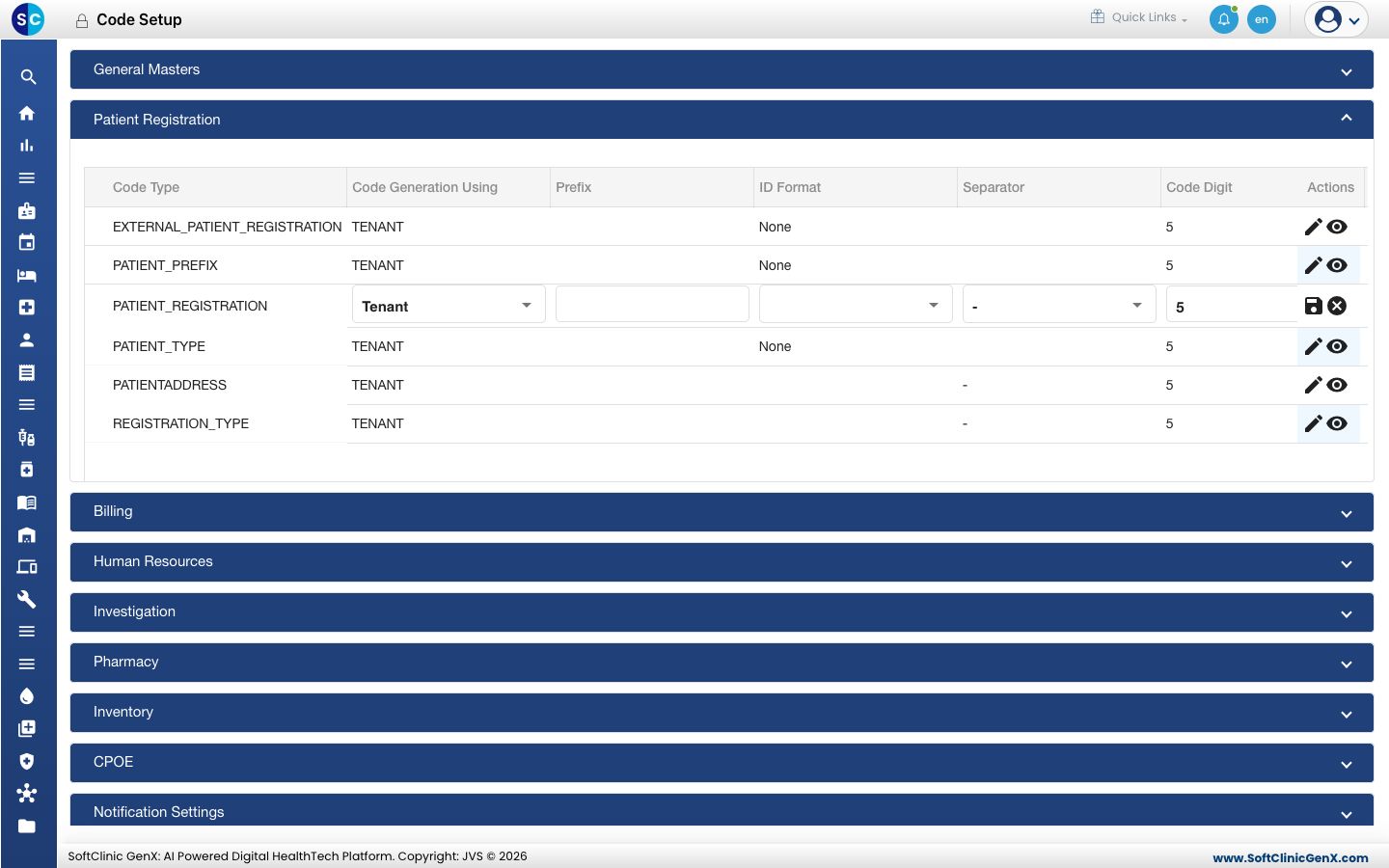
Click the pencil in the Actions column of the row you want to change. The row becomes editable.
-
Fill in the fields:
Field What to enter Required Code Generation Using Whether one series is shared by the whole hospital, or kept separately per facility, store or event. Yes Prefix Fixed text printed before the number, for example OP or BILL. No ID Format The date part added to the number, for example None, Year, Year-Month or Year-Month-Date. User Defined lets staff type the number themselves. No Separator The character between the prefix, date part and number, for example - or /. No Code Digit How many digits the running number has. 5 gives numbers like 00001. Yes Financial Year Start Month The month the running number restarts from 1 each year. No -
Click the save icon at the end of the row. The Code Sample column shows how the next number will look.
To see the settings of a series without changing them, click the eye icon.
Separate series per facility or store
When Code Generation Using is set to facility, store or event, a window lists every facility or store. Set the prefix, format, digits and reset month for each one, then save. Each facility or store then keeps its own running number.
Good to know
- Rows cannot be deleted. Change a row to suit your hospital instead.
- A change applies to the next number issued. Numbers already given out do not change.
- Keep the prefix short. It prints on every bill, receipt or card that uses the series.
- Decide on the numbering before go-live. Changing it midway makes old and new numbers look different.