Set up Password Settings
Set how strong passwords must be, how often they expire and when an account locks after wrong attempts.
Who does this: hospital administrator Where: Configurations › Application Settings › Password Settings
The password policy applies to every user of your hospital. It decides how long and how complex a password must be, how long it stays valid, and what happens after repeated wrong passwords. Set it before you create users, so their first passwords already follow the rules.
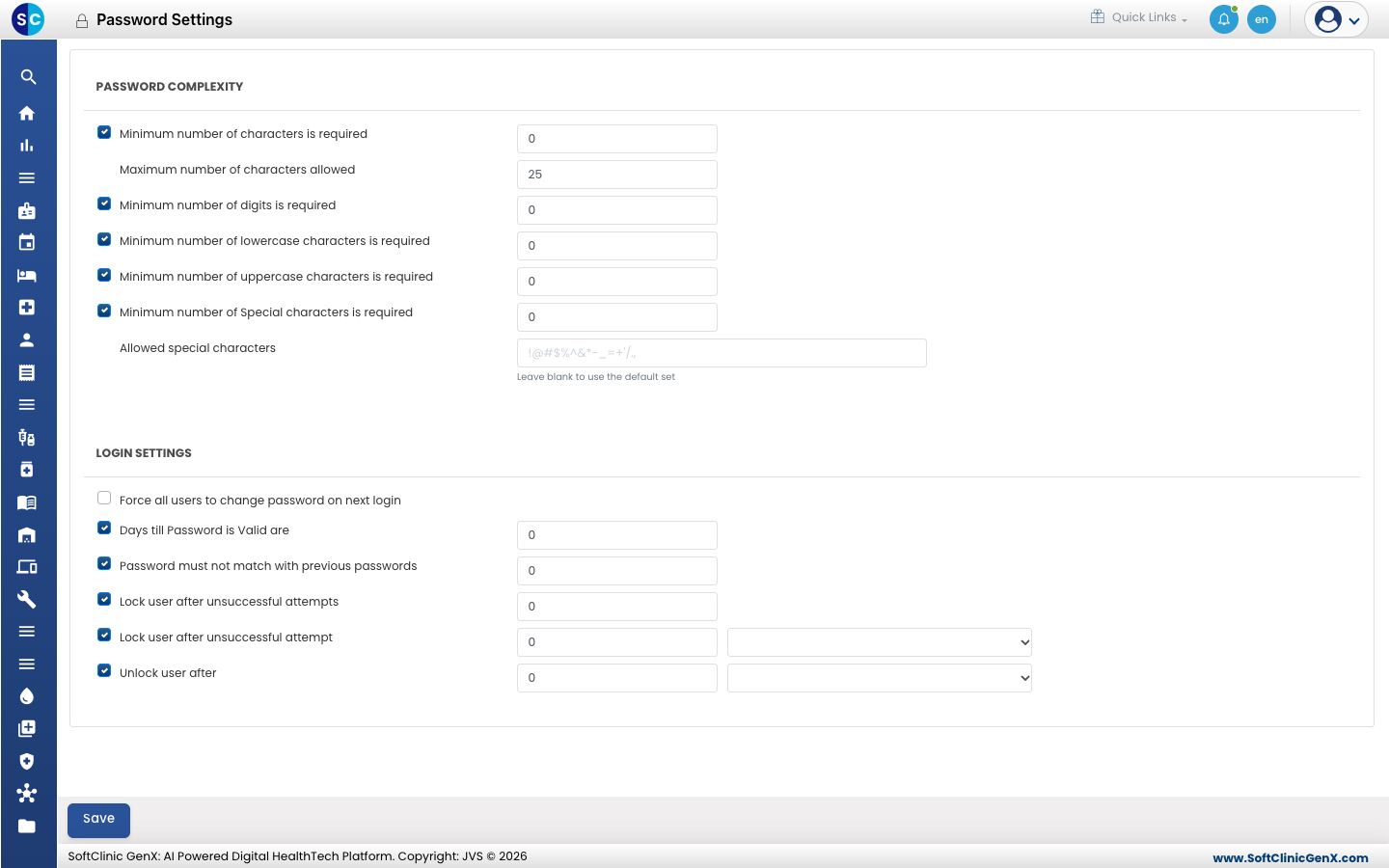
Set the password policy
-
Go to Configurations › Application Settings › Password Settings.
-
Under PASSWORD COMPLEXITY, tick each rule you want and enter its number:
Setting What to enter Minimum number of characters is required The shortest password allowed. 8 to 20. Maximum number of characters allowed The longest password allowed. 8 to 128. Minimum number of digits is required How many numbers a password must contain. Minimum number of lowercase characters is required How many small letters a password must contain. Minimum number of uppercase characters is required How many capital letters a password must contain. Minimum number of Special characters is required How many symbols a password must contain. Allowed special characters The symbols users may use. Leave blank to allow the standard set. -
Under LOGIN SETTINGS, set:
Setting What to enter Force all users to change password on next login Tick to make every user choose a new password at their next sign-in. Days till Password is Valid are After how many days a password expires. Password must not match with previous passwords How many earlier passwords cannot be reused. Lock user after unsuccessful attempts After how many wrong passwords the account locks. Up to 5. Lock user after unsuccessful attempt The period in which those wrong attempts are counted, in days, hours or minutes. Unlock user after How long a locked account stays locked before it opens again. -
Click Save.
Good to know
- Clearing the tick next to a rule switches that rule off.
- An administrator can unlock an account early from User Management with Unlock.
- Users change their own password from their profile menu. See Change your password.
Related
- Previous: Set up System Settings
- Next: Set up User Roles
- Configurations (Admin) FAQs