Audit Logs
See who added, changed, deleted, printed or exported a record, and when.
Who does this: hospital administrator Where: Configurations › Audit Logs
SoftClinic GenX keeps a trail of what every user does: records added, changed or deleted, prints, searches, exports, imports, sign-ins and sign-outs. Use Audit Logs to answer questions such as "who changed this bill?" or "who printed this report?".
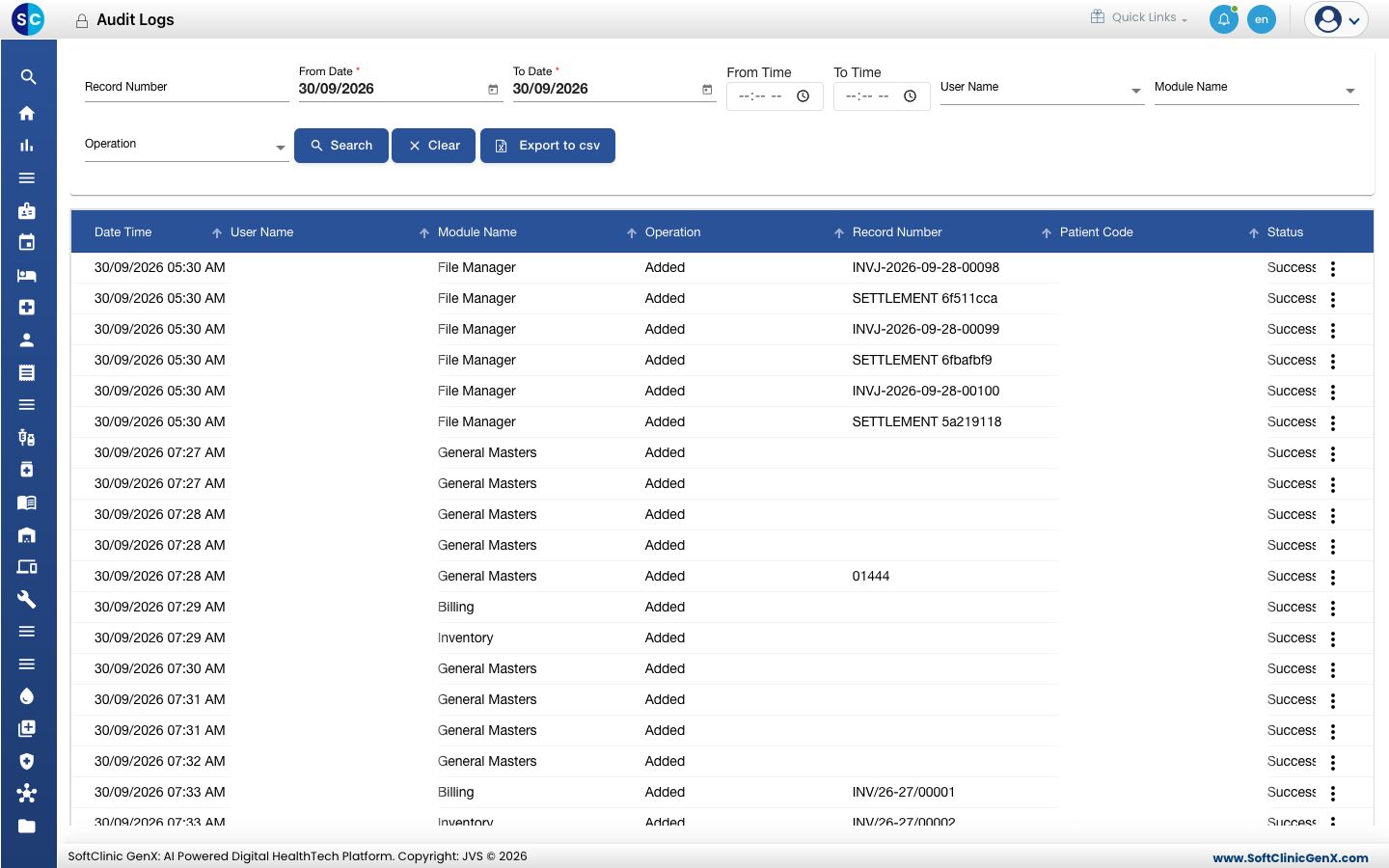
Find an activity
-
Go to Configurations › Audit Logs. Today's activity for all users is shown.
-
Narrow the list with the filters:
Filter What to enter Required Record Number The number of the record, for example a bill or patient number. The search then covers all dates. No From Date / To Date The date range to search. Yes From Time / To Time Optional time window within those dates. No User Name Only this user's activity. No Module Name Only activity in this part of the application. No Operation Only this kind of action, for example Modified, Deleted or Print. No -
Click Search. The results show the date, user, module, operation, record number, patient code and status.
-
Click Clear to go back to today's activity for everyone.
See the details of a change
Click the ⋮ button on a row:
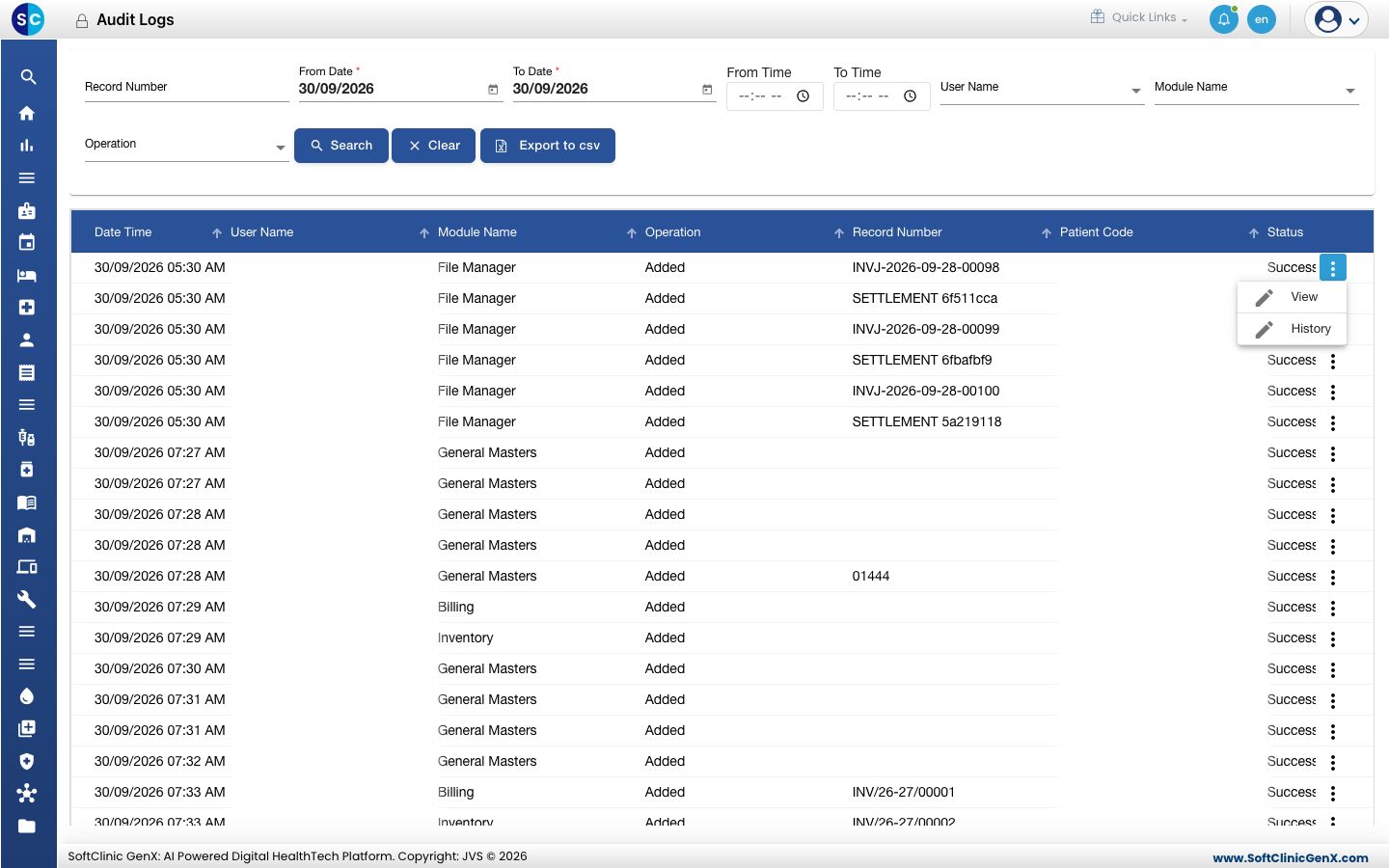
- View shows the full event: who did it, their role, when, from which computer and browser, and each field's value before and after the change.
- History shows every event for that one record, newest first.
Passwords and other secret values are never shown in the details.
Save the results
Click Export to csv to download the filtered results as a spreadsheet file.
Good to know
- The end date cannot be before the start date.
- Audit entries cannot be edited or deleted.