Take consent on the tablet
Have the patient or attendant sign the hospital's consent form on the tablet, with a witness, and save it to the patient's documents.
Take a signed consent at the bedside without paper. Pick the hospital's consent form on the tablet, and GenX fills in the patient's details. The patient or an attendant signs on the screen, a witness signs below, and the signed form is saved as a PDF in the patient's documents.
note
Who can do this: doctors and nurses
Where: provider app › Patient Admissions › three dots on the patient › Sign Consent
Before you start
- The patient is admitted. See Admit a patient.
- Your hospital's consent forms are set up. The Consent form list shows only these forms.
Take the consent
- In the provider app, tap Patient Admissions.
- Tap the three dots on the patient's row, then tap Sign Consent. See the action list in Write IPD notes by hand.
- Tap Consent form and choose the form. The form text appears with the patient's name, age, visit number and today's date filled in.
- Choose who signs: Patient signs or Attendant signs.
- Choose how they sign: Pen signature or Thumb impression.
- Check Name of person signing. It shows the patient's name when the patient signs.
- Have the person sign in the Signature box. Tap Clear to start the signature again.
- Type the Witness name and have the witness sign in the Witness signature box.
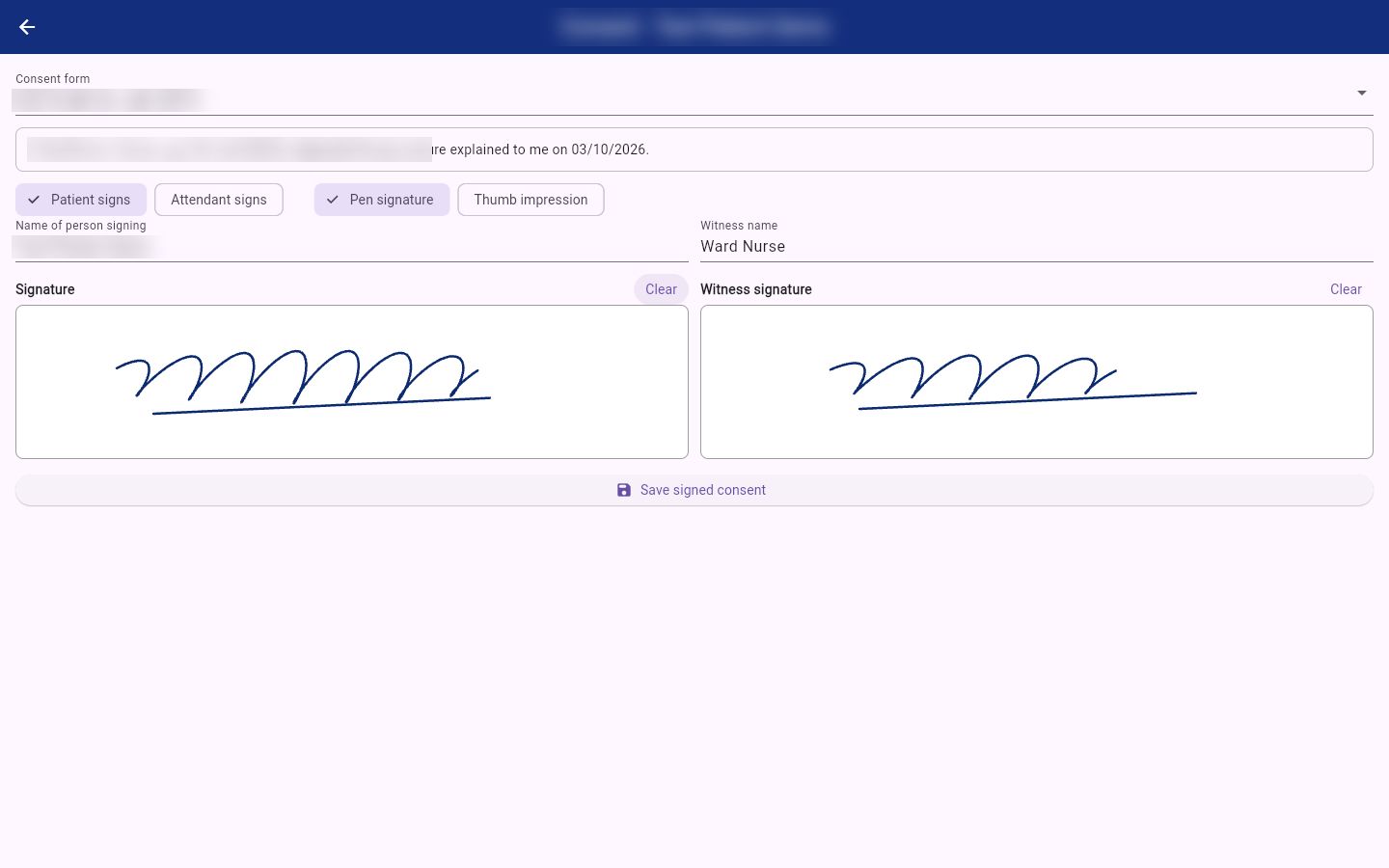
- Tap Save signed consent. The signed form is saved and you return to Patient Admissions.
The signed consent is saved as a PDF in the patient's documents, with who signed, the witness and the time.
Related
- Upload a patient document: the patient's documents, including consent forms.
- Write IPD notes by hand: progress and nursing notes on the tablet.
- Smart Write: write by hand, get a typed record: what Smart Write does.