Write IPD notes by hand
Write progress notes, nursing notes and medicine orders for an admitted patient with a pen on the tablet, and find the page on the web.
On the ward, doctors and nurses write notes for an admitted patient on the Smart Write pad. GenX reads the page into typed note text. A doctor's progress note can also order the medicines written on it, which go to the pharmacy and the medication chart. The handwritten page stays with each note.
Who can do this: doctors (progress notes and orders), nurses (nursing notes)
Where: provider app › Patient Admissions › three dots on the patient › Smart Write Note
Before you start
- The patient is admitted. See Admit a patient.
- Smart Write is switched on for your hospital. See Smart Write: write by hand, get a typed record.
Write a note
- In the provider app, tap Patient Admissions.
- Tap the three dots on the patient's row, then tap Smart Write Note.
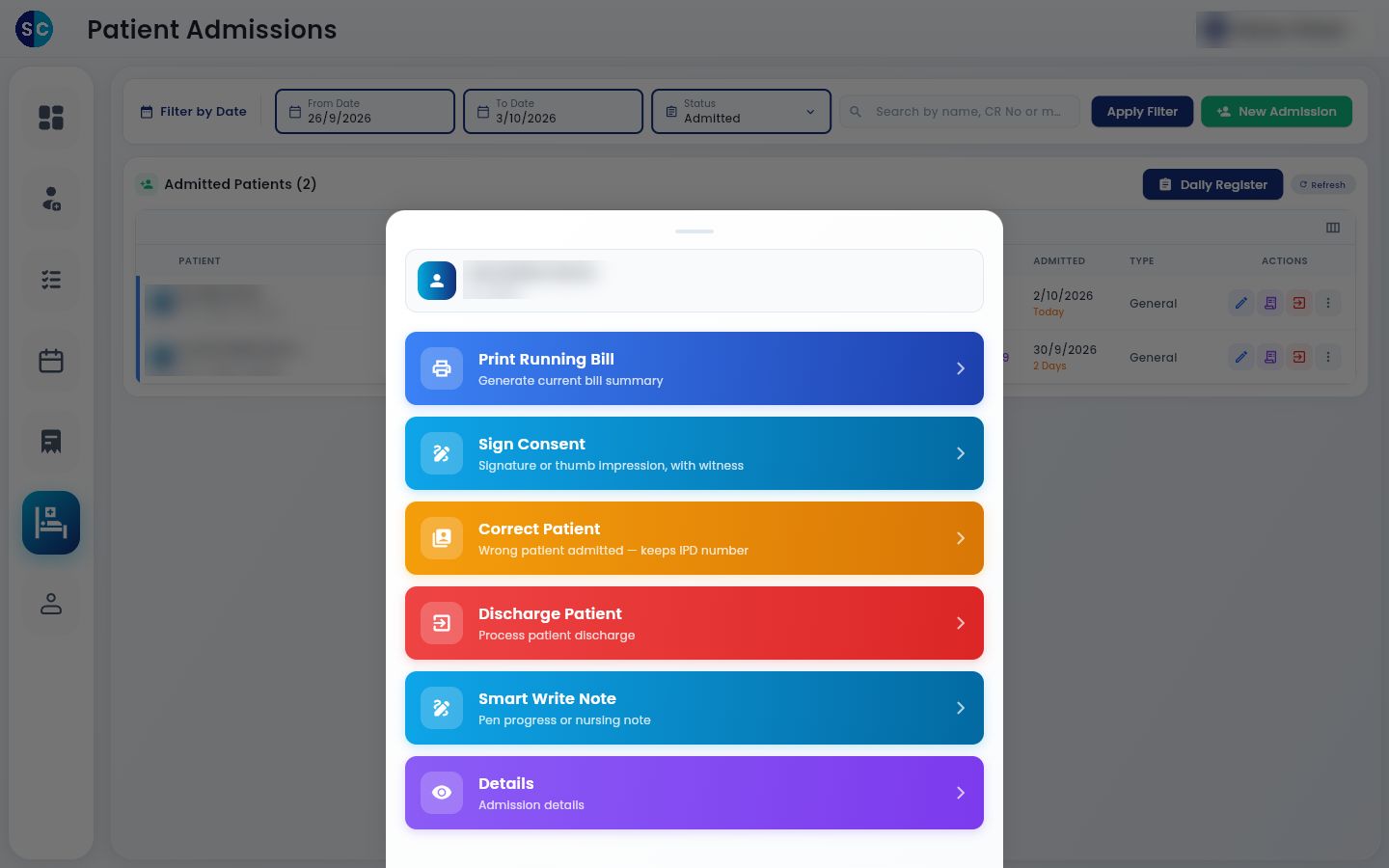
- Choose the note type: Progress note for a doctor's note, or Nursing note for a nurse's note. You must choose one before you save.
- Write the note on the pad.
- Tap Read. The typed text appears in Note text (check before saving).
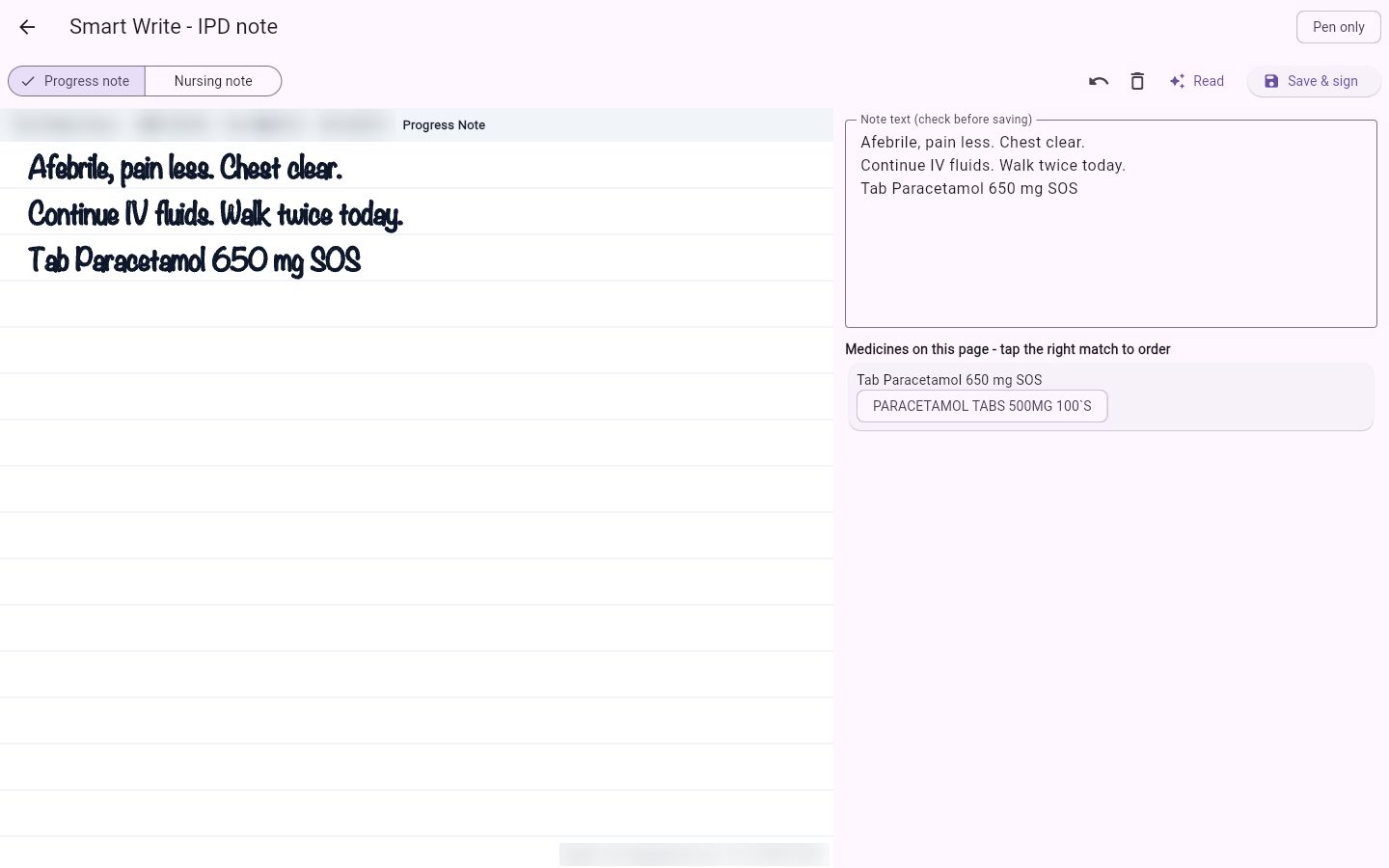
- Check the note text against your page and correct it if needed.
Pen only at the top means only the stylus writes on the page, so your hand resting on the screen leaves no marks. Tap it to write with a finger instead.
Order medicines from a progress note
When a progress note names a medicine, it is listed under Medicines on this page - tap the right match to order, with the matching item from your hospital's drug list.
- Tap the right match. It shows a tick.
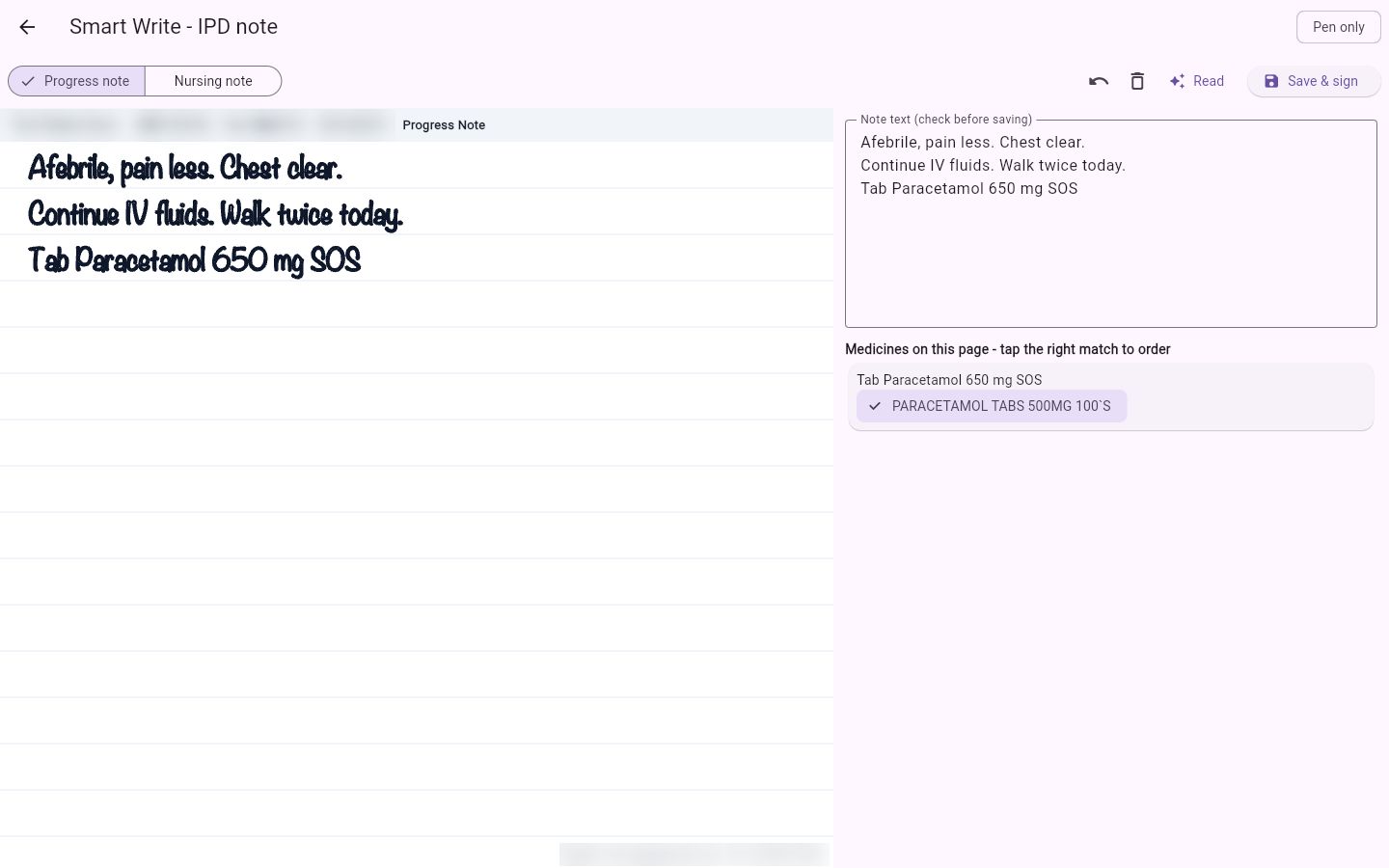
- Tap Save & sign. The note is saved and the message Note saved, sent to pharmacy names the medicines ordered.
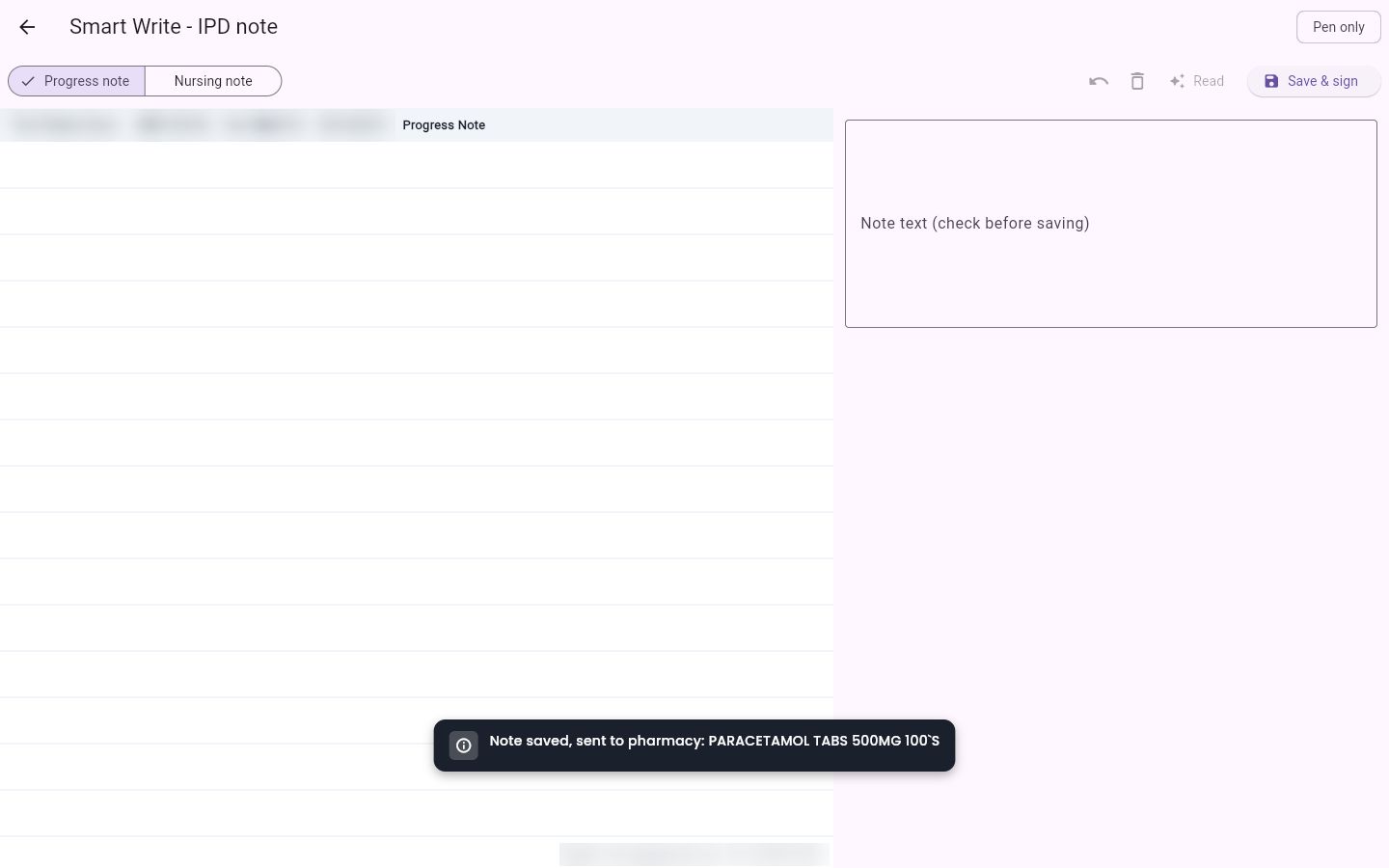
Only a doctor's progress note orders medicines. Medicine lines in a nursing note stay as note text.
See the note and page on the web
The note shows on the patient's Nursing Notes list with its type, the writer and the time.
- Go to Nursing Work Bench › SC Nursing and open the patient, then the Nursing Notes tab. Medicines ordered from the page show in Treatment / Advice as Ordered: and the medicine name.
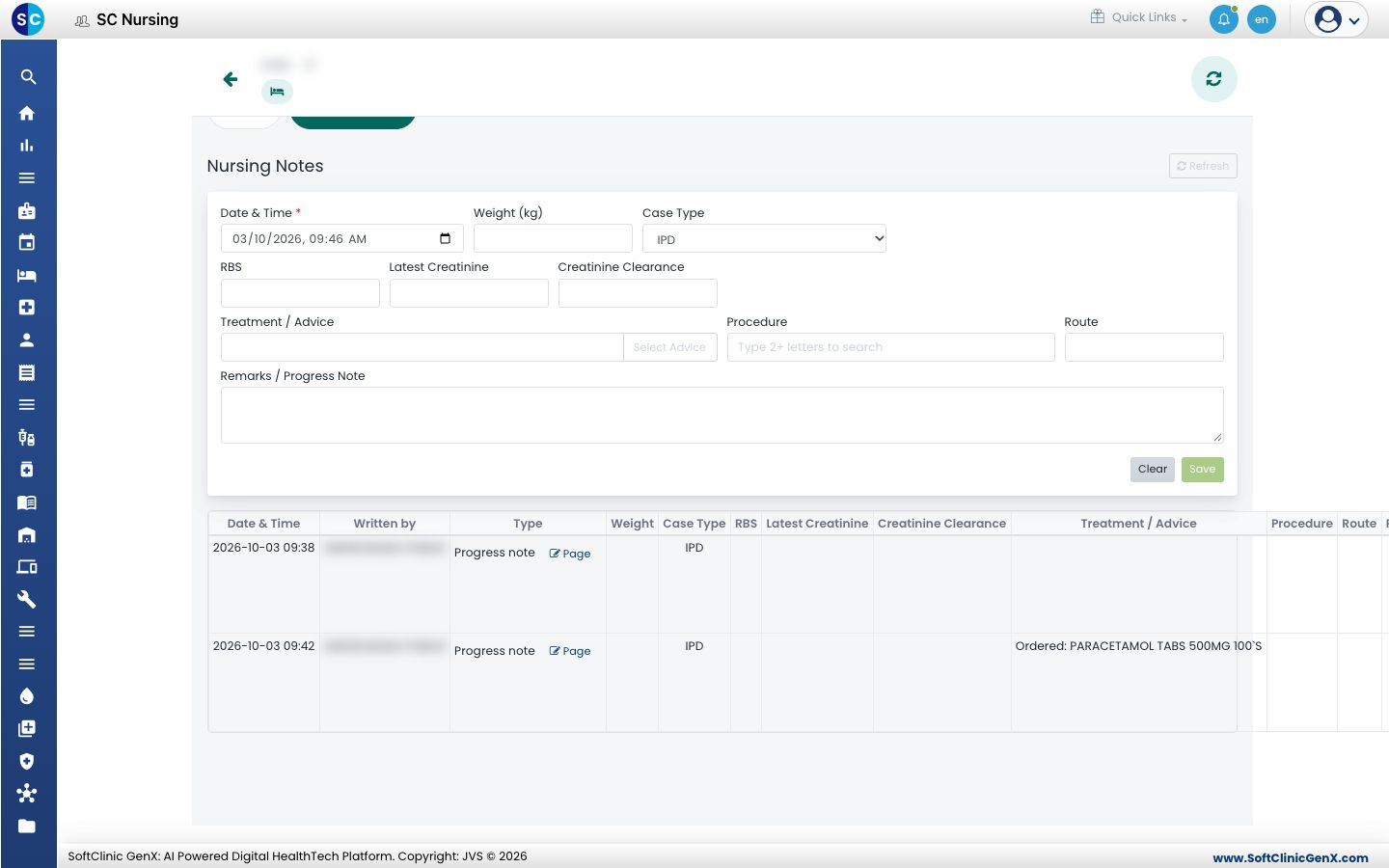
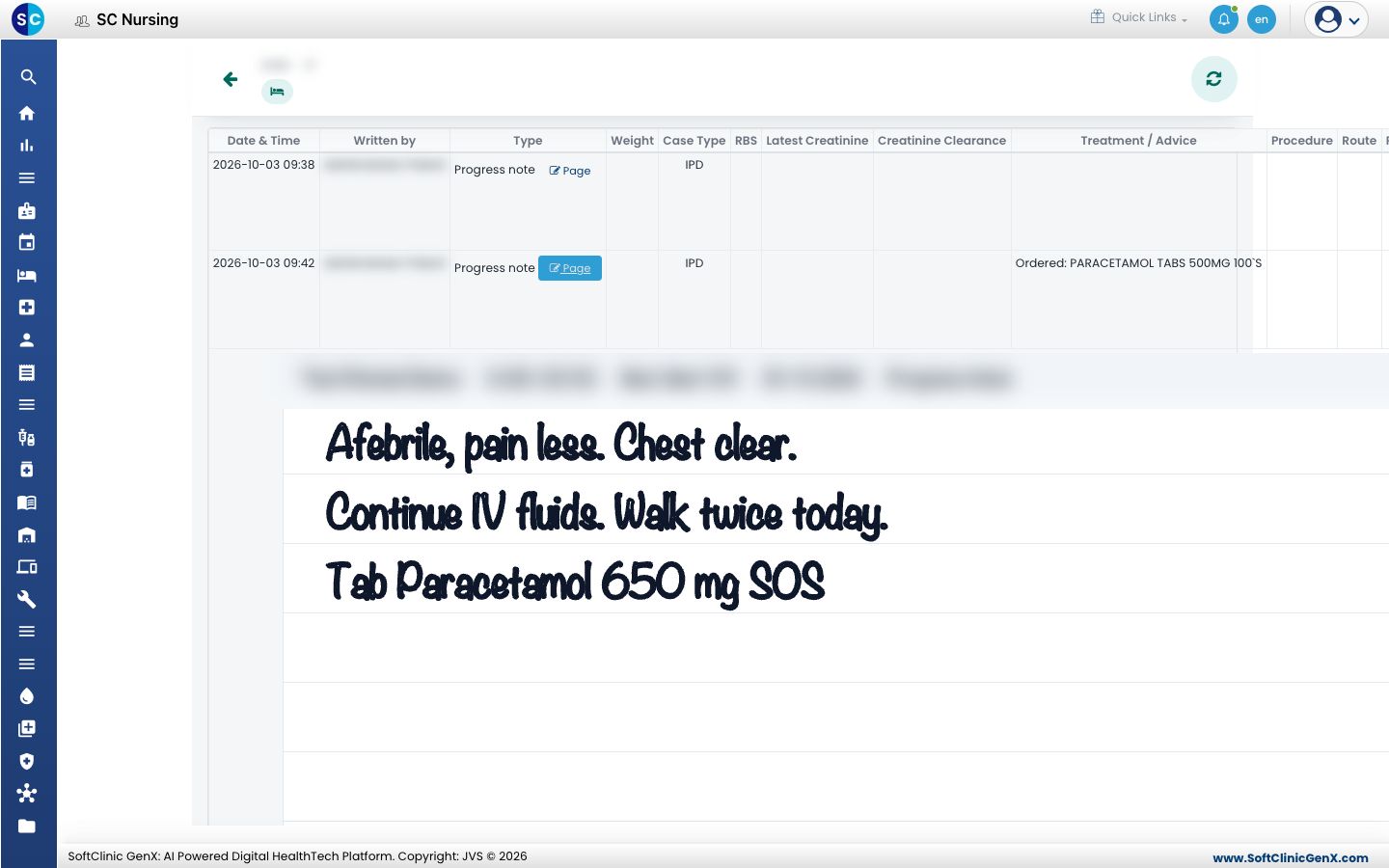
- Click Page on a row. The handwritten page opens under the list.
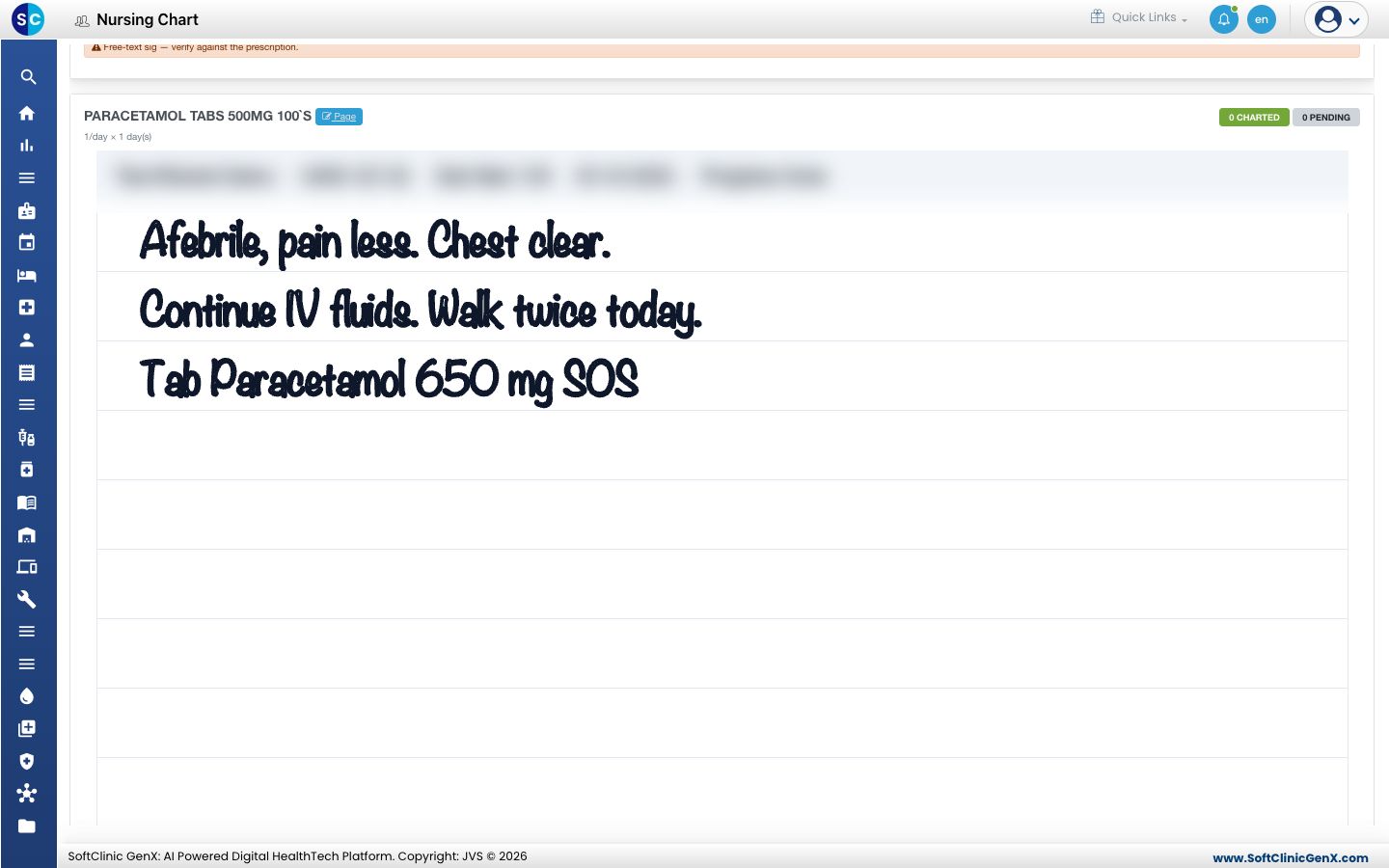
- On the Nursing Chart, open the Medication Administration tab. A medicine ordered from a handwritten page has a Page link next to its name. Click it to see the page the order came from.
Troubleshooting
| What you see | What it means | What to do |
|---|---|---|
| Smart Write Note is missing from the patient's actions | Smart Write is switched off for the hospital | Ask your administrator to tick Smart Write in System Settings |
| No medicines are listed after Read | The note is a nursing note, or no medicine on the page matched the drug list | Choose Progress note to order, or check the medicine name on the page |
Related
- Write nursing notes: the nursing notes list on the web.
- Draft a discharge summary from the notes: turn the admission's notes into a summary draft.
- Smart Write FAQs: languages, wrong readings and the saved page.