Get ready to use AI Scribe
Switch on the new SOAP Notes screen for your login and make sure your hospital has a published privacy notice.
AI Scribe lives on the new consultation screen, called SOAP Notes V2. Each doctor switches that screen on for their own login. Your hospital also needs one published privacy notice, because AI Scribe records the patient's agreement to be recorded.
Who can do this: each doctor for the preference · the hospital administrator for the privacy notice
Where: profile menu (top right) › User Preferences, and DPDP Compliance › Consent Notices
Switch on the new SOAP Notes screen
- Click your profile picture at the top right and choose User Preferences.
- Tick Use SOAP Notes V2 (new consultation screen).
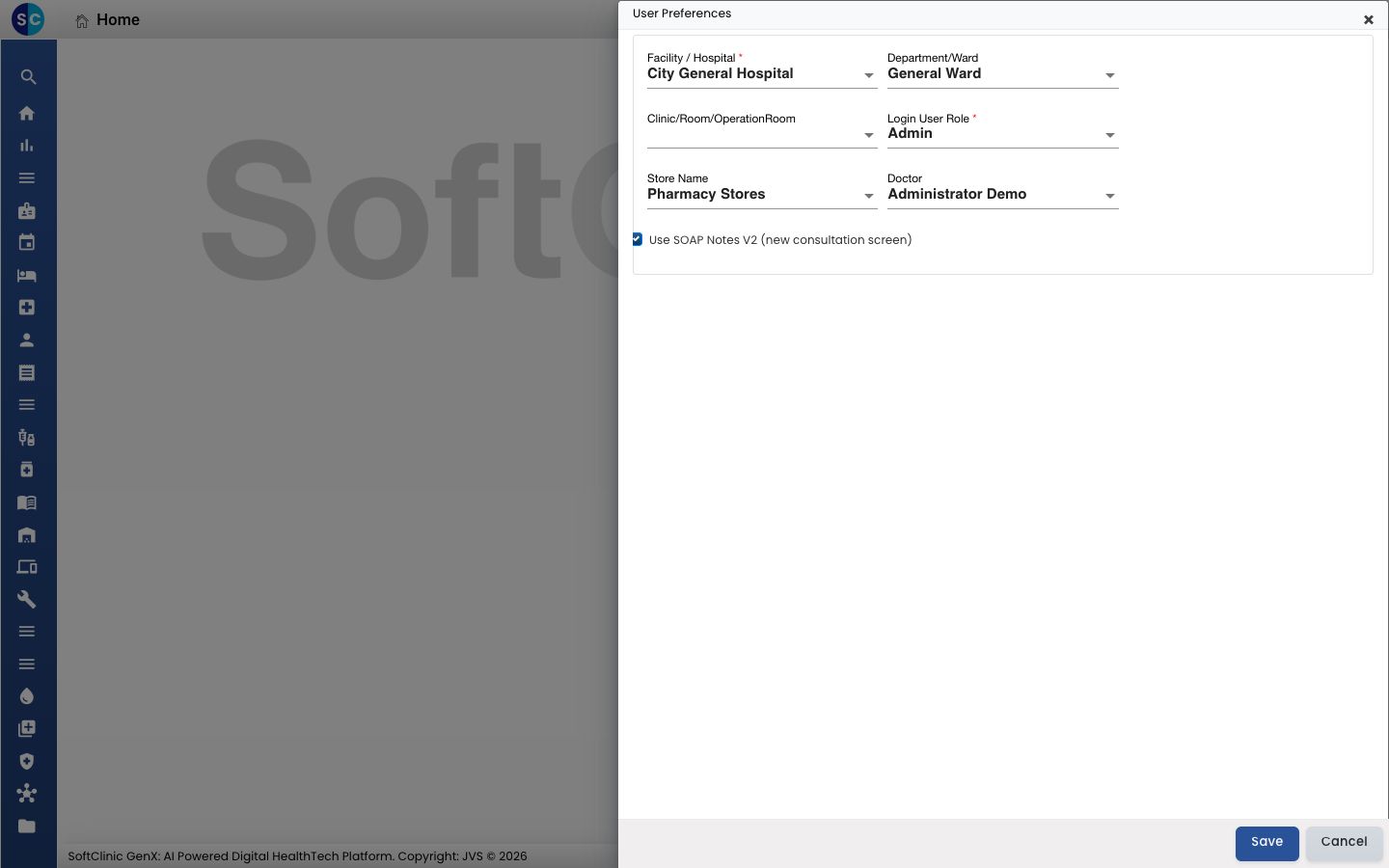
- Click Save.
- Sign out and sign in again.
From now on, Start Consultation and SOAP Notes on the Doctor Dashboard open the new screen. See Start a consultation from the Doctor Dashboard.
Check that your hospital has a privacy notice
AI Scribe cannot start recording until your hospital has an active privacy notice. The notice is the statement that tells patients what personal data you collect and why. The patient's agreement to be recorded is stored against it.
- Go to DPDP Compliance › Consent Notices.
- Look for a notice with the status ACTIVE.
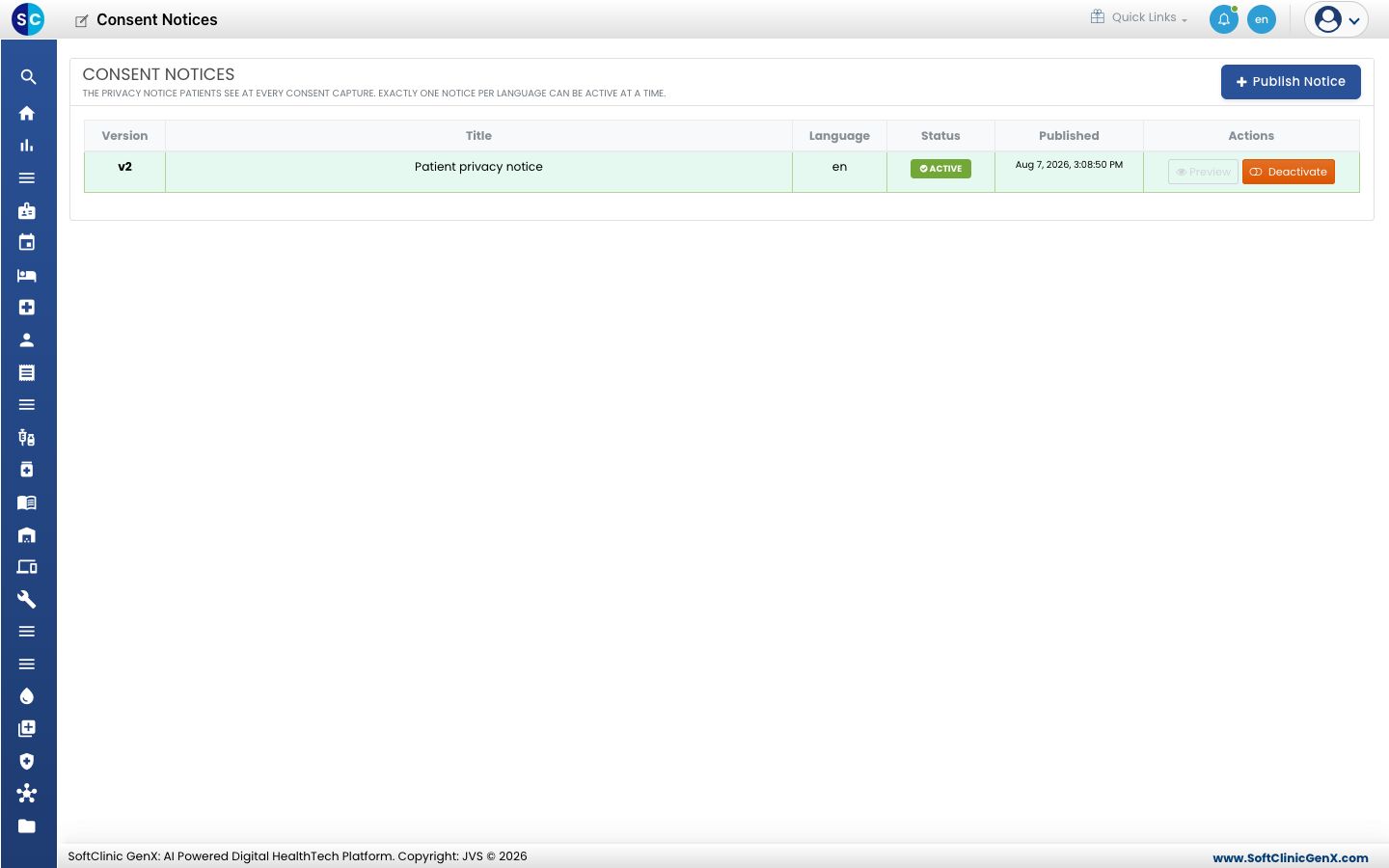
- If there is none, click Publish Notice, add the text and publish it. You do this once for the whole hospital.
If you cannot open Consent Notices, ask your administrator to publish the notice. When it is missing, AI Scribe tells you so when you press Start recording.
Check your microphone
- Use GenX in a browser on a secure (https) address, which is how your hospital opens it.
- Connect a microphone, or use the laptop's own.
- When the browser asks to use the microphone, choose Allow.
Troubleshooting
| What you see | What it means | What to do |
|---|---|---|
| No microphone button at the top of the SOAP note | The note is on the earlier screen, or your login has not picked up the preference | Tick Use SOAP Notes V2 (new consultation screen), save, and sign in again |
| The microphone button is greyed out | The time allowed for editing this note has passed | Open a note you can still edit |
| Recording is blocked because this clinic has not published a Privacy Notice | Your hospital has no active privacy notice | Publish one under DPDP Compliance › Consent Notices, or ask your administrator, then press Start recording again |
Related
- Open AI Scribe on a patient's note: the next step.
- AI Scribe FAQs: common questions.